

In Brief
- POS capabilities for enterprises: Look into the powerful functions that enterprises should have for sales and inventory, customer management, reporting, and working with several locations.
- Integrations for each business: Learn how the POS software can integrate with payment solutions, accounting solutions, as well as ERP, CRM, eCommerce, and warehousing solutions.
- Compliance and security in Australia: Learn about GST, payment security, data protection, and regulatory issues for POS development.
- Custom development that can be scaled: Find out how enterprises can create a POS solution that can cope with gradually increasing volume of transactions, more locations, and requirements and needs of the company.
- Measurable benefits provided by an enterprise: Find out how the integrated POS solution makes the enterprise operations more efficient, improves inventory visibility, makes the customer service more pleasant, and assists in making correct decisions based on the received data.
Modern Australian enterprises don’t need a point-of-sale system just for making payments and issuing receipts today. As soon as they expand to offline stores, online stores, and the number of locations grows, the POS systems will be used as the key operational systems that connect sales, inventories, customer data, payment processing, and back-office processes.
A disconnected or outdated POS can create data silos, manual work, and limited visibility, making it harder for businesses to respond quickly to changing customer and operational demands.
POS software development in Australia allows companies to create an application tailored to their individual workflows, technical environment, and business goals. A properly constructed platform must use accounting software, ERP, CRM, payment software, eCommerce platforms, and distribution systems, providing a complete picture of business operations. Nevertheless, building a successful software product is not simply a matter of choosing the right features. Architecture, scalability, safety, compliance with Australian legislation, and integration opportunities must also be taken into account.
In this article, we will discuss the main features and integration processes of POS software, its development and benefits for companies, and key questions to consider when building a scalable solution.
What Is POS Software and How Does It Work?

POS software is a modern tool that helps manage transactions as well as data on payment processes, stock balances, and clients. Today, there are several solutions allowing combining data across all spheres of business activities.
With the help of a Point of Sale, all items involved in the purchase are recorded, sales tax calculations for the effective period are made, voucher transactions through the POS terminal are performed, and receipts containing all details of the transaction are printed at the end.
POS transaction data can be simultaneously updated in inventory accounting software, customer records, and cash analysis reports.
Depending on business requirements, a cloud-based, on-premises, or hybrid POS architecture can be implemented. Cloud systems provide opportunities for centralised management and scaling.
Why Enterprises Need More than a Basic POS System
Even if a basic POS system may be able to deal with selling, enterprise businesses require a capable system for maintaining complicated business processes.
Different store locations, steady volumes of sales, warehouse availability, various pricing systems, and customer loyalty programs require more.
Enterprise-level POS possesses the ability to synchronize with already implemented systems such as ERP, CRM, financial accounting, eCommerce, and warehouse systems, allowing businesses to have the whole picture of operations.
Essential Features of POS Software Development in Australia
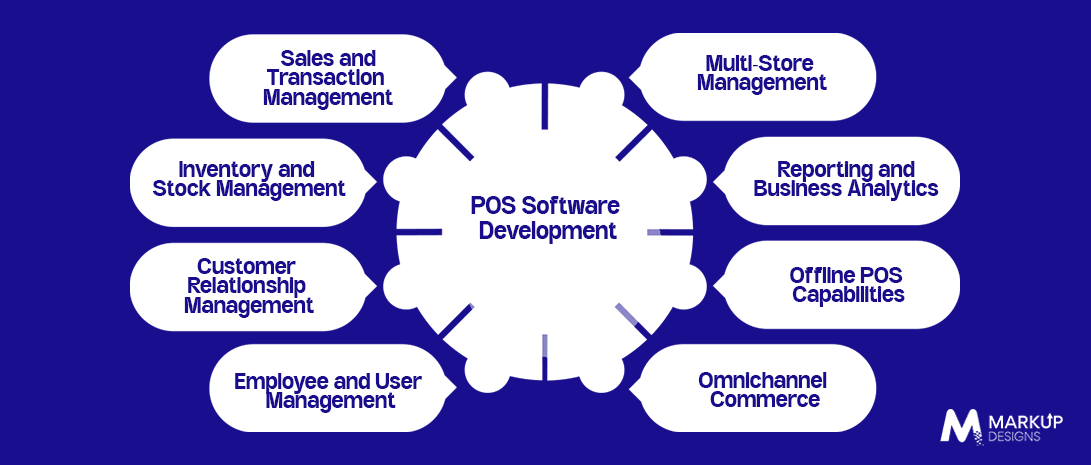
1. Sales and Transaction Management
An efficient POS should facilitate quick transactions with regard to products and services while supporting different ways of payment, discounts, refunds, as well as exchanges. It must also produce receipts and invoices and manage Australian tax and GST requirements correctly.
2. Inventory and Stock Management
Real-time management of inventory helps companies trace their goods in different locations, control transfers, and get alerts about low stock. The inclusion of purchase orders, product variants, and automated updates of stock will reduce the probability of inventory mistakes.
3. Customer Relationship Management
Now, POS programs can keep records of customers and their buying history and work with segmentation and loyalty programs. Companies can use the data to provide various promotions.
4. Employee and User Management
Role-based access gives businesses an opportunity to limit viewing or modifying rights for different employees. Shift management, permission-based access to sales performance and audit trails will help improve accountability.
5. Multi Store Management
Enterprise POS platforms can centralise administration while allowing individual stores to maintain relevant configurations. Shared product catalogues, location-based pricing, cross store inventory, and consolidated reporting make multi-location management easier.
6. Reporting and Analytics
Companies can utilize data from their POS systems to monitor sales, revenues, product performance, stock levels and staff activity. Real-time dashboards afford managers the ability to see quickly how their businesses are performing and how customers are behaving.
7. Offline Capabilities of POS
POS solutions ought to still function whenever there are temporary connectivity problems, enabling entities to continue transacting. Services such as local processing, offline access to inventory, and automatic synchronisation permit the continuity of operations until connectivity is restored.
8. Omnichannel Commerce
Contemporary POS solutions are capable of linking physical and online retailing channels via shared inventory and customer information. Services such as buying online and picking up items from a store or returning products from one channel to available from another are examples of a unified customer experience.
Key Integrations for Enterprise POS Software
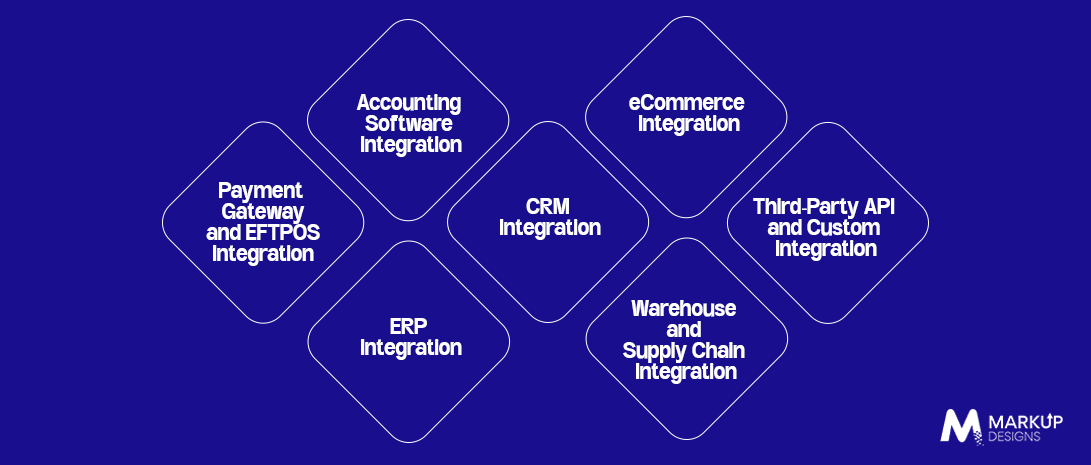
Enterprise POS software must function as part of an extensive IT environment rather than as a separate POS solution. Integration through APIs allows the POS to exchange information with payment processors, accounting software, ERP, CRM, eCommerce, and warehouse systems to ensure that the information is always consistent.
Payment Gateway and EFTPOS Integration
POS software should support Australian EFTPOS solutions, payment gateways, cards, digital wallets, and QR payments, as well as refunds, reversals of transactions and carrying out reconciliation.
Accounting Software Integration
Integration with software like Xero, MYOB, and QuickBooks can automate the process of transferring the sales and payment data. As a result, manual entries are reduced, while tax calculations, reconciliations, and financial reports are facilitated.
ERP Integration
Linking the POS to the ERP system helps align product inventory management, purchasing, accounting, and supply chain data.
CRM Integration
The integration with CRM helps integrate sales with customer information and purchase history.
Businesses can then manage loyalty programmes, customer segments, and marketing activities using current sales data.
eCommerce System Integration
By connecting the POS systems with the online marketplace, the product database, delivery, and purchase records are composed coherently with each other. It also enables click-and-collect deliveries, inter-channel returns, and a similar omnichannel experience.
Warehouse and Supply Chain Integration
Using integration with the warehouse system and supply chain systems, one can obtain improved tracking of the product flow, purchasing processes, fulfillment, and supply chain management. This is very useful for business companies that operate in multiple warehouses.
Third-Party API and Custom Integration
Using open APIs, webhooks, and integration middleware will allow the POS to integrate with specific types of business applications. Integrations can enable the synchronization of information, automation of operations, and control over integration processes.
How to Develop POS Software in Australia
When creating a solution for a big business regarding creating a POS system, it is very important to follow a structured model of development and account for integrations, functionality, security, and sustainable development of the system.
Step 1: Define Business and Industry Requirements
Identify operational workflows, transaction volumes, user roles, existing software, and Australian compliance requirements before development begins.
Step 2: Decide on the POS Architecture and Technology Stack
Select between cloud-based, hybrid, or on-premises applications, as well as the frontend, backend, database, API, and mobile technologies depending on the estimated scale and capabilities.
Step 3: Make the POS User Experience
Develop straightforward interfaces for staff, clients, and administrators. The checkout process must focus on speed, clarity, and accessibility on the devices being used.
Step 4: Implement Basic POS Functions
Create essential modules for sales, inventory, clients, workers, payment processes, and administration as per requirements.
Step 5: Create Enterprise Integrations
Connect POS with payment service suppliers, ERP application, CRM application, accounting application, e-commerce platforms, and warehouse applications. API design has to allow for dependable and secure data exchange.
Step 6: Establish Safety and Compliance
Apply encryption, authentication, role-based access, and secure application interfaces. Payment safety must be kept in mind during the architecture and development stages.
Step 7: Carry Out POS Testing and Validation
Carry out testing in functional workflows, integrations, payments, productivity, security, and offline experiments. Acceptance from users can make it possible to check whether the software works properly in the real world.
Step 8: Deploy, Monitor and Optimise
Commence with a limited test before moving on to the entire operation.
Once the system has been put in place, continuous evaluation, along with training employees, maintenance, changes, and enhancements, are essential methods for keeping the POS system working reliably whenever there is a need for it.
Australian Compliance Considerations for POS Software
It is crucial to incorporate all locations into the compliance system at the level of technology.
In particular, businesses will have to keep in mind tax concerns, the security of payments, and protection of customers’ data when employing POS systems in Australia.
GST and Tax Requirements
A POS system must calculate GST, apply tax-inclusive or tax-exclusive prices if necessary, keep the needed records, and produce appropriate receipts and reports.
Payment Security and PCI DSS
Security systems for payment processing require a high level of protection.
The use of encryption and tokenisation methods, various access control means, and secure systems integration is a way of decreasing system vulnerability.
Privacy and Data Protection
When the POS solution stores customer information, it must be made sure that there is a proper level of protection for the information.
Secure storage, user permissions and privacy management should be incorporated into the system design.
Australian Payment Regulations
POS development should account for the payment methods used by the business, including EFTPOS and other electronic payment channels. Transaction security, payment disclosures and appropriate handling of electronic transactions are important considerations. The Australian ePayments Code applies to a range of consumer electronic payment transactions, including EFTPOS, online and mobile payments.
Enterprise Benefits of Custom POS Software Development
The value of custom POS software goes beyond transaction processing when it works with other technologies in the enterprise environment.
Centralised Business Operations
A connected POS makes it possible to streamline operations by merging information from sales, inventory, customers, finance, and operations.
Improved Inventory Visibility
With the help of real-time inventory synchronisation, companies can keep track of their inventory across locations and avoid problems associated with discrepancies.
Reduced Manual Data Entry
Using custom POS integrated with accounting, inventory, and enterprise systems allows businesses to streamline their operations.
Better Customer Experience
With faster checkout, a variety of acceptable payment methods, and known customer data, customer satisfaction increases.
Data-Driven Decision Making
With real-time dashboards, management has a clear view of sales, product performance, customer behavior, and store performance, which helps entities make quick decisions.
Scalability for Business Growth
A custom POS can be designed to accommodate additional stores, users, transaction volumes, sales channels, and third-party integrations as the business expands.
Lower Long-Term Operational Costs
Automation, centralised management, improved inventory control and fewer manual processes can reduce operational overhead while helping teams work more efficiently.
How Much Does POS Software Development Cost in Australia?
The cost of POS software development in Australia depends on the system’s complexity, integrations, number of locations and level of customisation. A basic solution may require only core transaction and inventory functions, while an enterprise platform can involve multi store management, advanced analytics, payment integrations and complex business systems.
Factors Affecting POS Development Cost
Key cost drivers include:
- Feature complexity and customisation
- Number of platforms and devices
- Third party integrations
- Number of business locations
- Hardware requirements
- Security and compliance needs
- UI/UX complexity
- Development team location
- Ongoing maintenance and support
Estimated POS Development Cost by Complexity
| POS Type | Complexity | Typical Scope |
| Basic POS | Low | Sales, payments and basic inventory |
| Mid Level POS | Medium | Inventory, CRM, reporting and integrations |
| Enterprise POS | High | Multi location, ERP, analytics and omnichannel |
| Complex Enterprise Platform | Very High | Custom architecture, extensive integrations and automation |
There is no reliable one size fits all price for enterprise POS development. A proper estimate should be based on the required features, integrations, architecture, hardware and expected scale.
Challenges in POS Software Development and How to Overcome Them
Complex Third-Party Integrations
Different systems use different APIs and data structures. API first architecture and middleware can make integration more reliable and manageable.
High Transaction Volumes
Peak traffic can affect system performance. Scalable infrastructure, caching, and performance testing help maintain responsive transactions.
Data Synchronisation
Sales, inventory, and customer data must remain consistent across systems. Event-driven architecture and reconciliation processes can minimise discrepancies.
Security Risks
POS platforms handle sensitive business and payment information. Encryption, access controls, secure APIs, and regular security testing should be part of the development process.
Legacy System Compatibility
Existing ERP, accounting, or warehouse systems may not be easy to replace. Integration layers and APIs can connect the new POS with legacy infrastructure.
Future Trends in POS Software Development in Australia
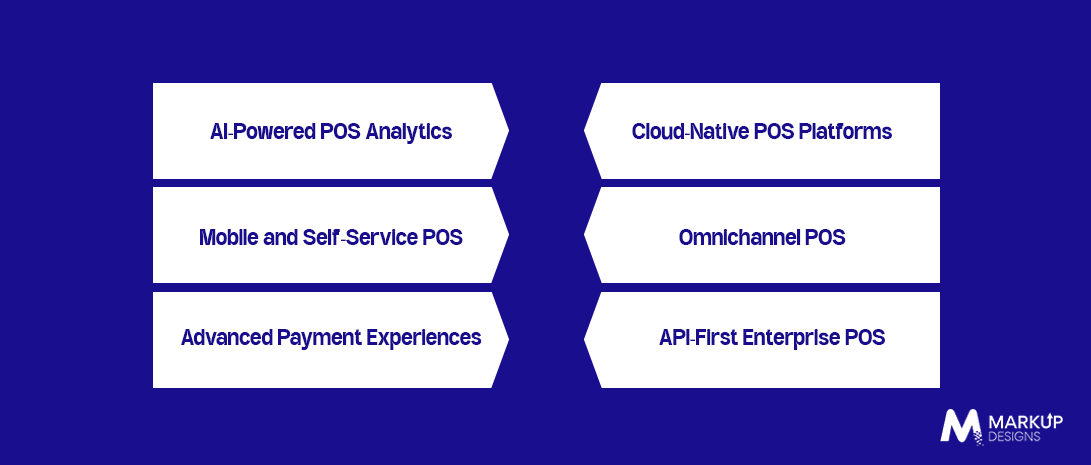
AI-Powered POS Analytics
AI can support demand forecasting, product recommendations, customer insights, and automated reporting.
Cloud Native POS Platforms
Cloud-based systems enable centralised management, remote access, automatic updates and easier scalability.
Mobile and Self Service POS
Mobile checkout, self-service kiosks and QR-based ordering can reduce queues and offer more flexible purchasing options.
Omnichannel POS
Unified inventory, online-to-store fulfilment and cross-channel returns help connect physical and digital commerce.
Advanced Payment Experiences
Contactless payments, digital wallets, QR payments, and integrated payment terminals are becoming increasingly important for modern checkout experiences.
API First Enterprise POS
API driven architecture makes it easier to connect third-party platforms, add new services, and adapt the POS as business requirements change.
Why Choose Markup Designs for POS Software Development in Australia?
Markup Designs can help businesses build POS solutions around their operational requirements, with capabilities covering custom POS development, enterprise integrations, cloud architecture, AI and analytics, secure application development and ongoing optimisation.
Build a POS System That Supports Your Business Growth
From payments and inventory to enterprise integrations and omnichannel operations, build a custom POS solution designed around your business requirements. Connect with Markup Designs to discuss your POS software development needs in Australia.

Conclusion
POS software has evolved beyond a basic transaction processing tool into a connected platform that supports sales, inventory, customers, payments and wider enterprise operations. For businesses operating across multiple locations and channels, the real value lies in how effectively these systems work together.
Successful POS software development in Australia requires careful planning around features, integrations, scalability, security and compliance. By building the right architecture from the start, businesses can create a solution that supports current operations while remaining flexible enough to grow with changing business needs.
FAQs
1. What is POS software development?
POS software development is the process of building a system that manages sales transactions and related operations such as payments, inventory, customer information, employee management and reporting. Custom software development allows the software to be designed around specific business workflows and integration requirements.
2. How much does it cost to develop POS software in Australia?
The cost depends on feature complexity, platforms, integrations, security requirements and the scale of the business. A basic POS costs significantly less than an enterprise solution with multi location operations, ERP integration and advanced analytics.
3. How long does it take to develop a POS system?
Development time depends on the project scope. A basic POS can be developed faster, while a custom enterprise platform with complex integrations, security requirements and extensive testing may take several months or longer.
4. What features should enterprise POS software include?
Core features typically include sales and payment processing, inventory management, customer management, employee controls, multi store support, reporting, analytics and offline capabilities. The final feature set should depend on the business and industry requirements.
5. Which systems can POS software integrate with?
POS software can integrate with payment gateways, EFTPOS systems, accounting platforms, ERP and CRM software, eCommerce stores, warehouse management systems and other third party applications through APIs and custom integrations.
Author's Perspective
Integration and scalability should be treated as core POS requirements, not features added after the system is built. For Australian enterprises operating across multiple locations and sales channels, a POS that cannot reliably connect with existing business systems can quickly create the same data silos and manual processes it was meant to solve. The stronger approach is to build around integration, flexibility and future growth from the beginning.
Discuss Your Project NowGaurav Goyal
Global Sales- VP
Related Posts

Custom Software Development Services in Abu Dhabi for...

Custom Software Development Cost in Bahrain: Factors, Benefits,...

How Much Does Healthcare Software Development Cost in...
Insights Are Valuable & Execution is Priceless
You’ve read about the digital future. Now, let’s build the infrastructure to take you there. Move your strategy from the page to the product.
Design Your Solution Now
Contact Us
Schedule The Appointment At Your Convenience Date And Time.
30 Min
Web Conference
Time Zone
Indian standard time (08:30pm)

Thanks For Getting In Touch!
You’ve Taken The First Step Toward Transforming Your Digital Presence. Our Experts Will Reach Out Shortly To Take It Forward.
Launch Your Dream Project
Provide a brief overview of your project, and our specialists will evaluate your requirements. We will connect with you to explore how the right digital solutions can help you launch faster.