

In Brief
- Outline your business goals: Identify the goals of your application, target audience, and its business applications.
- Choose the right software development method: Use native development with Swift or one of the modern cross-platform solutions like Flutter or React Native, according to the resources available and possible plans for scaling.
- Make a decision on necessary app features: Begin with basic functionality, then add more complex parts of the application according to the needs of your users and of your company.
- Security and App Store readiness should be taken into account: Plan for data security, compliance with the requirements of Apple’s review system, and user privacy while applying software development principles.
- Consider post-launch support: Include in your budget the costs of testing, infrastructure, security updates, and other application-related expenses.
iOS apps have become an essential channel for gaining more loyal customers, simplifying work processes, and delivering products and services on Apple devices. Through iOS app development, companies in the fields of eCommerce, healthcare, fintech, and others may create digital experiences, automate processes, and gain a new source of profit. The process entails gaining insight into user requirements, identifying appropriate features, choosing the best technologies, and planning for sustainability.
Creating an iOS application entails employing a systematic development process to bring the technical choices to a halt and meet the business goals. Before the launch, businesses need to assess their target customers, determine if the application will be native or cross-platform, forecast costs, and pay attention to security and App Store rules. This guide explores how to build an iOS app from scratch and discusses the development cycle as well as the technology stack that should be used, the key features available, the cost involved, and the subsequent service.
Why Should Businesses Invest in iOS App Development?
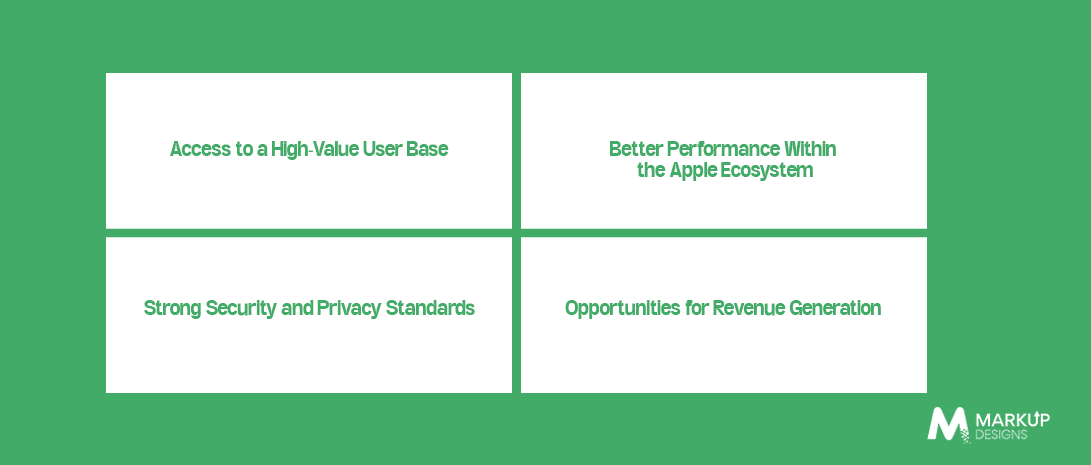
An investment in the area of iOS application development makes it possible for businesses to engage customers through a unique digital experience that meets their needs. Apart from engaging customers with a digital interface, iOS applications can facilitate service delivery, enhance internal business processes, and generate new sources of profit.
Access to a High-Value User Base
There is a pre-existing user portfolio of Apple in countries like the USA, UK, and Australia. For brands intending to reach consumers in these areas, an iOS application can enable them to reach these prospective consumers easily. However, firms need to determine the preferences of the audience for mobile devices instead of taking it for granted that iOS is the most suitable mobile platform across markets.
Strong Security and Privacy Standards
Apple provides various security features to prevent users’ information from being leaked. Companies can use additional security features like encryption, secure authentication, and other important access controls to improve the security level of their apps. However, security depends on the way it is implemented; therefore, making an app with secure iOS does not mean it’s safe.
Better Performance Within the Apple Ecosystem
Creating an iOS program allows technical teams to optimize the performance of the application depending on the hardware and software environment of the devices. Additionally, technologies like Swift and SwiftUI are available for developers to help them realize the functionality of their apps. Proper testing is needed to ensure app performance is perfect on the given devices.
Opportunities for Revenue Generation
Businesses can generate revenue through in-app purchases, subscriptions, paid downloads, or transactions involving products and services. The right model depends on the app’s purpose, customer expectations, and applicable App Store payment policies. Subscription-based businesses, for example, need to consider pricing, renewal management, retention, and platform fees when estimating profitability.
What Should Businesses Consider Before Building an iOS App?
A proper development plan allows businesses to avoid unnecessary functions, unreasonable budgets, and technological decisions that might cause trouble later on. Before beginning development, teams must determine the app’s purpose, expected audience, and success metrics.
Define Business Goals and App Requirements
Identify the business problem that the app should solve. This may include simplifying booking processes, increasing customer loyalty, implementing mobile payments, or automating the processes within the company. After that, translate the aforementioned goals into functional requirements, target groups, and measurable results—like the number of processed transactions, time saved, or retention rates.
Identify the Target Audience and Market Demand
Learn about your target users, their needs, and their problems with existing solutions. This means knowing where they live, how they use devices, and what they expect from mobile services. The key to understanding if an iOS application will meet the needs of users is to conduct interviews and surveys.
Research Competitors and Validate the App Idea
Study other apps to know their features, pricing model, user feedback, and usability gaps. Make sure to pay attention to the comments made in the App Store to find out what is troubling many users and needs to be solved. Use these findings to define your app’s differentiating value and validate the concept through prototypes, user testing, or a minimum viable product (MVP) before expanding the scope.
Choose the Right iOS App Development Approach
Enterprises can select either native iOS development or cross-platform development according to their needs in terms of technology and cost. Native development may be done through Swift, and it is a good fit when the application needs to have some distinctive Apple features or optimizations connected with functionality at a deeper level. Companies can take advantage of cross-platform platforms like Flutter or React Native if they plan to launch new applications on both iOS and Android operating systems.
Set the Budget and Development Timeline
Calculate the costs related to planning, designing, developing, and implementing the app’s features, as well as this application’s testing and ongoing support. The time needed for work on the product should factor in its complexity, availability of a relevant team, use of third-party companies, and App Store evaluation. Establishing the scope of work needed to finish the project, be prepared to have some intermediate money set aside.
How to Build an iOS App: Step-by-Step Development Process
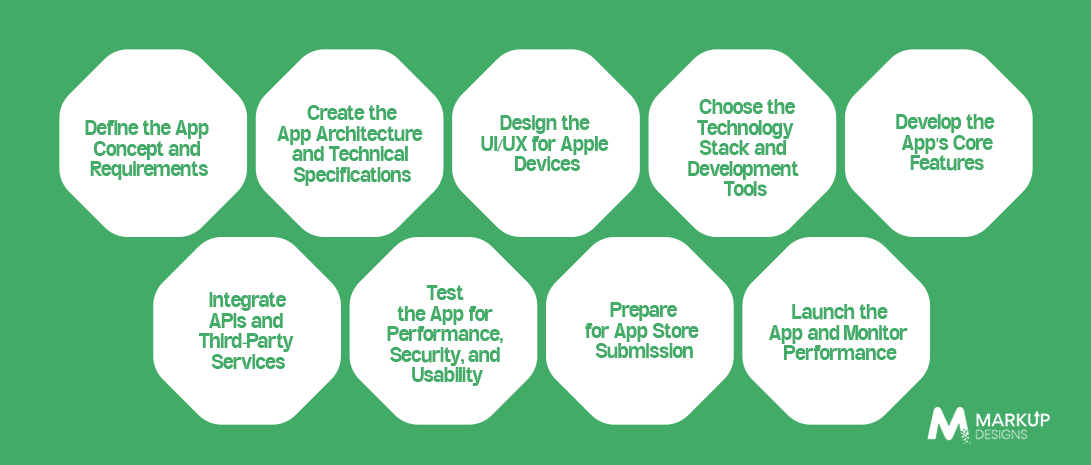
The process of bringing an iOS application into existence has several steps, from defining the requirements to analyzing the results of the launch.
By adhering to a structured method, teams are able to manage the scope of the project, recognize problems sooner rather than later, and create an app that meets the business goals set for it.
Step 1: Define the App Concept and Requirements
It is necessary to list the idea of the app, the target audience, its main features, and expected results of business usage. The most important user paths should be drawn and the most crucial features selected for the first application version. Define functional and non-functional requirements as well.
The Requirements document helps to create a common background for developers and designers and reduces risks of spending money on changes in the middle of the development process.
Step 2: Create the App Architecture and Technical Specifications
Define the interaction between the app’s components, back-end services, databases, and any integrations with third parties. Write down data models, API requirements, user identification, and the dependency system.
Architecture decisions should reflect the app’s expected workload and future requirements without introducing unnecessary complexity.
For applications that handle sensitive information or transactions, security controls and data flows should be considered during architecture planning rather than added as an afterthought.
Step 3: Design the UI/UX for Apple Devices
Using wireframes and prototypes, demonstrate how users will operate the app and accomplish main operations. The design should conform to Apple’s design principles as necessary, incorporating proper navigation, easily readable fonts, suitable controls, and standardized layout.
Prototype testing should be done with typical users before the implementation phase starts. Feedback provided before the release can help identify problematic areas.
Step 4: Choose the Technology Stack and Development Tools
Select tech based on the requirements of your app, the expertise of the team, and the plan of releasing the product. Good solutions for native iOS development are Swift and SwiftUI, while options such as Flutter and React Native allow the work to be done cross-platform. Technologies for the back end, databases, cloud solutions, and API frameworks should be chosen based on data requirements, integration purposes, and scale.
In this case, it is important to note that the latest technology does not equal the best one. What should be considered is the maintainability of the technology stack, whether it matches the required Apple capabilities, and whether development services will be provided by skilled people.
Step 5: Develop the App’s Core Features
Create the application step by step, starting with the key elements that fulfil its primary purpose. Depending on the kind of business, these components can be account management functions, searching tools for users, booking systems, dashboards, payment facilities, or access to content.
Developers team should apply the version control system that will help the team to control defectiveness and preserve code quality. In addition to that, changes are done functionally, so all the stakeholders can see what has been developed and is working before the full application is ready.
Step 6: Integrate APIs and Third-Party Services
Connect the application to the necessary back-end systems and outside services that will be responsible for its work. The most common connections are payment systems, maps, analytics, CRM, authentication services, and notification systems.
When choosing the service, it is important to pay attention to its API documentation, pricing policy, data use practices, reliability, and support for the required workflows.
Step 7: Test the App for Performance, Security, and Usability
Test the application on other devices to discover functional errors and inconsistencies. Quality control should concern navigation, interruptions in network connections, accessibility of the program application, APIs, performance, and the ways that users. Quality assurance should cover navigation, network interruptions, accessibility, API responses, performance, and critical user journeys.
Security testing should also examine authentication, permissions, sensitive data storage, and communication between the app and backend services. Beta testing with representative users can reveal problems that internal testing may miss.
Step 8: Prepare for App Store Submission
Prior to submitting the app, it is essential to read through the updated App Review Guidelines introduced by Apple and have the information ready to fill out, such as listing requirements, screenshots, privacy, and age rating. It should be double-checked whether the app performs as per the guidelines and if it is able to process the permissions and conforms to the current policy standards.
Moreover, companies have to inspect their distribution structure, application signing process, and release build. Approval is not guaranteed; thus, it is important to have a timeline that will make sure there’s enough time for app review and possible submission.
Step 9: Launch the App and Monitor Performance
After getting app approval, companies should make a launch according to the rollout plan. They should also oversee certain parameters like downloads, activations, crashes, retention rates, conversion rates, and feedback from users. The information received from these numbers helps businesses identify whether their application is successful enough to draw attention to itself or performs well on the market.
Use post-launch data to prioritise bug fixes and improvements. A successful launch is the start of an ongoing product development cycle, not the end of the project.
Which Technology Stack Is Best for iOS App Development?
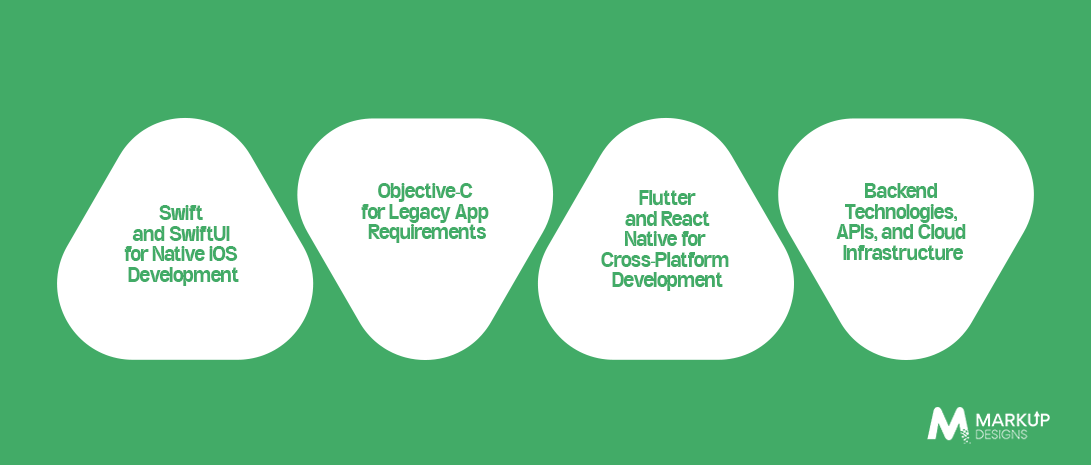
The selection of the right technology stack depends on the efficiency and performance of the application, integration requirements, and plans for maintenance in the future. Companies have to look at the whole solution that includes mobile interface, backend services, databases, and hosting platform instead of picking a framework randomly.
Swift and SwiftUI for Native iOS Development
Swift is the predominant programming language that Apple uses to develop applications for iOS. SwiftUI represents the declarative way of developing user interfaces, making it possible to work with Apple’s application development ecosystem. Both, when used together, help develop applications that have application-specific features, can be well integrated with Apple services, and provide a native user experience.
UIKit can also be useful for projects that have predefined interface components or instances of already existing iOS applications.
Objective-C for Legacy App Requirements
Objective-C continues to be used in cases when companies support old iOS applications or rely on libraries and code that originally were created with Objective-C. It is also possible to use both Objective-C and Swift throughout the process of transfer to a new programming language without abandoning legacy technologies completely. However, for a new project without legacy dependencies, Swift is generally the more practical starting point.
Flutter and React Native for Cross-Platform Development
Both Flutter and React Native enable companies to use many parts of their application code on both platforms: iOS and Android. Flutter employs Dart and a unique rendering method for its interface, while React Native allows developers to design apps using React and JavaScript or TypeScript, which are both widely used in the tech world.
Cross-platform programming permits teams to save time by avoiding repeated implementation of the same code, though it does not exempt them from conducting platform-specific testing or writing specific code. Applications that require complicated Apple APIs, specific device functions, or platform-dependent features still need native code to work properly.
Backend Technologies, APIs, and Cloud Infrastructure
The majority of business applications use backend services, enabling them to work with users’ logins, business rules, databases, financial transactions, and various integrations. According to the business requirements, programmers use languages such as Node.js, Java, Python, .NET, and cloud technologies alongside relational or NoSQL databases.
Backend support should offer security, effective data handling and storage, and storage. It is especially relevant for applications working with payments, customer information, and data sharing across devices.
What Features Should Businesses Include in an iOS App?
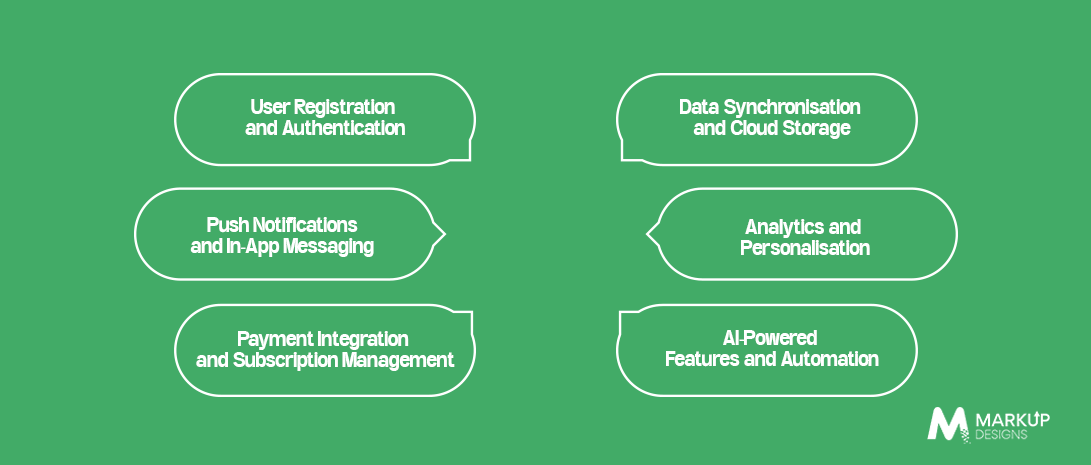
Selecting features must be aligned with the app’s objective and user requirements. Adding features without a definitive purpose makes the development and maintenance process time-consuming; hence, it is essential to consider the main processes of users’ activities.
User Registration and Authentication
Registration and login are essential processes that allow users to get customized content and gain access to various features that require a login. Depending on the type of app, registration might include the confirmation of the user’s email or phone, signing in through social media accounts, using two-step login, etc. It is also significant to think about managing user sessions and conducting password recovery while creating registration.
Push Notifications and In-App Messaging
Push notifications can be used to inform users about booking confirmations and changes, reminders, etc. Messaging inside the application permits users to contact technical support or other users. Notifications must be relevant and should be based on permission.
Payment Integration and Subscription Management
Payment features include but are not limited to such transactions as sales, subscriptions, etc. Implementing the payment system may require integrating with third-party providers, tracking transactions, issuing refunds, etc.
Businesses must also follow Apple’s current rules governing in-app purchases and payments, which vary according to the transaction type and applicable storefront requirements.
Data Synchronisation and Cloud Storage
The availability of cloud data synchronisation facilitates users to have a unique experience on multiple devices and different sessions. This technology is helpful for applications creating documentation, storing preferences, records of activities, or business information. The developers will have to think about conflict resolution, offline behaviour, backups, and access rights to ensure data correctness and the privacy of sensitive information.
Analytics and Personalisation
Analytics is useful for businesses to understand user behaviour, adoption of products, conversion, and retention rates. Personalization can help to personalize content and advice based on relevant preferences and activity. The process of data collection must correspond to the goal of the business, be disclosed adequately, and comply with the existing privacy policies.
AI-Powered Features and Automation
Artificial intelligence can assist in the following activities: conversation enabling; intelligent search; document management; recommendation system; workflow automation. The cost of the activity depends on the quality of data, required accurateness and expenses to ensure that function.
How Much Does It Cost to Build an iOS App?
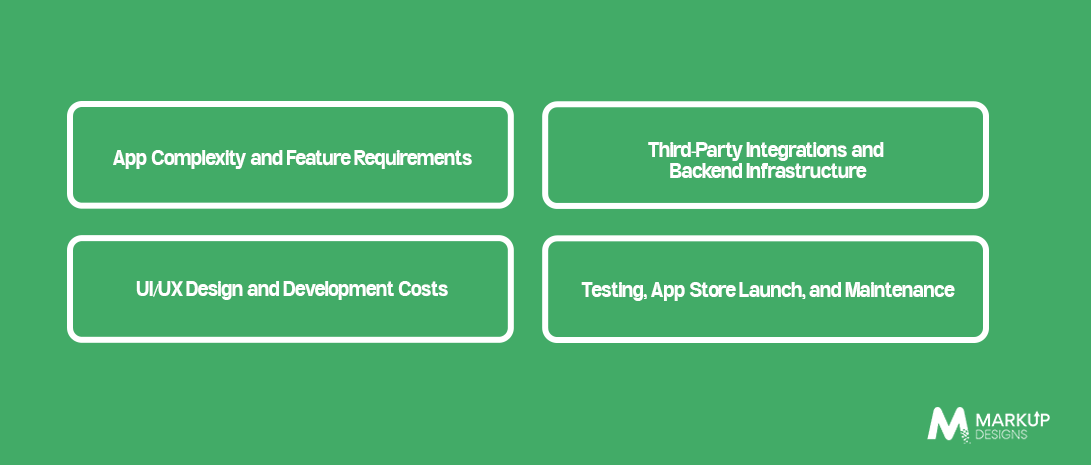
The cost of creating an iOS application depends on its functionality, design needs, backend structure, and integration.
A straightforward application with a few core features requires less development effort than a complex platform involving real-time communication, payment processing, or AI-powered capabilities. Businesses should evaluate the full project scope before setting a budget.
As an indicative planning estimate, iOS app development may range from USD 10,000–30,000 for a basic app, USD 30,000–80,000 for a mid-level app, and USD 80,000–200,000 or more for a complex application. These figures are broad estimates, not fixed market rates, and actual costs vary by development team, location, technology choices, and project requirements. Ongoing maintenance and third-party service fees may be additional.
App Complexity and Feature Requirements
App complexity is among the most important aspects of determining development expenses. An app with basic account functionality, fixed information, and straightforward navigation requires fewer resources than one with real-time tracking, various user types, complex processes, or tailored recommendations. The development and quality assurance teams need to work on each additional feature, meaning that companies must order features according to user preferences and importance.
UI/UX Design and Development Costs
UI/UX costs also depend on the number of screens, user flows, custom interface design elements, and prototyping. Apps that include several types of users or complex processes usually require deeper design and usability testing than others do. Development expenses vary depending on the type of UI. Investment in usability at an early stage will eliminate the need to do the job twice.
Third-Party Integrations and Backend Infrastructure
Payment gateways, CRM, tools for data analysis, maps, and third-party API integrations can multiply expenses. Apart from that, the backend part must be taken into consideration regarding budget, as it may require a database, authentication, cloud launch, data processing, and monitoring. The expenses depend on the required complexity and expected usage rates of the system.
Testing, App Store Launch, and Maintenance
Testing and deployment should be included in the initial project budget rather than treated as optional expenses. Quality assurance covers functional behaviour, device compatibility, performance, accessibility, and security. App Store preparation requires suitable metadata, privacy disclosures, signing configuration, and compliance with Apple’s review requirements. After launch, businesses must also budget for bug fixes, operating system compatibility updates, security patches, and feature improvements.
What Challenges Do Businesses Face When Building an iOS App?
Creating an iOS app goes beyond simply adding features, as there are specific steps an organisation has to take, including working under Apple policies, protecting customer privacy, ensuring harmony with corporate systems, and limiting expenses and deadlines.
Managing Apple App Store Guidelines and Approval
Apple rescreens submitted products according to its App Review Rules covering such aspects as capability, confidentiality, payments, and overall experience. In case there are bugs, or something is missing or non-compliant, the application is likely to be rejected. To avoid unnecessary delays, a company should study the rules beforehand, perform the necessary testing, and get ready for privacy announcements before the submission.
Ensuring Data Security and Privacy Compliance
Business applications can deal with sensitive information related to individuals or businesses such as personal data, financial records, location data, or confidential documents. Poor authentication, overflow of information, and insecure API may expose that information to outside access. Thus, it is crucial to use encryption, access control, session management, and proper retention. All privacy obligations should be taken into account according to the company, its users, and information processed.
Optimising Performance Across Apple Devices
While Apple technology arrangement is more controlled than that of other mobile environments, the difference in capabilities of the devices themselves, display screen sizes, and versions of the operating systems impacts the functioning of the apps. Poor management of memory, excessive utilization of background functions, and ineffective usage of network resources affect the speed of the app or energy consumption. Testing the app on the representative devices helps the team to detect problems with performance before launching it into production.
Integrating Legacy Systems and Third-Party Services
Businesses need their applications to connect to some existing databases, enterprise applications, payment processors, or old-school applications. Problems with integrations are connected to differences in formats of data, API capabilities, and types of authentication. The team can overcome integration problems if they analyze compatibility in the beginning, keep records of dependencies, and do thorough testing.
Managing Development Costs and Timelines
Excessive flexibility of the requirements, changes in priorities, underestimation of the need for integration, and delays in receiving feedback can lead to budget failures in the course of the project. Businesses should define deliverables, establish acceptance criteria, and break development into measurable milestones. A phased release strategy also makes it easier to identify problems early and control spending as requirements evolve.
How Can Businesses Ensure iOS App Security and Quality?
Security and quality should be built into the development process from the planning stage. A structured approach helps businesses protect user information, maintain reliable functionality, and reduce the risk of expensive problems after launch.
Implement Secure Authentication and Data Encryption
Use secure authentication methods, enforce appropriate access permissions, and protect sensitive information both in transit and at rest. Apple’s Keychain can store credentials and other secrets securely, while backend systems should enforce their own authentication and authorisation checks. Security decisions should account for the sensitivity of the data and the potential consequences of unauthorised access.
Follow Apple’s Privacy and Data Handling Requirements
Collect only the information needed to deliver the app’s functionality and explain data practices clearly to users. Review permission requests, privacy disclosures, data retention policies, and applicable App Store requirements before release. Businesses should also assess relevant legal obligations, including the privacy laws that apply to their operations and user base.
Conduct Functional and Performance Testing
Test critical workflows, including registration, payments, data synchronisation, and error recovery. Performance testing should assess response times, resource consumption, and behaviour under varying network conditions. Automated tests can help verify frequently used functions, while manual and usability testing can uncover issues that automated checks may not detect.
Monitor App Crashes and User Feedback
After launch, use appropriate analytics and crash-reporting tools to identify stability issues and understand how users interact with the app. Monitor crash frequency, failed transactions, loading times, and recurring user complaints. Prioritise fixes according to their impact on security, functionality, and the overall user experience.
How Can Businesses Maintain and Scale an iOS App After Launch?
An iOS app needs ongoing attention to remain secure, compatible, and useful as user expectations and business requirements change. A post-launch plan should cover performance monitoring, software updates, feature improvements, and infrastructure management.
Monitor App Performance and User Engagement
Track metrics such as active users, retention, feature adoption, conversion rates, and crash reports. These indicators help businesses determine whether the app is meeting its objectives and where users encounter difficulties. Use the findings to prioritise improvements rather than relying solely on downloads as a measure of success.
Release Regular Updates and Bug Fixes
Updates help address defects, security vulnerabilities, compatibility changes, and evolving platform requirements. Businesses should maintain a release schedule that balances timely fixes with adequate testing. Each update should be checked against critical user journeys to ensure that new changes do not disrupt existing functionality.
Improve Features Through User Feedback
User reviews, support requests, surveys, and in-app feedback can reveal usability problems and unmet needs. Categorise feedback by frequency, business impact, and implementation effort before adding new features. This prevents the roadmap from becoming a collection of isolated requests and keeps development focused on meaningful improvements.
Scale Infrastructure and Integrations as Demand Grows
As the user base expands, businesses may need to increase backend capacity, optimise database queries, improve caching, or review third-party service limits. Monitor actual usage and performance before expanding infrastructure. A scalable architecture should accommodate growth without forcing unnecessary redevelopment or increasing operating costs prematurely.
How to Choose the Right iOS App Development Company?
Choosing a development partner requires more than comparing quotes. Businesses should evaluate technical capability, relevant experience, delivery practices, and the support available after launch to determine whether a team can deliver and maintain the required solution.
Evaluate Technical Expertise and Portfolio
Review the company’s experience with Swift, SwiftUI, relevant frameworks, backend systems, and integrations required for your project. Examine previous applications for functionality, usability, performance, and technical complexity. Ask how the team handled challenges similar to those expected in your project rather than relying on portfolio visuals alone.
Assess Industry Experience and Development Approach
A partner familiar with your industry may better understand its workflows, users, and regulatory requirements. However, industry experience should be supported by a clear development methodology, realistic milestones, and evidence of effective delivery. Discuss how the team gathers requirements, manages changes, and involves stakeholders throughout development.
Review Security, Testing, and Quality Standards
Ask how the company handles code reviews, automated testing, device compatibility, security assessments, and release preparation. A credible partner should be able to explain its quality assurance process and how it addresses defects. Security responsibilities should also be clearly defined across the mobile app, backend, and third-party services.
Compare Pricing, Communication, and Post-Launch Support
Compare proposals based on deliverables, assumptions, exclusions, timelines, and payment terms rather than the headline price alone. Clarify who owns the source code, how project changes are billed, and what support is available after launch. Regular communication and transparent reporting help businesses identify risks before they affect delivery.
How Can Markup Designs Help Businesses Build an iOS App?
Markup Designs helps businesses turn app ideas into functional digital products aligned with their operational requirements and growth objectives. From requirement analysis and UI/UX design to iOS development, API integration, testing, and deployment, the team can support the development process based on the project’s scope. By prioritising essential features, selecting suitable technologies, and planning for ongoing maintenance, businesses can make informed development decisions and build applications designed to evolve with their needs.
Build an iOS App Around Your Business Goals
Discuss your app idea, technical requirements, and development priorities with Markup Designs to plan a solution that fits your business needs.

Conclusion
Building an iOS app requires a clear understanding of business objectives, user expectations, technical requirements, and long-term operating costs. From selecting the right technology stack to designing the interface, developing core features, and preparing for App Store submission, each stage influences the application’s quality and overall investment.
Businesses should focus on solving a specific user problem, prioritising essential features, and building security and testing into the development process. Post-launch monitoring and regular improvements are equally important for maintaining performance and user engagement. A structured development strategy helps businesses manage costs while creating an iOS application that can support their evolving requirements.
FAQ
1. How long does it take to build an iOS app?
Creating a basic iOS application may require almost two to four months, while a mid-complex application could take four to eight months. Complex applications, along with the features used in their development, may consume up to eight to twelve months, with certain applications taking even longer due to different conditions, such as integrations and testing needs.
2. Can a business develop an iOS app without an Android application?
Yes. A business can design and launch an iOS app by targeting only Apple users. After launching the iOS application, a company may start developing Android applications depending on its customers, market conditions, and required resources.
3. Which programming language is recommended for making an iOS app?
Swift is the best programming language for new iOS applications as it was developed to work with Apple software. However, developers may use Objective-C for supporting legacy applications.
4. Is native iOS development better than cross-platform development?
It is impossible to identify which development option is better. Native development is recommended for those iOS applications where significant functionality is required.
Cross-platform development can reduce duplicated work when launching on iOS and Android. The right choice depends on performance requirements, budget, feature complexity, and long-term maintenance needs.
5. How much does it cost to publish an app on the Apple App Store?
Apple’s standard Apple Developer Program membership costs USD 99 per year, or the equivalent in local currency where available. Eligible organisations may qualify for a fee waiver. This membership fee is separate from app design, development, testing, and maintenance costs. Businesses should verify current fees and eligibility through Apple’s official developer programme.
Author's Perspective
The biggest mistake businesses make when building an iOS app is treating development as a feature checklist rather than a business investment. Adding more functionality does not automatically create a better product, and choosing the cheapest development option can lead to expensive technical problems later. Businesses should start with a clearly defined user problem, validate demand, and invest in the features that deliver measurable value. Security, usability, and maintainability should be built into the product from the beginning, not postponed until after launch. The strongest development strategy is one that balances immediate business needs with the ability to improve and scale the application over time.
Discuss Your Project NowAjit Kumar Jha
VP - Business Operations
Related Posts

Native App vs PWA: Choosing the Right Mobile...

How to Develop a Messaging App Like Telegram...

How to Build a Secure Money Transfer App:...
Insights Are Valuable & Execution is Priceless
You’ve read about the digital future. Now, let’s build the infrastructure to take you there. Move your strategy from the page to the product.
Design Your Solution Now
Contact Us
Schedule The Appointment At Your Convenience Date And Time.
30 Min
Web Conference
Time Zone
Indian standard time (08:30pm)

Thanks For Getting In Touch!
You’ve Taken The First Step Toward Transforming Your Digital Presence. Our Experts Will Reach Out Shortly To Take It Forward.
Launch Your Dream Project
Provide a brief overview of your project, and our specialists will evaluate your requirements. We will connect with you to explore how the right digital solutions can help you launch faster.