
In Brief
- Native apps are tailored to specific operating systems and offer high levels of performance, integration with the device, and platform-specific user experience.
- Progressive Web Apps (PWAs) are accessed via web browsers and do not require users to download them via the app store.
- Costs of development, performance requirements, security, and device capability are among the important considerations that need to be made in order to choose whether to develop a native app or a PWA.
- Native apps are good for highly complex applications that require using advanced features of the device, whereas PWAs fit well for businesses focused on accessibility and fast time-to-market.
- Ultimately, the appropriate way forward depends on business priorities, target audience, functionality, costs, and scalability.
Deciding whether to develop a native app or a Progressive Web App (PWA) is an important consideration for businesses willing to develop a mobile application. The two options both enable businesses to reach users via mobile devices; however, they are different in terms of development, distribution, performance, and access to device capabilities. In particular, native apps are developed for specific platforms like iOS and Android, while PWAs make use of web technology and are accessed via compatible browsers.
Businesses have to account for the development expenses, user experience, offline functionality, security issues, and future maintenance options when choosing an approach to mobile app development. The distinctions explained above are useful to help decision-makers select the development approach corresponding to their needs and available means.
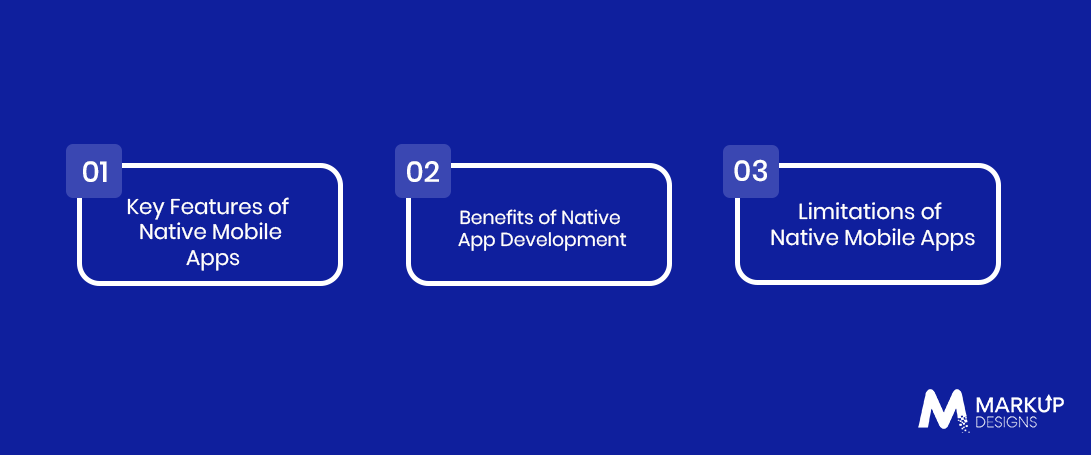
What Is a Native Mobile Application?
A native mobile application is an app created for a certain operating system (iOS or Android) using the development tools provided by the specific platform. iOS apps are usually written using the Swift language, and Android apps are usually created using the Kotlin programming language. The apps are designed to fit into their respective environments well, as they can be tightly integrated with the operating system and hardware. Companies opt for native mobile development if performance and advanced functionality matter the most.
Key Characteristics of Native Mobile Applications
Native mobile applications are installed on customers’ devices and have access to the features offered by the supported operating system via special APIs and permissions. In addition, the applications can utilize a camera, GPS, biometric identification, push notifications, and other features provided by the devices and operating systems.
Benefits of Native App Development
Native applications have good performance, access to device-specific capabilities, and increased control over the user interface. In addition, developers have the opportunity to customize the operation of the application under the target OS and use its established testing and performance analysis tools. Moreover, such apps can send reliable push notifications and work with complicated interactions if developed correctly. The listed benefits can be used by businesses for developing gaming applications, financial apps, health applications, or rich consumer applications that are expected to meet users’ expectations.
Limitations of Native Mobile Apps
Development of native mobile applications may take more time and money from a business if it plans to develop an app for iOS and Android platforms separately. Each implementation will require separate development, testing, maintenance, and release processes, although code reuse and cross-platform technologies can alleviate some duplication. Businesses should take into account the app store approval process, new versions of operating systems, and constant compatibility testing, which also increases the cost of ownership, especially for complex and frequently updated applications.
What Is a Progressive Web App (PWA)?
Progressive Web Application (PWA) is a web application that relies on new web technologies to deliver a mobile app-like user experience. Such applications can be accessed using a web browser and in case of support – be installed on a user’s device’s home screen as an application without having to download an app from the app store. Progressive web apps have access to various browser technologies such as service worker, web app manifest, caching, and web push notifications in case of support.
Key Features of Progressive Web Apps
PWAs unite responsive design web technologies with those technologies of web browsers that allow delivering an app-like experience. For instance, web app manifest technology will enable the definition of the application name, logo, and its launching behavior, while a service worker allows caching selected resources and providing the ability to work offline or under the condition of poor connectivity. Depending on the support of browsers and operating systems, a PWA will allow installing an app, push notifications, and access to some device capabilities. The exact set of capabilities varies depending on the platform.
Benefits of PWA Development
Using PWAs can help businesses save on development expenses by letting them keep a single web application for all the supported browsers and devices. Users can access the application via a link. It can be easier than using the app store to distribute a native app. Additionally, businesses will be able to perform a lot of updates through their own web infrastructure without the need to wait for the release on the app store. However, it is important to test the browser caching and the installed-app behavior.
Limitations of Progressive Web Apps
Access to the device’s features and background operations for PWAs is limited by the browser and the operating system that supports it. The installation, push notifications, and hardware integration are not supported in the same way on different platforms and browsers. The feature that is supported by one device can have a different implementation on the other. In addition, PWAs can be inappropriate for apps that need graphics processing or advanced Bluetooth/hardware integration and background execution.
Native App vs PWA: What Are the Key Differences?
Both native apps and PWAs have the potential to serve mobile users, but there are some differences between them in terms of development, deployment, maintenance, and connection with device capabilities. While native applications provide better platform integration, PWAs can make user reachability easier by leveraging a browser-based experience. Whether it will be better to use one solution or another will depend on application complexity, target audience, performance expectations, budget availability, and necessary functionality instead of any superiority of the method itself.
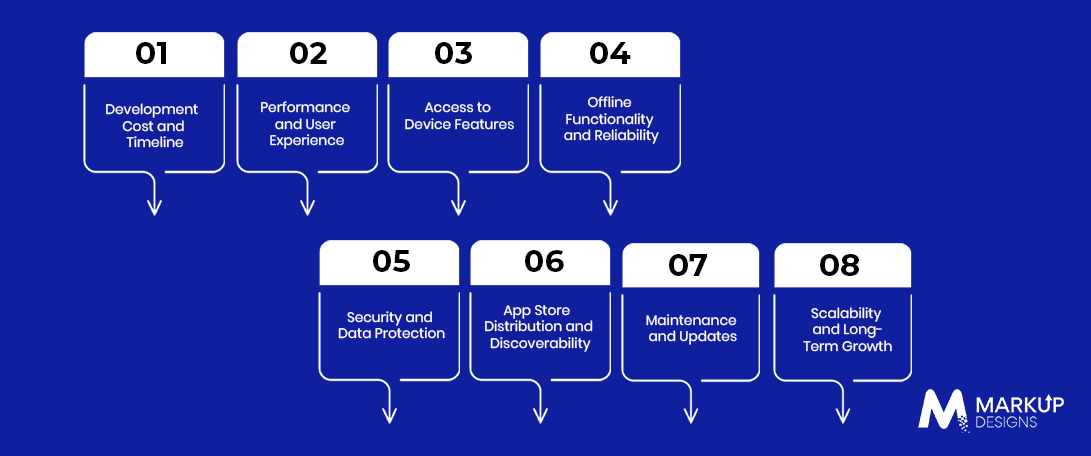
Development Cost and Timeline
The development of a native application might include separate implementation for iOS and Android, which will raise expenses for development, testing, and maintenance if specific platform-related code is needed. On the other hand, PWAs can be created on the basis of a single web codebase that reduces duplications and allows businesses to launch them on the supported platforms with fewer development lines. Yet, the final cost will depend on the number of functions, backend development, integration, security measures, and testing needed. Thus, a complex PWA might be more expensive than a simple native application.
Performance and User Experience
It is possible to build native applications that will have a high level of performance because they will be optimized for the targeted operating systems and will use platform-specific components and optimized APIs. It is especially true in the case of graphics-intensive games, animations, and applications that require frequent access to the hardware. It is possible to optimize PWAs and make them fast enough; however, the performance of the PWA will be more dependent on browsers, networks, and devices. Businesses need to analyze the workload and required user experience to make the decision.
Access to Device Features
Native applications will have better access to the device capabilities that are available through operating system APIs, subject to permissions. In case an application relies on such device capabilities as Bluetooth, advanced camera controls, biometrics, sensors, or background tasks, it will be better to build a native application. There are some device capabilities available through browser APIs for PWAs; however, the availability and behavior of these capabilities are different in browsers and operating systems. Businesses need to list the necessary capabilities of the system and check their availability on the devices.
Offline Functionality and Reliability
Native applications have the capacity to store data and provide offline functionality if developers create such an application. Similarly, PWAs allow the use of service workers and browser storage to store some pages, resources, and specific data for providing some functionalities when there is no internet connectivity. However, neither method ensures total offline functionality since it depends on how the application is designed and developed along with the chosen strategy of data synchronization. Business organizations should identify the tasks that should be done without internet connectivity and plan for updating and data synchronization when connectivity is regained.
Security and Data Protection
Both native applications and PWAs need proper security measures to ensure the protection of data, such as secure data transmission and proper authentication methods. While native apps can use the platform’s security facilities for storing data securely and authentication through biometrics, PWAs will use the browser security options. Security requirements will depend on the type of application and the data involved in the application and its integration with other systems. It does not only depend on whether it is a PWA or a native application.
App Store Distribution and Visibility
Native apps are usually made available via distribution channels like the App Store by Apple and Google Play. Such channels have their own sets of rules that must be met before the native apps are made available to users. Store listings will be visible to users who browse or search for apps; however, having the application available in the App Store does not necessarily mean that it will be downloaded. PWAs can be accessed via URL links, and they can be discovered via search engines if the content is crawled and optimized accordingly. Some platforms allow PWA installations, albeit with a different experience. Companies should consider their distribution strategy based on how users discover, access, and use their product.
Maintenance and Updates
Updates, compatibility testing, and resubmission to an app store might be necessary in case the app’s functionality depends on API provided by the operating system and the behavior of the device. PWAs can usually be updated via web deployment, meaning changes can get to the users without going through the App Store submission procedure. Both strategies require regular updates, maintenance, monitoring, and security patches, among other activities. Companies should take into consideration the ongoing
Scalability and Long-Term Growth
Both native apps and PWAs can scale as user numbers and business requirements grow, provided the underlying architecture, backend infrastructure, and data systems are designed appropriately. Native apps may be a better fit when growth involves advanced device integrations, intensive processing, or platform-specific experiences. PWAs can support broad cross-platform app reach and simplify delivery when the product’s functionality aligns with web capabilities. Businesses should evaluate anticipated traffic, feature expansion, integration needs, and future platform requirements to choose an approach that supports growth without creating unnecessary technical complexity.
When Should Businesses Choose Native App Development?
It would be wise to think about developing a native app when there is a need for the application to have good performance, make use of sophisticated device features, or offer a highly customized user interface. There are situations where users would be expected to interact with the application frequently, have regular access to their device features or use some sophisticated workflows. Business owners should balance the benefits of using the native app against the effort needed to create platform-dependent apps.
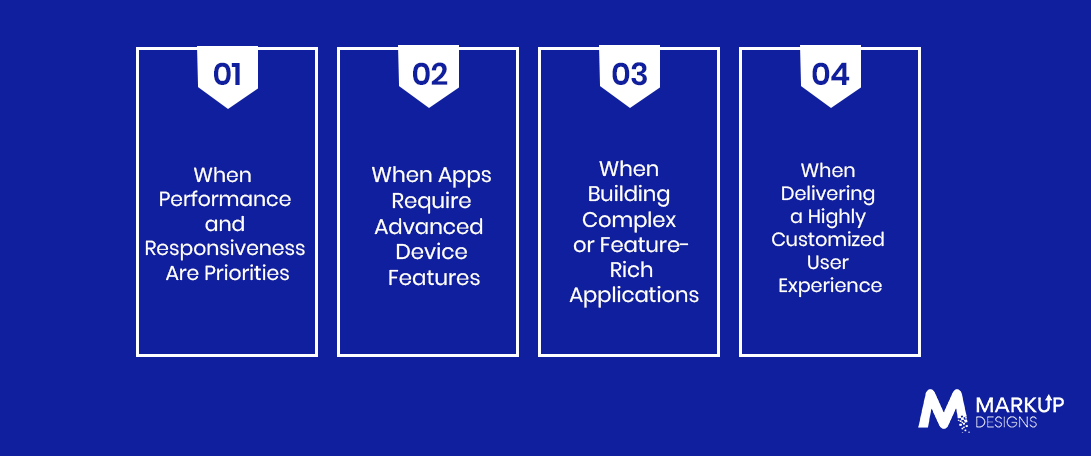
When Performance and Responsiveness Are Priorities
There are times when speed and performance of an application will be very crucial. The app may require quick reactions, sophisticated graphics, animation or processing which should be done in an optimized manner using the platforms. The examples here include games, video editors, and other applications which have a sophisticated user interface. Native application development does not guarantee good performance by itself since poor architectural design may cause bad performance. Business owners should use their performance criteria when deciding on native apps.
When Apps Require Advanced Device Features
There are applications that need to make use of some sophisticated functions of a device. Native APIs can provide more direct access to supported operating system features, although permissions and platform restrictions still apply. This can be important for fitness applications, connected-device products, navigation tools, and specialized enterprise solutions. Before committing to native development, businesses should identify the exact capabilities needed and confirm whether a PWA can support them reliably on the intended devices.
When Building Complex or Feature-Rich Applications
Native apps can be a suitable option for applications with a combination of advanced features like real-time communication, offline capabilities, integration with the device, and advanced user interactions. Development targeting each platform gives businesses more options to customize their behavior and performance on a specific platform. However, just because of their complexity, businesses cannot choose a native development strategy; feature-rich applications can fit the web or hybrid approach. Enterprises should consider technical requirements, development resources, and future support needs for making a decision.
When Delivering a Highly Customized User Experience
Native development provides the opportunity to use platform-specific UI elements and interaction models on iOS and Android. Thus, businesses can develop familiar navigation, smooth transitions, and consistent interactions with the user based on the operating system of the device. It becomes especially important when the product experience plays a crucial role in retaining customers or when specific design elements of the platform play a role in the application design. At the same time, businesses should keep a consistent brand identity throughout the platforms but change interactions according to each platform.
When Should Businesses Choose a Progressive Web App?
In cases where a business needs to get access to users from multiple platforms using one web experience, a PWA can be the best solution. In comparison with developing native applications, it can solve some issues of access barriers, link-based distribution, and updates. A PWA is most appropriate in case of feature availability within a browser and in case a product could benefit from its easy accessibility via search engines, social media, or links.
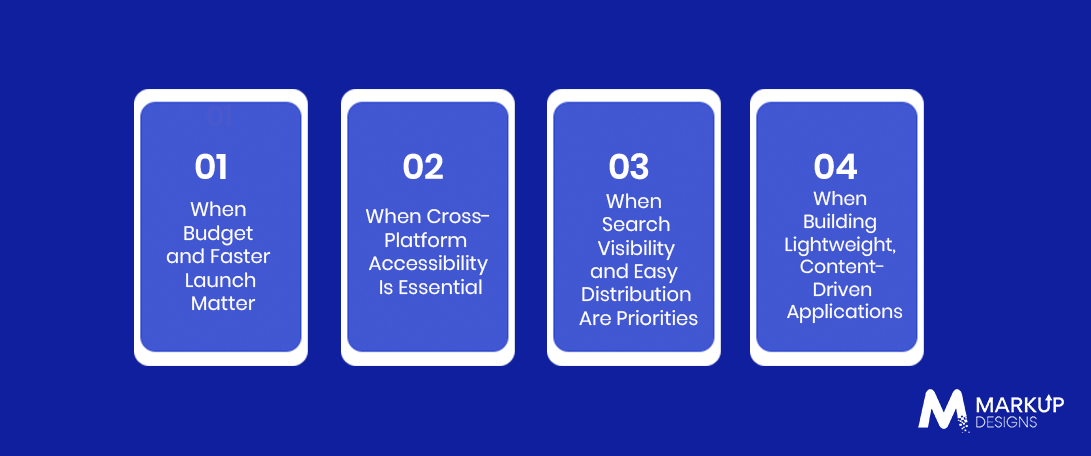
When Budget and Faster Launch Matter
The creation of a PWA can be beneficial in case of businesses that have limited budgets and development teams because the use of one web codebase can save some effort from duplicating work on each platform. Also, it can allow launching a product quickly, gathering feedback, and refining the product features without the need to develop different native apps immediately. Still, cost and delivery time are affected by integration, security, and testing needs. Businesses should evaluate a real MVP to estimate complete development costs.
When Cross-Platform Accessibility Is Essential
A PWA provides an opportunity for users to use the application via a compatible browser on supported phones, tablets, and desktops without the need to install separate applications for each platform. This makes access to the application easier both for diverse customers and for people who are unwilling to download an app. It also makes it easier to distribute the product via links. In this case, businesses need to ensure that the application works properly on all targeted browsers and screen resolutions and that installation, notifications, and any other required features are available.
When Search Visibility and Easy Distribution Are Priorities
Being based on web technologies, a PWA is easily searchable by search engines if the structure, design, and indexing settings are correct. Businesses can use a website, emails, ads, and direct links to promote the application. Thus, potential users will be able to find relevant information prior to engaging with the product. However, search visibility always depends on the content quality, search engine optimization, competition, and indexation, among other factors.
When Building Lightweight, Content-Driven Applications
There may be cases when PWAs would be good solutions for creating product catalogs, news websites, event calendars, booking portals, and other applications where users mostly browse the information or perform some simple actions. Features like caching can increase the chances that repeat visits will be faster and let users still access chosen content in case of temporary disconnection. In addition, using a web solution can make updates and linking easier. Native development or some other architecture can be considered by the business if the application becomes too dependent on hardware in the future, requires real-time capabilities, or needs any other features that browsers do not support properly.
Can Businesses Combine Native Apps and PWAs?
Yes, businesses can implement both types of applications together in order to offer their services to users in the most convenient way possible. A business can create a PWA that provides quick access to the basic functions via the browser and also create a native application to offer some extra functionalities for those who want them. For example, an eCommerce business could use a PWA for product discovery and browsing while offering a native app with personalized notifications, loyalty features, and a tailored shopping experience. The key is to define a clear purpose for each platform and avoid duplicating development efforts without a measurable business benefit.
Using a PWA as the First Step in Product Development
Firms can start by releasing a PWA to assess the concept, gauge user habits, and establish market interest before proceeding with native development. The use of a web-based product will be helpful in collecting feedback on necessary features, navigation, and customer needs as they refine the product. Once the product has gained popularity or users need some functionalities that browsers cannot offer reliably, the firm can proceed to develop a native application. It can be effective in minimizing risks during early investments if the initial design allows for growth in the future.
Adopting a Hybrid Approach for Different User Needs
A hybrid strategy can be used for users who have diverse needs when accessing the product. A PWA can cater to the customer who likes using the browser, while a native app can take care of the heavy user who needs specific functionalities offered by the platform and offline capabilities or device integration. Firms should identify which features should be offered in each channel and ensure consistent management of accounts, branding, and data collection in each one where it is possible.
Evaluating Business Goals Before Choosing Both
Being able to support both native applications and PWAs opens new channels but at the same time requires more work in terms of developing, testing, securing, and maintaining the application. Thus, companies should evaluate whether the usage of both approaches will bring an increase in customer attraction or retention, access or income to make it worthwhile. At the same time, companies should think about their capability to provide functionality and data synchronization on both platforms. The comparative analysis of demands of users, technical aspects of the project, expected benefits, and the company’s resources may provide information about the practicality of using both approaches.
How Much Does It Cost to Build a Native App vs a PWA?
The cost of creating a native app and a PWA depends on numerous factors such as features of the app, its design, backend, third-party services, integration, security measures, and testing. For instance, native development presupposes two separate implementations for iOS and Android, whereas a PWA may use more code to be shared among platforms. In addition, it highly depends on particular projects, and a complicated PWA can cost more than a simple native application. Businesses should compare estimates using the same feature list and include ongoing maintenance, infrastructure, and future enhancements when calculating the total cost of ownership.
Factors Affecting Native App Development Costs
The cost of developing native applications depends on the number of platforms, the level of complexity of the user interface, and additional functionality needed by the app. Real-time communication, payments, biometric authorization, the ability to work offline, and backend integration might require more development effort and testing. Also, the cost of native application development will grow in case of the need to have a separate iOS/Android team for the project or when the application must operate with many different devices and different versions of operating systems. Businesses have to understand important app features and separate the launch features from the features that are planned to be added later.
Factors Affecting PWA Development Costs
Costs associated with PWA development depend on the complexity of functionality, responsive design, backend services, cross-browser compatibility, and security needs of the app. PWA that is supposed to have only features such as content browsing and user interaction might require less effort from developers compared to platforms that include payment processes, real-time data, users’ accounts, etc. Such features as offline capability, service worker caching, and push notifications require development and testing. Businesses should evaluate the required functionality across their target devices before estimating the cost of building and deploying a PWA.
Ongoing Maintenance and Upgrade Expenses
Both native apps and PWAs require continued investment after launch to address bugs, improve security, maintain compatibility, and introduce new features. Native apps may need platform-specific updates and app store submissions, while PWAs require web infrastructure maintenance, browser compatibility testing, and careful management of caching and deployments. Both approaches may also involve hosting, monitoring, third-party service fees, and backend upgrades. Businesses should include these recurring expenses in their budgets so they can maintain a reliable user experience as technology, security requirements, and customer expectations change.
How Can Businesses Choose the Right Mobile App Development Approach?
The choice between using either a native app or a PWA should take into consideration not only the initial cost of development but the way the product will be used in the long term. The decision made in this case should be guided by expectations of users, necessary device capabilities, performance demands, channels of distribution, and maintenance capabilities of the team that develops the application. Considering all the factors at once allows businesses to choose an approach that suits their goals at the moment without creating unnecessary limitations in the future.
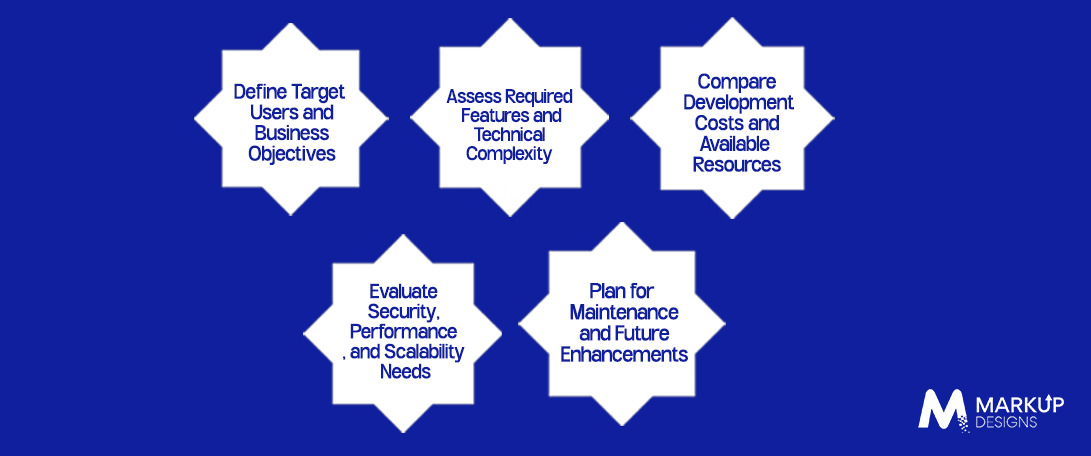
Define Target Audience and Business Goals
In the first place, businesses need to define who their target users are, what is the problem their application is supposed to solve and what results they want to achieve with it. The application that is developed to communicate frequently with customers would have other demands than an application that is supposed to offer some information or service to customers through a browser. Defining the devices, the connections, the ways to access the service, and the frequency of its usage may help to find the best possible approach to developing the application.
Assess Required Features and Technical Complexity
Required features of the application should inform the choice of technology. Businesses will have to determine whether they need sophisticated camera functionality, background processes, Bluetooth connection, heavy offline capabilities or other features that may be more easily implemented with native software. If the product involves mostly browsing, filling out forms, booking services or other relatively simple tasks, then it might be fine with PWA. It is critical for businesses to align required features with real capabilities of browsers and operating systems before making an architectural decision, especially when the app has to operate consistently on different devices.
Compare Development Costs and Available Resources
Businesses have to analyze the costs of full implementation for each technology choice, from design through development, testing, deployment, and further maintenance and upgrades. They have to consider which resources are available in-house and how long it would take to create the product using the technology. The PWA might decrease duplicated effort, while native technology could justify extra costs if platform capabilities play an important role in the product.
Evaluate Security, Performance, and Scalability Needs
Security, performance, and scalability should be considered from the planning stage rather than added after development. Businesses handling sensitive information or financial transactions need appropriate authentication, data protection, secure integrations, and ongoing testing regardless of the chosen approach. They should also assess expected traffic, processing requirements, response times, and the need to connect with existing business systems. Native apps and PWAs can both support secure, scalable products when designed appropriately, but their technical capabilities and implementation requirements should match the application’s specific demands.
Plan for Maintenance and Future Enhancements
A mobile app development decision should account for how the product will evolve after launch. Businesses should consider how frequently features will change, which operating systems and browsers they need to support, and how easily the architecture can accommodate new integrations or higher user demand. Native apps may require platform-specific work, while PWAs can simplify some updates through web deployment. A documented product roadmap, clear maintenance responsibilities, and regular performance and security reviews can help businesses manage ongoing costs and adapt the application as requirements change.
How Can Markup Designs Help Businesses Build the Right Mobile App?
Markup Designs helps businesses plan and develop mobile and web-based applications around their product requirements, target users, and long-term objectives. Whether a project calls for a native mobile experience or a PWA, the development process should account for functionality, user experience, backend integrations, security, and scalability from the beginning. By evaluating these requirements before development, businesses can make more informed technology decisions and prioritize features that support their goals. The right approach can also provide a practical foundation for future improvements as user needs and business priorities evolve.
Ready to Build Your Mobile App?
Explore the right development approach for your business, from native mobile applications to progressive web apps, with a focus on your goals, users, and technical requirements.
Conclusion
Choosing between a native app and a PWA depends on the application’s purpose, technical requirements, budget, and expected user experience. Native apps can be better suited to products requiring advanced device capabilities, intensive processing, or highly customized platform experiences, while PWAs can offer broader accessibility and simpler distribution through the web. Businesses can also combine both approaches when each serves a distinct purpose. By assessing user needs, development costs, security, and long-term maintenance, decision-makers can select an approach that supports sustainable product growth rather than relying on a one-size-fits-all solution.
FAQ
1. What is the basic difference between a native app and a PWA?
Native applications are designed for specific operating systems, such as iOS and Android, and thus, they can implement all their platform-specific functionalities. Progressive Web Applications are based on web technologies and accessed via a compatible browser. They offer the option of installation and an application-like experience on the devices where they are supported.
2. Is a PWA development process cheaper compared to the native application one?
In some cases, development of a PWA may become more affordable since its web codebase can help avoid code duplication. In other cases, the cost of development can depend on complexity, integrations, security needs, and tests performed.
3. Do PWAs offer the same performance as native mobile applications?
If a PWA uses optimized code, caching, and good backend services, it can offer a fast and responsive user experience. Native mobile applications can outperform PWAs in performance when the application involves graphics, animations, and works with the device’s capabilities.
4. Can a PWA use device features such as GPS and camera?
Yes, a PWA can utilize geolocation and camera functions of a device using browser APIs and with user permissions. However, feature availability and behavior vary across browsers and operating systems.
5. Is it better for startups to choose native apps or PWAs?
PWAs may be a good fit for startups who need to prove their concept, attract users using direct links, and start development with a common codebase. Meanwhile, native development may be more relevant when the product requires certain abilities of the device, high performance, and customization.
Author's Perspective
Deciding on native apps or PWAs does not depend on how much money it will cost the startup to develop one or another solution. What really matters here is the needs of the product. Native development is beneficial for performance and integration with devices, whereas PWAs can bring users to businesses via the web. For some products, the combination of these two solutions may work, but only if there is a reason for it.
Discuss Your Project NowJupinder Singh Arora
Founder and CEO
Related Posts

How to Develop a Messaging App Like Telegram...

How to Build a Secure Money Transfer App:...
How Much Does It Cost to Hire Remote...
Insights Are Valuable & Execution is Priceless
You’ve read about the digital future. Now, let’s build the infrastructure to take you there. Move your strategy from the page to the product.
Design Your Solution Now
Contact Us
Schedule The Appointment At Your Convenience Date And Time.
30 Min
Web Conference
Time Zone
Indian standard time (08:30pm)

Thanks For Getting In Touch!
You’ve Taken The First Step Toward Transforming Your Digital Presence. Our Experts Will Reach Out Shortly To Take It Forward.
Launch Your Dream Project
Provide a brief overview of your project, and our specialists will evaluate your requirements. We will connect with you to explore how the right digital solutions can help you launch faster.