
In Brief
- PWA development is evolving: Modern frameworks make it easier to build fast, installable, responsive web applications with app-like experiences.
- Framework choice matters: React, Angular, Vue.js, Ionic, Svelte, and other options differ in performance, scalability, flexibility, and development complexity.
- Tools complement frameworks: Technologies such as service workers, web app manifests, Workbox, and Lighthouse support caching, offline access, installability, and performance monitoring.
- Business requirements should lead: The right framework depends on application complexity, target users, integrations, scalability needs, and available development expertise.
- 2026 demands performance: Core Web Vitals, responsive experiences, security, offline functionality, and seamless cross-device performance are becoming increasingly important for successful PWAs.
Progressive Web Apps have changed how businesses approach modern web application development by combining the accessibility of websites with capabilities traditionally associated with mobile applications. PWAs can provide responsive interfaces, offline functionality, installable experiences, background capabilities, and faster interactions without requiring users to download an application from a conventional app store. As businesses increasingly prioritise seamless digital experiences across devices, choosing the right technology foundation has become an important part of PWA development.
The framework selected for a PWA can influence its performance, scalability, development workflow, maintenance requirements, and ability to integrate with existing systems. Options such as React, Angular, Vue.js, Ionic, Svelte, Preact, Magento PWA Studio, and ScandiPWA address different development requirements, while tools such as Lighthouse help evaluate the resulting application’s performance and quality. This guide explores the leading PWA frameworks and supporting tools to help businesses determine which approach best fits their application requirements in 2026.
Best PWA Frameworks and Tools to Consider in 2026
Choosing a progressive web apps development framework depends on the type of application you are building, its performance requirements, scalability needs, and the level of control your development team needs. The options below cover established frameworks, lightweight alternatives, eCommerce-focused solutions, and tools that support PWA performance.
Ionic for Cross-Platform PWA Development
Ionic provides a library of mobile-optimised UI components and supports frameworks such as React, Angular, and Vue.js. It is useful for businesses looking to create responsive PWAs while maintaining a development approach that can also support cross-platform applications.
Polymer for Building Lightweight Progressive Web Apps
Polymer provides reusable web components that can simplify the development of modular web applications. Its component-based approach can be useful for developers who want greater flexibility when building lightweight interfaces.
AngularJS for Structured PWA Development
AngularJS offers a structured approach to building dynamic web applications with reusable components and established development patterns. However, it is a legacy framework, so businesses starting a new project in 2026 should carefully consider current Angular or other actively maintained alternatives.
Vue.js for Flexible and Performance-Driven PWAs
Vue.js offers a flexible architecture and relatively straightforward development experience. Its component-based structure makes it suitable for building responsive PWAs where performance and maintainable frontend code are priorities.
React for Scalable Progressive Web Applications
React is widely used for building interactive web applications with reusable components. Its extensive ecosystem and flexibility make it a strong choice for PWAs that require complex interfaces, third-party integrations, and room for future expansion.
Magento PWA Studio for Progressive eCommerce Experiences
Magento PWA Studio provides tools for developing progressive storefronts on Adobe Commerce and Magento. It is particularly relevant for eCommerce businesses that want a faster, app-like shopping experience while working within the Magento ecosystem.
ScandiPWA for Magento-Based PWA Development
ScandiPWA provides a PWA-focused frontend solution for Magento and Adobe Commerce stores. It can help eCommerce businesses create responsive storefronts while retaining integration with their existing commerce infrastructure.
Svelte for Lightweight and High-Performance PWAs
Svelte takes a compiler-based approach that shifts much of the work away from the browser. This can help reduce runtime overhead and support fast, lightweight applications where loading performance is important.
Preact for Fast and Lightweight Progressive Web Apps
Preact is a lightweight alternative to React with a small footprint. It can be considered for PWAs where bundle size, fast loading, and efficient browser performance are major priorities.
Lighthouse for PWA Performance and Quality Testing
Lighthouse is a performance and quality auditing tool rather than a PWA framework. It helps developers evaluate areas such as performance, accessibility, SEO, and PWA-related implementation, making it useful for identifying optimization opportunities before and after launch.
How to Choose the Right PWA Framework for Your Business
The right framework should be selected based on the application’s technical requirements rather than popularity alone. Consider the following factors before making a decision.
Assess Application Complexity and Requirements
Identify the features, integrations, user journeys, and technical requirements your PWA needs before selecting a framework.
Evaluate Performance and Scalability
Consider loading speed, runtime performance, expected traffic, and whether the technology can support future application growth.
Consider Developer Expertise and Ecosystem
A framework with strong documentation, community support, libraries, and available development expertise can simplify implementation and long-term maintenance.
Check Browser and Device Compatibility
Test whether the framework and its supporting technologies work reliably across the browsers, operating systems, and devices used by your target audience.
Review Integration and Maintenance Requirements
Consider APIs, payment gateways, analytics, authentication, third-party services, updates, security patches, and ongoing maintenance before finalising the technology stack.
Essential Features of a Progressive Web App
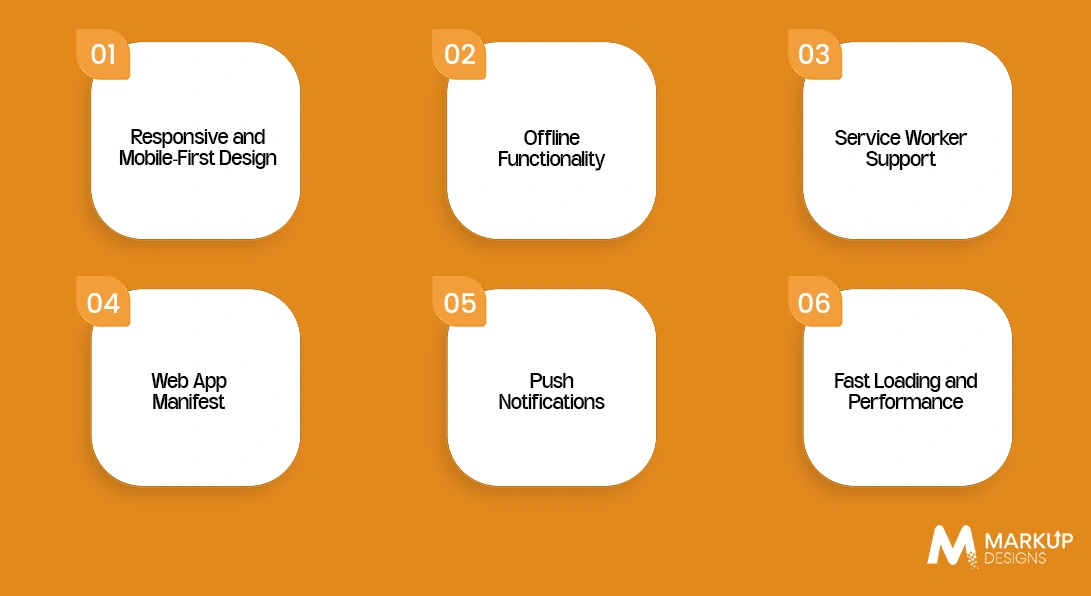
A PWA needs more than a modern frontend framework. Its core web capabilities determine whether users actually get a reliable, app-like experience.
Responsive and Mobile First Design
The interface should adapt smoothly across smartphones, tablets, desktops, and different screen sizes.
Offline Functionality
Caching and local storage strategies allow users to access essential content or functionality even when their connection is limited or unavailable.
Service Worker Support
Service workers handle background processes such as caching, offline experiences, and certain network requests without blocking the main application.
Web App Manifest
A web app manifest defines information such as the application’s name, icons, theme, and launch behaviour, helping users install the PWA on supported devices.
Push Notifications
Push notifications can help PWAs re-engage users with timely updates, reminders, offers, or other relevant information when implemented appropriately.
Fast Loading and Performance
Efficient code, optimised assets, caching, and performance monitoring help reduce loading times and create a smoother user experience.
Benefits of Progressive Web App Development
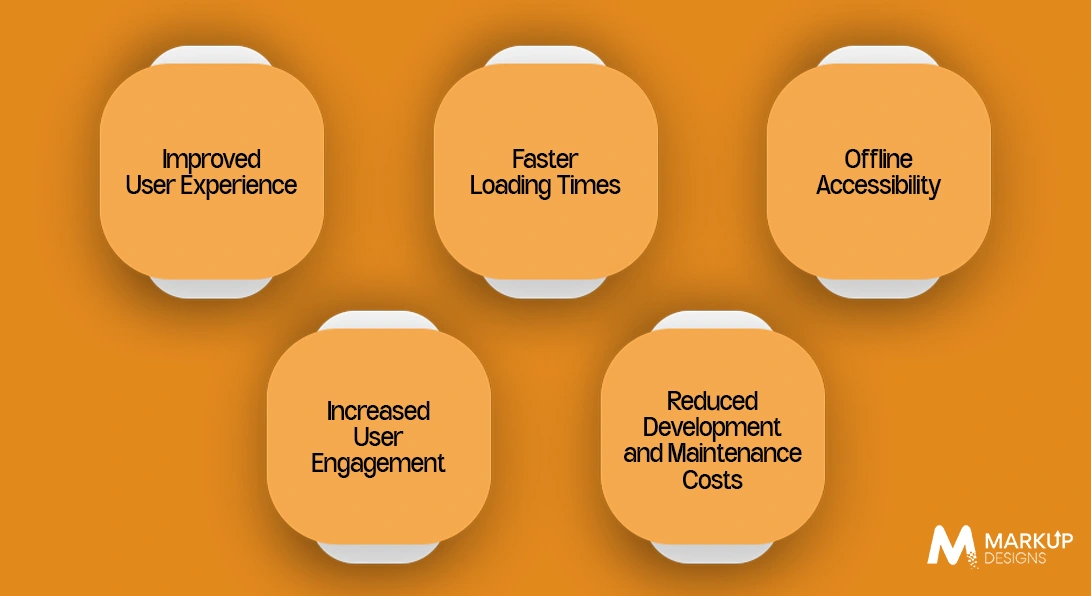
PWAs combine the reach of the web with several app-like capabilities, making them useful for businesses that want faster access, stronger engagement, and a consistent experience across devices.
Improved User Experience
PWAs provide responsive interfaces that adapt to different screen sizes while offering app-like navigation and interactions. Users can access the experience directly through a browser without going through a traditional installation process.
Faster Loading Times
Caching, lightweight assets, and performance-focused development can help PWAs load quickly, particularly for returning users. Faster experiences can also reduce abandonment and improve overall usability.
Offline Accessibility
Service workers allow selected content and functionality to remain available when users have limited or no internet connectivity. The extent of offline access depends on how the application is designed and what data it needs.
Increased User Engagement
Features such as installability and push notifications can create additional opportunities for businesses to bring users back to the application and deliver relevant updates.
Reduced Development and Maintenance Costs
A PWA can reduce the need to build completely separate experiences for every platform. However, the cost advantage depends on the application’s complexity, integrations, and whether native functionality is required.
Challenges of Progressive Web App Development
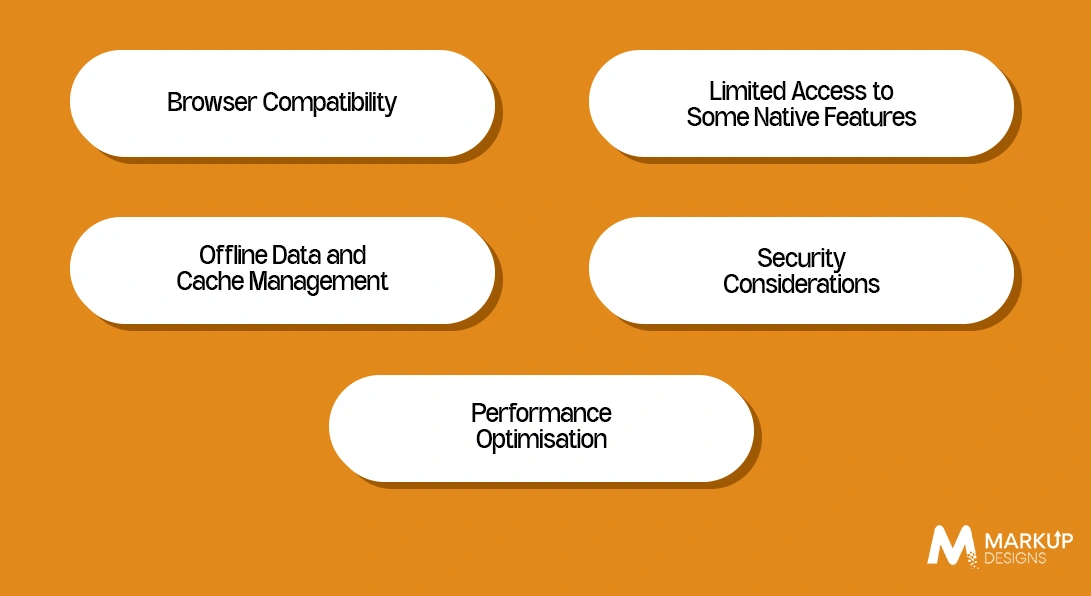
PWAs are not a replacement for native applications in every situation. Businesses need to consider technical limitations before selecting this approach.
Browser Compatibility
PWA capabilities can vary across browsers and operating systems. Developers need to test important functionality across the devices and browsers used by the target audience.
Limited Access to Some Native Features
PWAs can access many device capabilities through modern web APIs, but native applications may still provide broader or more consistent access to certain hardware and operating system features.
Offline Data and Cache Management
Offline functionality requires careful decisions around what should be cached, how data should be synchronised, and when outdated content should be replaced.
Security Considerations
PWAs should use HTTPS, secure authentication, protected APIs, and appropriate data handling practices. Poorly configured service workers or client side storage can create security risks.
Performance Optimisation
Large JavaScript bundles, unoptimised images, excessive third-party scripts, and inefficient API requests can undermine the performance advantages of a PWA.
Read Also: Flutter Web App Development: Process, Benefits, and Best Practices
How Much Does PWA Development Cost in 2026?
A PWA can cost approximately $15,000 to $150,000+ depending on its complexity. A basic business PWA may fall around $15,000 to $30,000, a medium-complexity application around $30,000 to $70,000, and a feature-rich or enterprise PWA can reach $70,000 to $150,000+.
These are planning ranges rather than fixed prices. The final cost depends heavily on functionality, integrations, design requirements, development location, and the level of testing and support required.
Factors Influencing PWA Development Cost
The main cost drivers include application complexity, number of screens, user roles, backend requirements, offline functionality, integrations, security requirements, testing, and ongoing maintenance.
Development Team and Technology Stack
Developer rates and team composition have a direct impact on the budget. A project may require frontend developers, backend developers, UI UX designers, QA engineers, DevOps specialists, or a technical lead depending on its scope.
Features and Functional Complexity
Basic pages and user authentication cost considerably less than advanced features such as real-time communication, dashboards, personalised recommendations, offline data synchronisation, advanced search, or complex user workflows.
UI UX and Design Requirements
A standard responsive interface may require a smaller design budget, while custom UX research, prototypes, animations, accessibility work, and highly interactive interfaces increase development time and cost.
Third-Party Integrations
Payment gateways, CRMs, ERPs, maps, analytics platforms, authentication services, inventory systems, and other external APIs can increase both development and testing requirements.
Testing, Deployment and Maintenance
Cross-browser testing, device testing, security checks, deployment, monitoring, bug fixes, framework updates, performance optimisation, and ongoing technical support should be included in the overall PWA budget rather than treated as afterthoughts.
How Long Does It Take to Develop a PWA?
PWA development can take anywhere from 4 to 24+ weeks, depending on the application’s complexity, number of features, integrations, design requirements, and testing scope. A simple PWA may be delivered within a few weeks, while an enterprise application with complex backend systems and offline workflows can require several months.
Simple Progressive Web Apps
Estimated timeline: 4 to 8 weeks
A basic PWA with responsive pages, authentication, simple forms, limited integrations, and essential offline capabilities can generally be developed within this timeframe.
Medium Complexity PWAs
Estimated timeline: 8 to 16 weeks
Applications with custom UI UX, user dashboards, API integrations, payment functionality, push notifications, advanced caching, and multiple user workflows typically require more development and testing time.
Enterprise-Level PWAs
Estimated timeline: 16 to 24+ weeks
Large-scale PWAs involving complex business logic, multiple integrations, advanced security, real-time functionality, offline data synchronisation, extensive testing, and scalable cloud infrastructure can take six months or longer.
PWA vs Native Apps: Which Is Better for Your Business?
There is no universal winner between PWAs and native applications. The right choice depends on the required device capabilities, target audience, performance expectations, distribution strategy, and available development budget.
Development and Maintenance
PWAs can use a shared web codebase across supported platforms, potentially reducing development and maintenance effort. Native applications generally require platform-specific development, which can increase the resources needed when supporting multiple operating systems.
Performance and User Experience
Well-built PWAs can deliver fast, responsive, app-like experiences. However, native applications can still provide an advantage for highly demanding applications that require intensive graphics, complex animations, or deep operating system integration.
Offline Capabilities
Both approaches can support offline experiences, but native applications generally provide greater control over device storage and offline processing. PWAs rely on browser technologies such as service workers and client-side storage.
Device and Hardware Access
Native apps generally offer broader access to device hardware and operating system capabilities. PWAs can access an increasing range of features through modern web APIs, but browser and platform limitations still apply.
App Distribution
PWAs can be accessed directly through a web browser and can be installed on supported devices without requiring a conventional app store download. Native applications typically rely on platforms such as the Apple App Store and Google Play for distribution.
Future of Progressive Web App Development
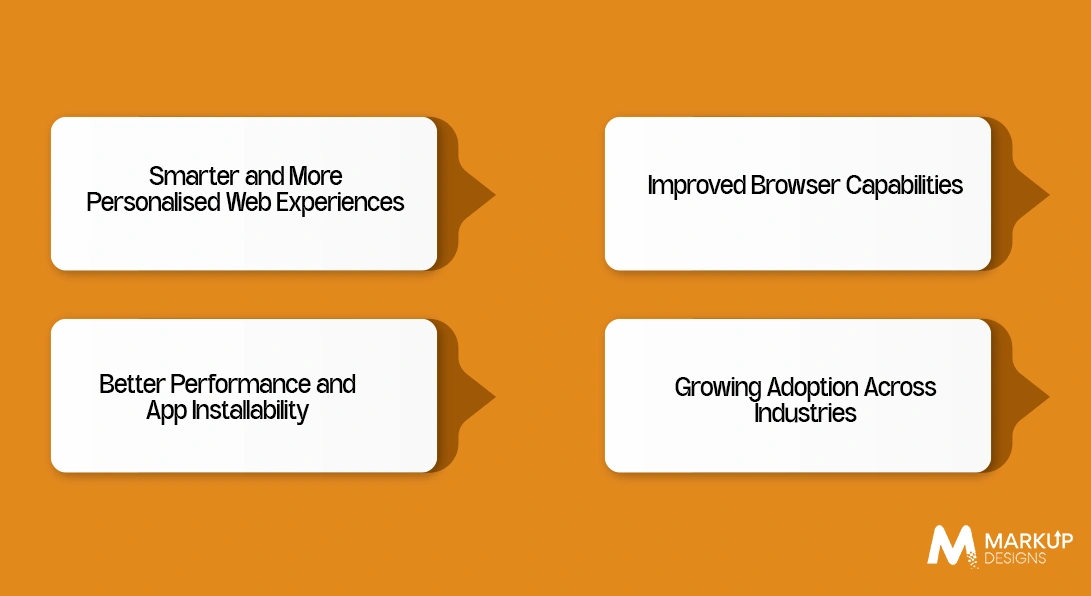
Progressive Web App development is moving towards experiences that feel increasingly closer to native applications while retaining the accessibility of the web. As browser technologies improve and businesses focus more on seamless digital experiences, PWAs are expected to become faster, more capable, and easier to install across supported devices.
Smarter and More Personalised Web Experiences
PWAs can increasingly deliver experiences based on user behaviour, preferences, and interactions. Personalised content, recommendations, notifications, and responsive user journeys can help businesses create more relevant experiences without requiring users to install a traditional application.
Improved Browser Capabilities
Modern browsers continue to expand the device features and web APIs available to PWAs. This gives developers more options for building app-like functionality while reducing some of the limitations that previously separated web applications from native apps. However, browser and platform support still needs to be considered during development.
Better Performance and App Installability
Performance will remain a major priority for PWAs. Optimised assets, efficient code, caching, service workers, and performance monitoring can help applications load faster and respond more smoothly. Improved installability can also make it easier for users to add PWAs to their devices and access them more like applications.
Growing Adoption Across Industries
PWAs can support businesses across industries that need accessible, responsive, and scalable digital experiences. eCommerce, financial services, education, healthcare, travel, retail, and enterprise applications can use PWA capabilities to improve web accessibility while providing selected app-like functionality.
Why Choose Markup Designs for PWA Development?
Markup Designs approaches PWA development around the actual requirements of the business rather than treating every project as a standard web application. Our team can work across PWA architecture, responsive UI development, frontend engineering, backend and API integration, service worker implementation, offline functionality, authentication, third-party integrations, and performance optimisation. Whether the requirement is a customer-facing eCommerce PWA, an enterprise application, or a platform with complex workflows, the technology stack and architecture can be selected around scalability, security, usability, and long-term maintainability.
Beyond development, Markup Designs can support the application through testing, deployment, performance monitoring, optimisation, and ongoing maintenance. This includes testing across browsers and devices, addressing performance bottlenecks, improving loading behaviour, maintaining integrations, resolving technical issues, and adapting the application as business requirements evolve. The focus is not simply on delivering an installable web application, but on building a reliable digital product that can perform consistently as its user base, functionality, and technical requirements grow.
Build a Fast, Installable PWA with Markup Designs
Turn your web application into a faster, more engaging digital experience with PWA development built around your business requirements. From framework selection and responsive development to offline functionality, API integration, performance optimisation, testing, and ongoing support, Markup Designs can help you build and scale a reliable Progressive Web App.

Conclusion
Progressive Web Apps offer businesses a practical way to deliver fast, responsive, and installable digital experiences without relying entirely on traditional native application development. Frameworks such as React, Angular, Vue.js, Ionic, Svelte, and Preact provide different approaches to PWA development, while technologies such as service workers, web app manifests, caching, and performance auditing complete the implementation. The right choice ultimately depends on the application’s requirements, expected scale, target platforms, integrations, and long-term goals.
FAQs
1. What is a progressive web app?
A Progressive Web App (PWA) is a web application that uses modern browser technologies to deliver an app-like experience. It can be responsive, installable, fast, and capable of supporting features such as offline access and push notifications.
2. How does a PWA work?
A PWA uses technologies such as service workers, web app manifests, caching, and HTTPS to provide enhanced functionality through a browser. The service worker can manage network requests and cached resources, while the manifest defines how the application behaves when installed.
3. What is the best framework for PWA development in 2026?
There is no single best framework for every PWA. React, Angular, Vue.js, Ionic, Svelte, and Preact can all be suitable depending on the application’s complexity, performance requirements, development expertise, integrations, and scalability needs.
4. Which framework is best for building a high-performance PWA?
Svelte and Preact can be strong options when keeping runtime overhead and bundle size low is a priority. However, performance depends on the complete implementation, including application architecture, JavaScript usage, assets, APIs, caching, and hosting, not just the framework selected.
5. Can a PWA work offline?
Yes. PWAs can support offline functionality through service workers and client-side storage. Developers can cache essential resources and data so selected parts of the application remain accessible when the user has limited or no internet connectivity.
Author's Perspective
From our perspective at Markup Designs, successful PWA development is less about selecting the most popular framework and more about selecting the right technology for the product. A framework may provide the foundation, but performance, architecture, offline strategy, security, integrations, and ongoing optimisation determine how well the final application performs. Businesses should therefore evaluate the complete development approach before committing to a framework, particularly when the PWA is expected to support complex workflows or scale with growing user demand.
Discuss Your Project NowAjit Kumar Jha
VP - Business Operations
Related Posts

Cost to Build a Mobile App in Qatar...

How Much Does It Cost to Build an...

How to Build a Car Wash App: Development...
Insights Are Valuable & Execution is Priceless
You’ve read about the digital future. Now, let’s build the infrastructure to take you there. Move your strategy from the page to the product.
Design Your Solution Now
Contact Us
Schedule The Appointment At Your Convenience Date And Time.
30 Min
Web Conference
Time Zone
Indian standard time (08:30pm)

Thanks For Getting In Touch!
You’ve Taken The First Step Toward Transforming Your Digital Presence. Our Experts Will Reach Out Shortly To Take It Forward.
Launch Your Dream Project
Provide a brief overview of your project, and our specialists will evaluate your requirements. We will connect with you to explore how the right digital solutions can help you launch faster.