

In Brief
- Claude Code can aid developers in building apps more effectively by generating and editing code, debugging potential errors, managing project files, and providing testing services at various stages of development.
- It can help create web and mobile apps, SaaS solutions, e-commerce solutions, AI-based apps, and automation systems with features such as authentication, payments, dashboards, and APIs.
- The process of creating an app using Claude Code will include the stages of requirement definition, choosing the tech stack, environment setup, feature development, integration of the API and database, testing, and deployment of the app.
- Depending on the complexity of the app, its development time can be different – from 2-4 weeks for a simple application to 3-6+ months for a complex one. Other factors that should be considered are code correctness, risks related to security, architecture choice, and costs of the ongoing development.
- Claude Code requires human supervision, proper testing, secure coding, and regular maintenance. The company Markup Designs provides assistance in AI app development with the experience in IT of 14+ years and 200+ professionals.
Creating apps is no longer about writing each line of code yourself or spending months working on the initial stages of development. With the help of AI coding tools such as Claude Code, you can write code, correct mistakes, manage files, and create app features much faster. That’s why AI-assisted development has become quite a real possibility for startups and businesses that want to materialize their ideas.
Claude Code allows developers to work with the codebase of the application using natural language instructions. However, app development consists of more than creating code itself. You need an outline, technology stack, testing, and security of the architecture for your application to be reliable enough for its future users.
In our blog, you will learn how to build an app with Claude Code, from outlining your idea, developing features, testing functionality, and preparing for launch.
What is Claude Code?
Claude Code is an AI coding assistant built by Anthropic that assists developers in writing, understanding, editing, and managing code by providing natural language instructions. It works with a project’s codebase directly and enables developers to do activities such as creating files, debugging, testing, and changing various aspects of an application.
Unlike a simple AI chatbot that gives code suggestions during a conversation, Claude Code is capable of working with project files and utilizing supported development tools to accomplish coding tasks. Developers are able to instruct the tool on what to build, evaluate the changes suggested by it, and take it through various phases of development.
For example, when you need to develop a task management application, you can ask Claude Code to build a login page, connect to a database, and implement the functionality of managing tasks. The tool will be able to help you with this, as you will be responsible for evaluating the code and ensuring its quality.
This makes Claude Code a useful tool for developers who want to speed up development without giving up control over the final application.
Why Build an App With Claude Code?
App development consists of various activities ranging from writing code and debugging to testing features and managing project files. Claude Code can assist developers in dealing with many of these tasks in an efficient manner. It can eliminate repetitive work and facilitate the transition from the idea stage to the final application.
Here are some of the reasons why one should develop an app with Claude Code:
- Rapid Development: Claude Code can help with code generation, project file creation, and implementation of features.
- Effective Debugging: It can be used to detect errors, analyze the existing code, and find solutions.
- Efficient Code Management: It can operate in multiple files and allow developers to make changes without the need to edit each file manually.
- Different Projects Assistance: Whether you need assistance with creating a simple web application or developing a complicated software platform, Claude Code will be able to help with that.
- Better Testing: It will help create tests, execute supported commands, and resolve any problems found during testing.
- Improved Productivity: Developers will be able to focus more on product-related decisions, users’ experience, and other technical decisions rather than on mundane tasks.
However, Claude Code is a developer assistant and cannot substitute for technical knowledge. Reviewing code, testing functionality, and making good architectural decisions are still vital for developing a reliable application.
What Types of Apps Can You Build With Claude Code?
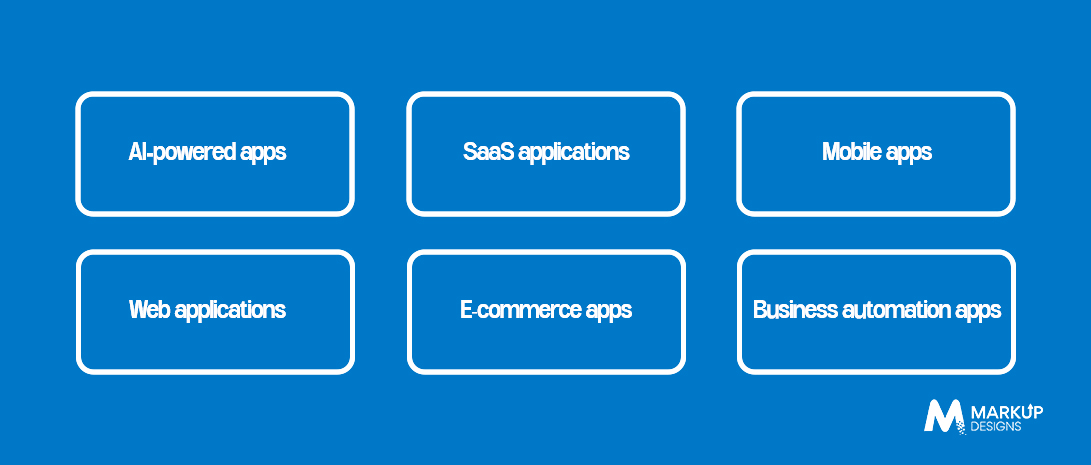
Claude Code can be useful in developing various kinds of applications, based on your needs, infrastructure, and other tools you may use alongside it. Be it a basic product or a feature-packed platform, it will help you code, test, and enhance different aspects of the application.
These are six types of apps that you can build using Claude Code:
AI-powered apps
Develop applications featuring AI chat, content generation, recommendations, or intelligent search by using appropriate AI models and APIs.
SaaS applications
Develop software applications based on subscriptions with user accounts, dashboards, and solutions to specific problems.
Mobile apps
Develop mobile app codebases for both Android and iOS using suitable frameworks and development tools.
Web applications
Develop websites, customer portals, admin panels, and other kinds of interactive web applications.
E-commerce apps
Create e-commerce functionality like product catalogs, shopping cart, checkout process, and order management.
Business automation apps
Create applications that automate routine tasks, integrate different systems, and make processes easier.
The right strategy depends on your application’s goals and complexity. Claude Code can help you to accelerate the development process, but the ultimate success will depend on many factors.
Read Also: How to Develop Enterprise AI Models: Process, Tools, and Best Practices
Key Features You Can Build Using Claude Code
The features that you add to an app define its utility for the user. Claude Code can enable developers to create and implement various features depending on the purpose of the app, the audience, and technical considerations. From user accounts to AI, it can assist in developing various aspects of an app.
Here are some features that you can develop using Claude Code:
- User Authentication: Develop features related to sign-up, login, password reset, and role-based access for user accounts.
- AI Chat & Conversational Interfaces: Use AI to respond to queries, help users, and create conversational experiences.
- Search and Recommendations: Create search mechanisms and recommendations that will assist users in finding appropriate products, services, or content.
- Payment Solutions: Use payment gateways, process payments, and create transaction flows using proper third-party services.
- Admin Dashboards: Create dashboards that will help admins manage users and see relevant data.
- Third-Party API Integration: Connect your app to outside services and databases that will expand its functionality.
The set of features should solve user issues instead of making the app unnecessarily complicated. Claude Code can help with their implementation, but each feature needs to be properly tested and validated prior to release.
How to Build an App With Claude Code: Step-by-Step Process
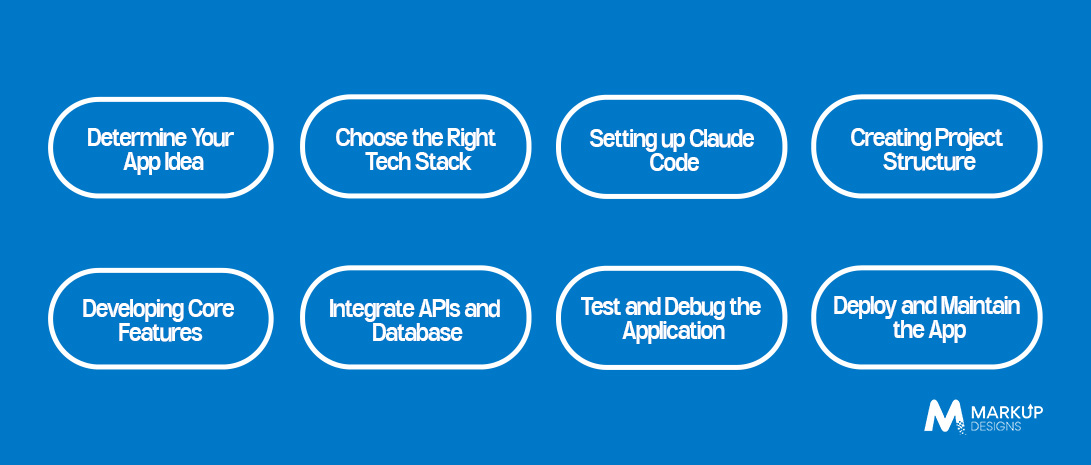
Development of apps with the help of Claude Code becomes easier once the proper process is adopted. Instead of instructing the tool to generate all parts of the project at once, split up the task into smaller parts and analyze the progress at each step. Here is what should be done.
Step 1: Determine Your App Idea
Begin by defining the problem that your app will address, who will use it, and what features should be included. Make a clear list of requirements, user roles, and outcomes you expect from your app. It will give Claude Code enough information to support you.
Step 2: Choose the Right Tech Stack
Choose the programming language, frontend framework, backend technology, and database depending on your app requirements. For instance, React could be selected as the frontend, Node.js as the backend, and PostgreSQL as the database. The choice of technologies depends on the complexity of your project.
Step 3: Setting up Claude Code
Install Claude Code following the official guide depending on your operating system. Complete the authentication process and open your project folder. Make sure that your development environment and all the necessary tools are installed before you begin.
Step 4: Creating Project Structure
Ask Claude Code to set up your project files, dependencies, and create the basic structure of your app. Evaluate the proposed solution and make sure it fits your architecture and development guidelines.
Step 5: Developing Core Features
Develop the core features of your application, such as user registration, dashboards, searching, or data management. Provide Claude Code with detailed instructions for each feature and evaluate the results.
Step 6: Integrate APIs and Database
Connect your app to the database and any other third-party services required by your app. If you need to use artificial intelligence in your app, incorporate the required API or model. Make sure that credentials are safe and data is transferred accurately between various components.
Step 7: Test and Debug the Application
Launch the application and make sure that each feature is working properly. Ask Claude Code to assist in finding bugs and offering solutions to the problem. Manually test some important user flows, as there might be errors in the generated code.
Step 8: Deploy and Maintain the App
After passing all the required tests, set up the application to be deployed through an appropriate host or cloud service. Fine-tune performance, fix bugs, and improve functionality according to user feedback.
By following these steps, you can integrate Claude Code into your development workflow instead of depending solely on AI code generation. For more complex applications, developers can assist with architecture and other aspects of the project.
How Claude Code Fits Into the AI App Development Workflow
The capabilities of Claude Code allow it to be used for various stages of AI app development, starting from planning its architecture and ending with testing the developed features and launching the ready application. However, to get the output, it is important that developers clearly explain what needs to be done and analyse the result after each stage of the work.
So, here is how Claude Code may be used in the development process:
Planning and Requirements
Structure project requirements, divide big requirements into smaller steps, and make a development plan.
Code Generation
Develop application components, write the needed functions, and realise the features according to project requirements.
Integration of AI Models
Integrate AI APIs, develop integration code, and develop features like chatbots or AI Search.
Debugging and Code Review
Investigate errors, explain existing code, and suggest improvements to code quality.
Testing and Documentation
Create test cases, perform supported tests, solve any problems arising, and document the technical details.
Deployment Preparation
Help in setting up the configuration, deployment scripts, and environment on the chosen hosting platform.
For example, in creating an AI-based customer service tool, Claude Code may help create the GUI, integrate the AI-based algorithm, connect customer database sources, and write tests for the common user actions.
However, the entire process should be controlled by the human developers who will validate the answers of AI, secure the personal information of customers, test the integration of third-party systems into the program, etc.
How Long Does It Take to Build an App With Claude Code?
The amount of time that one will take to develop an app using Claude Code is dependent on the number of functions, complexity, integration, and testing. Although Claude Code helps one code faster and makes the coding task easier, it does not eliminate other processes.
Here is a general estimate of how long different types of apps may take to develop:
| App Complexity | Estimated Timeline | Examples |
| Simple app | 2–4 weeks | Basic task manager or informational app |
| Medium-complexity app | 1–3 months | Booking platform or e-commerce app |
| Complex app | 3–6+ months | AI-powered SaaS platform or multi-user business application |
Factors That Affect Development Time
- Feature Requirements: Apps that have high-level features will usually take longer to develop and test.
- Technical Complexity: Technical complexity, such as complex architecture and integration, will affect the development time.
- UI/UX Design: The design of the application will require planning and refinement for an intuitive user experience.
- Testing & Security: Functional testing, security checks, and performance tests are essential before the application goes live.
- Team Expertise: Developers who know the technologies used will be able to work with Claude Code more efficiently.
Claude Code can reduce some of the development time, but the successful launch will always depend on proper planning and validation. Scope definition before development starts is one of the most important things.
Common Challenges of Building an App With Claude Code
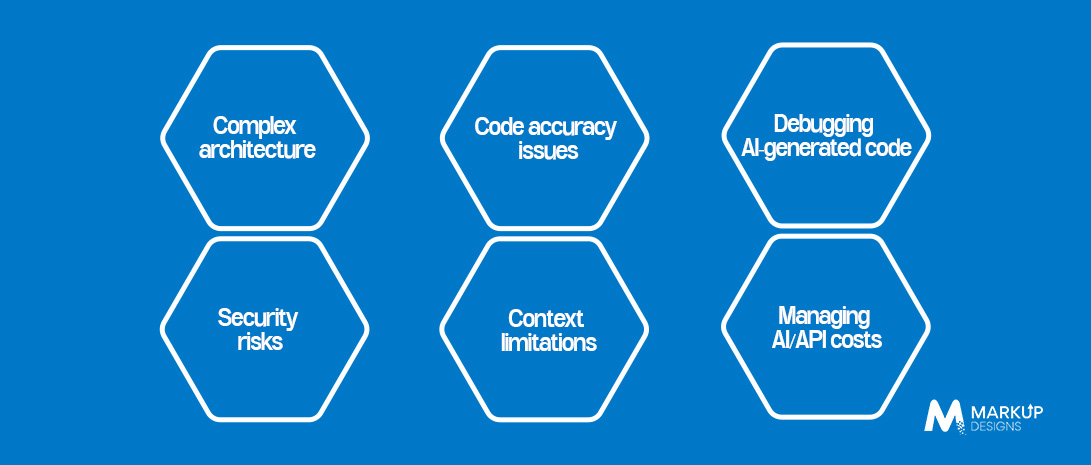
Using Claude Code may simplify the process of app development, but the application created with the help of an AI coding tool is not guaranteed to be perfect. You will be able to come across technical difficulties, security issues, and other problems that may arise during the development stage.
There are some of the common challenges that can appear:
Code accuracy issues
Claude Code may create code that contains errors or does not fulfill all of your requirements. The developers have to review and test the code prior to using it.
Complex architecture
The decision about architecture can be rather complex when it comes to a large application. The developers have to have sufficient technical knowledge for this task.
Debugging AI-generated code
Even though the fix generated by the AI could fix the issue, the developers need to identify the root cause of this or that error.
Security risks
Mismanagement of keys, permissions, and sensitive data can turn out to be a security issue. Proper use of secure coding techniques is important.
Context limitations
Sometimes, large projects may involve several files, dependencies, and other things. It would be possible for the developers to supply sufficient context and break down difficult tasks into easier ones.
Managing AI/API costs
Some cost implications may arise from the use of AI models, APIs, cloud services, and tools. Nonetheless, through proper monitoring and selection of appropriate services, extra costs may be avoided.
The most effective approach of overcoming these challenges will be the combination of the Claude Code technique with requirements, testing, versioning, and code reviews by humans. In the case of complex programs, the expertise of the developers will come in handy.
Why Choose Markup Designs for AI App Development?
It would definitely make app development easier for you by using Claude Code, but there is certain knowledge and preparation required for bringing your idea to life. Markup Designs assists businesses in building one-of-a-kind web and mobile applications with AI capabilities that will meet your business needs. We know your needs, choose the proper technology stack, and develop the solutions that will be useful for your business in the future.
Apart from our care about AI app development and model implementation, we also care about developing applications that will operate smoothly. We assist in the integration of third-party services and APIs, testing of essential features, solving possible issues, and deployment of applications. Even post-launch support is provided – we help you develop the application, solve technical issues, and implement additional functionality. Our company has 14+ years of experience in the IT sector and 200+ employees.
Have an AI App Idea in Mind?
Looking to build an app with Claude Code but unsure where to start? Markup Designs can help you plan, develop, and launch a solution that fits your needs. Let’s discuss your idea.

Conclusion
With the help of Claude Code, developers can code, debug, add features, and perform other actions faster. The tool can be applied in diverse projects ranging from ordinary websites to AI-driven platforms depending on the selected technologies and tools.
However, there are numerous aspects that need to be taken into account in order to succeed in creating an application besides coding. Requirements, technology stack, integrations, Qa testing, and deployment are some of the critical components that need to be addressed. Checking the code created by AI will also be beneficial to detect potential issues.
If you are going to build an application using Claude Code, you should have a clear vision, select features, and plan project development step-by-step. It may be useful to work together with professional developers on complex projects to make correct technical decisions.
Thanks to the coding AI tool and having technical skills and experience, you will be able to develop a high-quality digital product according to your vision.
FAQs
1. Can I develop an app via Claude Code even if I have no coding skills?
Claude Code is capable of helping you with learning the code and developing certain application features based on natural language commands. Yet some technical skills might come in handy in terms of analysis, error fixing, integration management, and others.
2. Is Claude Code able to develop a full-fledged application?
Claude Code is capable of aiding you in various aspects of the development process, such as file creation, feature implementation, debugging, and testing. Yet, the development of a full-fledged application is a process that includes many additional steps.
3. What kind of applications can you build with Claude Code?
With Claude Code, you can develop web applications, software-as-a-service platforms, eCommerce solutions, mobile applications, business automation solutions, and AI-powered applications, among others. The exact possibilities will depend on the chosen technologies and integrations.
4. Will Claude Code help speed up the development of the app?
Yes, Claude Code will be helpful in speeding up app development by reducing time spent on repetitive coding, debugging, and some feature implementation. However, depending on the complexity of the app, it still depends on other factors as well.
5. Will Claude Code be useful for developing production apps?
Claude Code will be able to help develop production apps; however, the resulting product cannot be deployed without checking. Security, code testing, performance testing, and deployment preparation must be performed before deploying an app.
Author's Perspective
Claude Code makes app development more accessible by helping developers complete coding tasks and explore ideas faster. However, the real value comes from using it with a clear development plan, reliable technologies, and proper technical oversight. Businesses should focus on building applications that solve genuine problems rather than relying only on the speed of AI-generated code. As AI coding tools continue to evolve, combining their capabilities with human expertise will remain important for creating secure, scalable, and user-friendly applications.
Discuss Your Project NowJupinder Singh Arora
Founder and CEO
Related Posts

AI Development Firm in the UK: How to...

Hiring an AI Development Partner in the UK:...

10 AI Innovations Transforming the UK Healthcare Industry...
Insights Are Valuable & Execution is Priceless
You’ve read about the digital future. Now, let’s build the infrastructure to take you there. Move your strategy from the page to the product.
Design Your Solution Now
Contact Us
Schedule The Appointment At Your Convenience Date And Time.
30 Min
Web Conference
Time Zone
Indian standard time (08:30pm)

Thanks For Getting In Touch!
You’ve Taken The First Step Toward Transforming Your Digital Presence. Our Experts Will Reach Out Shortly To Take It Forward.
Launch Your Dream Project
Provide a brief overview of your project, and our specialists will evaluate your requirements. We will connect with you to explore how the right digital solutions can help you launch faster.