

In Brief
- Automation in DevOps improves the software development process through software testing, deployment, and monitoring, minimizing repetitive tasks, human errors, and delays in the delivery process.
- Some of the important areas of automation include CI/CD pipelines, automated testing, Infrastructure as Code, deployments, security checks, and monitoring.
- The benefits for businesses include faster software releases, quality improvements, reduced costs, improved collaboration, faster problem-solving, and scalability.
- Some of the difficulties include compatibility with legacy systems, security concerns, tool integration, skills, and over-automation. The proper step-by-step approach with appropriate tools and performance reviews is helpful in solving these problems.
- The cost of automation in DevOps is influenced by tools used, infrastructure, integrations, expertise of teams, and maintenance. Markup Designs can help businesses implement smarter DevOps practices.
Today’s software teams must provide quality applications that are not only fast but also secure, reliable, and maintainable. Nevertheless, manual processes like testing, code integration, code deployment, and infrastructure management tend to slow down the whole software development process. Manual tasks can also contribute to human errors and hinder software delivery in case of numerous software updates.
In this situation, DevOps automation can become an effective tool. It allows automating manual tasks throughout the software development life cycle, thus providing more efficient cooperation between development and operations teams. Automation of test execution, code deployment, and application performance monitoring, among others, provides for a more efficient software delivery process.
In this blog post, we are going to discuss the essence of DevOps automation, its key areas of application, and the advantages it brings. We will also consider possible challenges in implementing DevOps automation and factors of its cost-effectiveness.
What is DevOps Automation?
DevOps automation is the employment of technologies in order to perform repetitive actions that take place during software development, testing, deployment, and maintenance. Thus, instead of performing routine actions manually, it is possible to develop automated workflows that can speed up the delivery of software.
For example, an automated workflow can compile the application after each code change, test it, analyze the quality of the code, and make sure that it is ready for deployment. This will decrease the amount of routine work and also allow identifying problems before they occur in the production environment.
In addition, DevOps automation integrates development and IT security operations services through such approaches as Continuous Integration and Continuous Delivery (CI/CD), Infrastructure as Code (IaC), automation of tests, and continuous monitoring. Such practices ensure that development, testing, and deployment environments are similar.
DevOps automation is not aimed at the elimination of people from the workflow. Its main idea is the reduction of routine actions and the ability to solve problems and improve the quality of software.
Why is DevOps Automation Important for Modern Software Delivery?
These modern software development teams are supposed to release updates on a regular basis, solve problems fast, and ensure a good user experience. When all of these activities are done manually, it becomes hard to cope with all these demands and slows down the process of developing new solutions. Here is how DevOps automation may help with this.
Some of the most important aspects include:
- Faster releases: The automation of building, testing, and deploying processes allows for delivering software updates faster.
- Fewer human mistakes: When it comes to repetitive actions like configuration and deployment, human mistakes can be avoided with the help of automation.
- Better team collaboration: This helps development, testing, and operations teams to have common goals.
- Consistent environments: It allows maintaining similar settings for development, testing, and production.
- Early issue detection: Automated tests and code scans allow issues to be detected before software is even used by the end-users.
- More scalability: Automated processes will make it easier to scale up applications, infrastructure, and workloads.
With these improvements, people will have the opportunity to allocate their time to the creation of stable software. Also, it will allow companies to react to market changes, feedback, and new requirements without interrupting their software development.
Key Areas of DevOps Automation
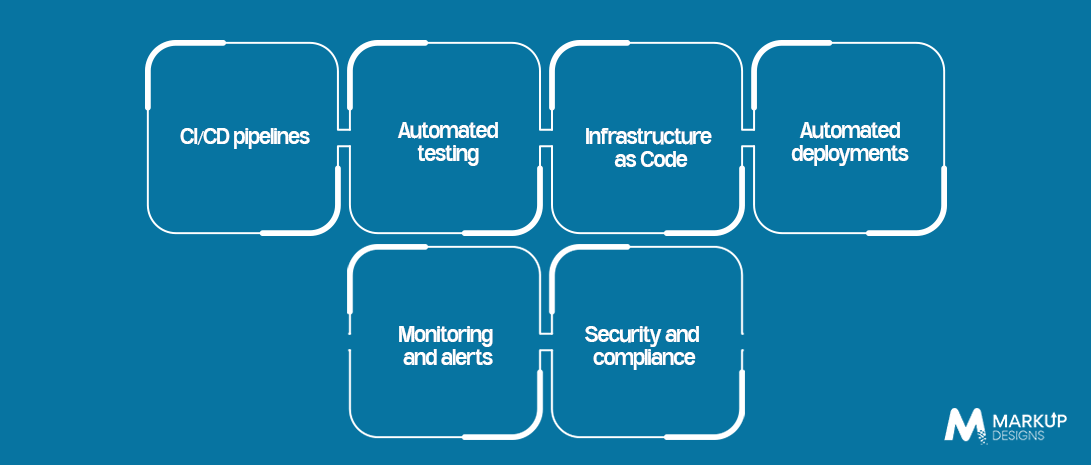
The DevOps automation process includes different phases of the software lifecycle. It assists teams in uniting their operations, reducing manual work, and being consistent in their delivery process. Let’s have a closer look at the areas in which automation is able to provide significant advantages.
CI/CD pipelines
The CI/CD pipeline automates code integration, code building, testing, and deployment. Thus, teams release updates more frequently and eliminate lags from development till delivery.
Automated testing
This type of testing determines if there are any problems with an application’s performance and detects bugs in advance, lowering the time spent on manual tests.
Infrastructure as Code
Infrastructure as Code enables the management of servers, networks, and cloud infrastructure using code. This leads to consistency, reproducibility, and easier maintenance of infrastructure setup.
Automated deployments
Automation of the deployment process ensures that tested code is deployed in the right environment with minimal manual intervention. The process also helps in minimizing configuration errors during software release.
Monitoring and alerts
Automated monitoring enables tracking of application performance, system health, and resource consumption. Alerts are sent in case there is any abnormal activity or potential problem.
Security and compliance
The automation of the security process ensures that code, dependencies, and configurations are checked for security risks. It also helps in maintaining security requirements during software development.
Read Also: How Cloud & DevOps Are Transforming Enterprise Digital Growth
How DevOps Automation Works
Automated DevOps functions through linking different phases of software development through automated processes. Rather than handling each of these processes individually, developers use automated systems and defined rules to transition their code from the development phase to the deployment phase. Below is an explanation of the process.
Step 1: Code Development and Version Control
Developers write code and store changes in a version control system such as Git. This helps teams track updates, manage different versions, and collaborate more easily.
Step 2: Automated Build and Integration
Upon submitting the code, it is automatically merged with other code, and the build is created. This helps identify integration problems early.
Step 3: Automated Tests
The pipeline executes automated tests to test the functionality and performance of the code. In case of failure, developers get feedback.
Step 4: Security and Quality Assurance
Vulnerability and other risks scanning of code and dependencies is performed by automated tools. Such steps allow the teams to tackle possible problems prior to the deployment.
Step 5: Automated Deployment
The application is being deployed once all necessary check have been completed to the appropriate test or production environment.
Step 6: Continuous Monitoring and Feedback
Once the deployment has been made, monitoring tools keep track of the application performance, availability, and errors. This step allows teams to solve issues and make workflow improvements.
Read Also: How is DevOps Charting a New Model for Cloud Development?
Benefits of DevOps Automation for Businesses

The automation aspect of DevOps enables companies to streamline their software development, testing, releasing, and management processes. By minimizing redundant activities and unifying workflows, teams can become more productive and responsive. Here are the major advantages of DevOps automation.
Faster software releases
The speed of releases increases due to automated testing, build, and deployment processes. As a result, businesses can release new updates and functionalities faster.
Lower operational costs
Automation minimizes the time needed to perform repetitive actions and allows for better technical resource utilization. This will minimize costs associated with operations.
Better software quality
The process of automated tests and code review identifies defects in advance, allowing programmers to fix them before users encounter any problems.
Faster issue resolution
Monitoring and automated alerting assist teams in spotting any performance issues quickly. This results in faster troubleshooting and minimal downtime.
Improved resource optimization
Automation helps in infrastructure management, resource allocation, and scaling based on workload. This is useful to avoid wastage of resources and increase efficiency.
Improved scalability
As applications become larger, the use of automated workflows enables teams to handle more frequent deployments and heavy workloads without having to put in increased manual effort.
Overall, DevOps automation assists companies in developing a reliable software deployment system. It lets technical teams concentrate on innovations and improvements while ensuring speed, reliability, and quality.
Common Challenges in DevOps Automation
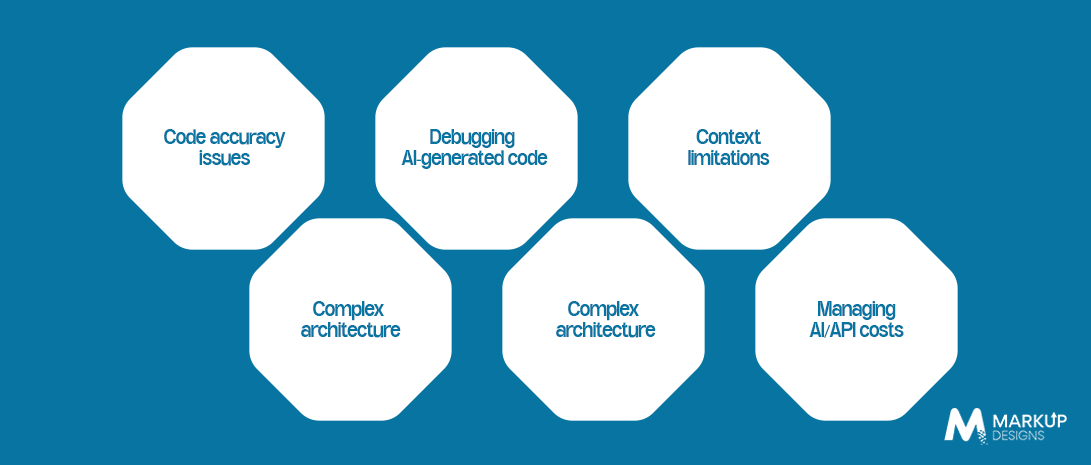
Although there are many advantages associated with DevOps automation, it still demands some planning and appropriate tools to be employed. Organizations may encounter numerous difficulties while incorporating automation into the current workflows. Learning about them helps prepare more effectively and prevent making mistakes.
Complex implementation
It may be difficult to set up an automated pipeline and integrate various tools when working on many workflows by multiple teams.
Legacy system integration
Some applications are not compatible with today’s tools and require some modifications for integration to take place.
Security risks
Automated pipelines can be quite vulnerable when it comes to access to some information, like secret keys or passwords.
Tool compatibility issues
Having various tools that are incompatible might result in problems during the development process. Companies should choose tools that will fit their current IT environment.
Lack of skilled talent
In order to automate a company’s processes, one needs to know how to use CI/CD, cloud technologies, scripting, monitoring, and be aware of security issues. Training the current employees and working with professional DevOps developers may help resolve the problem.
Over-automation
Not all processes can be automated just for the sake of it. Companies should focus on automating those tasks that require frequent repetition and take too much time.
By addressing these challenges early, businesses can build automation workflows that are secure, manageable, and easier to maintain as their software delivery needs grow.
How to Implement DevOps Automation Successfully
DevOps Automation requires an initial assessment of the existing workflow to understand what processes may be optimized through automation. Instead of rushing into automation of all processes, companies need to follow a certain sequence of actions, depending on their technological needs and delivery objectives.
Step 1: Evaluate Existing Workflow
Analyze the process of software development and deployment in your company. Identify repeated actions, mistakes, problems, and areas where the manual process slows down delivery.
Step 2: Determine Automation Priorities
Start with processes that take much time or generate frequent mistakes, like code integration, testing, and deployment. This will show early results for teams.
Step 3: Select Suitable Tools
Choose automation tools based on your technology stack, infrastructure, security requirements, and the skill level of your employees.
Step 4: Implement CI/CD Pipelines
Develop a CI/CD pipeline for integration, testing, and deployment of code. Start with developing a simple pipeline, test it, and extend automation once the process stabilizes.
Step 5: Integrate Security and Monitoring
Incorporate security into the process of software development and implement monitoring to keep track of the health, performance, and errors of the application.
Step 6: Track and Enhance Performance
Monitor performance indicators such as deployment frequency, time-to-release, failure rate, and recovery time. Use these measurements to improve the automated processes and workflows on an ongoing basis.
The gradual approach allows companies to control the risks of the implementation process and learn from mistakes. With the help of clear goals and proper tools, DevOps automation can become a routine activity.
Cost of DevOps Automation
The cost of the DevOps automation will vary based on the size of the project, the specific tools involved, the complexity of the systems in place, and how automated it needs to be. Companies that implement a CI/CD pipeline on their own might have different needs than enterprises that automate several applications and workflows.
These are some of the main factors that impact the cost of DevOps automation.
1. Tools and Software Licences
There are different automation tools that are free or have licenses. Subscription fees for paid software depend on specific options and conditions provided.
2. Infrastructure and Cloud Usage
It includes cloud hosting, cloud computing, storage, testing environment, etc. Efficient use and automatic scaling will help to control those costs.
3. Implementation and Integration
Pipeline creation, tool integration, and system automation implementation are tasks that take time to implement.
4. Team Expertise
Companies might require the services of DevOps engineers, cloud experts, security experts, or even external consultants to develop and manage their automation processes. Training of existing teams might also lead to increased costs.
6. Maintenance and Monitoring
Automation pipelines will require regular maintenance and monitoring of performance. This must be factored into the total cost.
Why Choose Markup Designs for DevOps Automation?
Proper selection of the right partner is beneficial for businesses to enable effective software delivery and automate the process to derive maximum value from it. Markup Designs can help businesses optimize the development process by providing solutions for fast releases, efficient and reliable deployments, and scalable infrastructure. Automation of the CI/CD pipeline enables companies to simplify the integration of code, testing, and deployment procedures without any complications.
Automation of cloud and infrastructure makes management easy for businesses, while automated testing identifies the flaws and ensures the quality of the product. Security-centric workflows provide safe development procedures with proper validation and access control. Application health check-ups, performance monitoring, and management can be performed with the help of monitoring and automation.
With increasing business requirements, the scalability of the automation solution can be helpful for handling increased workload and a complex software environment. Markup Designs helps in finding automation opportunities for your organization in view of technical requirements and further planning.
Ready to Build Smarter DevOps Workflows?
Want to improve release speed and reduce manual effort? Connect with Markup Designs to explore DevOps automation solutions that help your team deliver software more efficiently.

Conclusion
DevOps automation has become an important part of modern software delivery. Through the use of automation, businesses are able to reduce their manual workload and increase efficiency through consistency. This allows organizations to detect errors early, foster collaboration, and be able to cope with any changes in their requirements.
However, for DevOps automation to be effective, there is more than just picking appropriate tools. Businesses require a well-thought-out plan, proper security measures, skilled specialists, and constant performance reviews. To start off, businesses should begin with those processes that will yield the highest results and proceed from there.
No matter whether you need to optimize your current software delivery process or develop a new application, appropriate DevOps automation is able to help you do things faster and be better prepared for the future. The only thing that needs to be done is to automate repetitive tasks and leave your team with more time for the actual work.
FAQs
1. What is DevOps automation?
DevOps automation uses tools and workflows to automate repetitive tasks across software development, testing, deployment, infrastructure management, and monitoring. It helps teams deliver software more efficiently and consistently.
2. What are the main benefits of DevOps automation?
The main benefits include faster software releases, fewer manual errors, improved software quality, lower operational effort, quicker issue resolution, and better infrastructure management.
3. Which tasks can be automated in DevOps?
Common tasks include code integration, software testing, application builds, deployments, infrastructure provisioning, configuration management, security checks, monitoring, and alerts.
4. Which tools are commonly used for DevOps automation?
Popular tools include Jenkins and GitHub Actions for CI/CD, Docker for containerisation, Kubernetes for container orchestration, Terraform for infrastructure management, and Ansible for configuration automation. The right choice depends on project requirements and the existing technology stack.
5. How does DevOps automation improve software delivery?
It connects development, testing, and deployment through repeatable workflows. This reduces manual delays, helps detect issues earlier, and makes software releases more consistent.
Author's Perspective
DevOps automation is not just about making software delivery faster. It is about helping teams work with fewer repetitive tasks, better coordination, and greater confidence in every release. Businesses should focus on automating the processes that create the most delays or errors rather than trying to automate everything at once. A clear strategy, the right tools, and continuous monitoring can make automation easier to manage over time. As software requirements continue to evolve, well-planned DevOps automation can help organisations improve delivery practices, maintain software quality, and build a stronger foundation for future growth.
Discuss Your Project NowJupinder Singh Arora
Founder and CEO
Insights Are Valuable & Execution is Priceless
You’ve read about the digital future. Now, let’s build the infrastructure to take you there. Move your strategy from the page to the product.
Design Your Solution Now
Contact Us
Schedule The Appointment At Your Convenience Date And Time.
30 Min
Web Conference
Time Zone
Indian standard time (08:30pm)

Thanks For Getting In Touch!
You’ve Taken The First Step Toward Transforming Your Digital Presence. Our Experts Will Reach Out Shortly To Take It Forward.
Launch Your Dream Project
Provide a brief overview of your project, and our specialists will evaluate your requirements. We will connect with you to explore how the right digital solutions can help you launch faster.