

In Brief
- Investigation of enterprise case management software and its function in complicated business processes.
- Investigation of standard and advanced features that enhance the functionality of case processing, automation processes, and collaboration.
- Investigation of the main steps for establishing and implementing scalable case management systems.
- Examination of security, integrations, technology, and compliance aspects in business environments.
- Investigation of the problems influencing development, pricing and application terms of case management software.
Organization of thousands of cases in departments, teams, customers, and business processes requires an individual approach to each case, since each case needs a definite set of actions, documents, approvals, communications, and timeline. The process of managing all tasks and processes can be complicated because of the use of spreadsheets, emails, disconnected applications, or basic ticketing tools, which may lead to inconsistent data and lengthy resolution processes. Case management software gathers all the processes in one centralized system, allowing organization of case information, automation of the entire operation, task assignment, and progress monitoring.
When developing case management software, many intricate processes go beyond the simple functions mentioned above.
The solution must provide support to complicated workflows, access depending on the role of the user, integration with the enterprise software in use, reports in real time, data, compliance, and assurance of potential expansion. This guide will highlight the main peculiarities of the software development process, the software, and implementation techniques that organizations need to take into consideration when applying for case management software.
What is Case Management Software?
Case management software is a single dashboard for enterprises for managing cases and orders concerning various issues. It should not be confused with basic ticketing or CRM solutions since it is specifically designed to simplify the process of dealing with complex cases.
How Does Case Management Software Work?
The software is able to manage the case during every stage of the lifecycle – retrieval, classification, distribution, investigation, resolution, and completion. It automates the process where tasks, authorizations, documents, and discussions are continuously connected at every step of the process.
Case Management Software vs. Workflow Management Software
Workflow management software focuses primarily on automating business processes, while case management software combines workflows with case data, documents, communications, and ongoing decision-making. Enterprises typically need case management when each case can follow a different path based on its circumstances.
Why Do Enterprises Need Case Management Software?
Enterprises use case management software to replace fragmented processes with a centralized system for managing complex cases. It helps teams reduce manual work, improve coordination, track case progress, and maintain better control over business and compliance processes.
Centralized Case Information
Keep all details related to cases, documents, communications, operations, and activities in one place. This makes it possible for the authorized team to have a view of the entire case without having to go through all the different solutions available.
Automated Case Workflows
With the help of automation, the tedious processes such as the routing of cases, approvals, task assignments, notifications, and escalations can be taken care of by the system. This ensures that the team utilizes a consistent process that requires minimal human effort.
Better Cross-Team Collaboration
Moreover, workers from different departments who have to deal with one single case can access information, assignments, notes, and correspondence, which help minimize misunderstandings and work in unison.
Real-Time Case Visibility
You can keep tabs on case statuses, ownerships, actions needed, deadlines, and resolutions. Managers will have no trouble monitoring what problems arise, thereby fixing any issues promptly.
Faster Case Resolution
Thanks to automated case routing, the task management process, notifications, and collecting all information in one place, the staff members can spend less time looking for information and concentrate on the resolution of cases.
Improved Compliance and Accountability
Maintain detailed records of case activities, user actions, approvals, and decisions. Audit trails and access controls help enterprises support regulatory requirements and internal governance.
Enterprise Features of Case Management Software
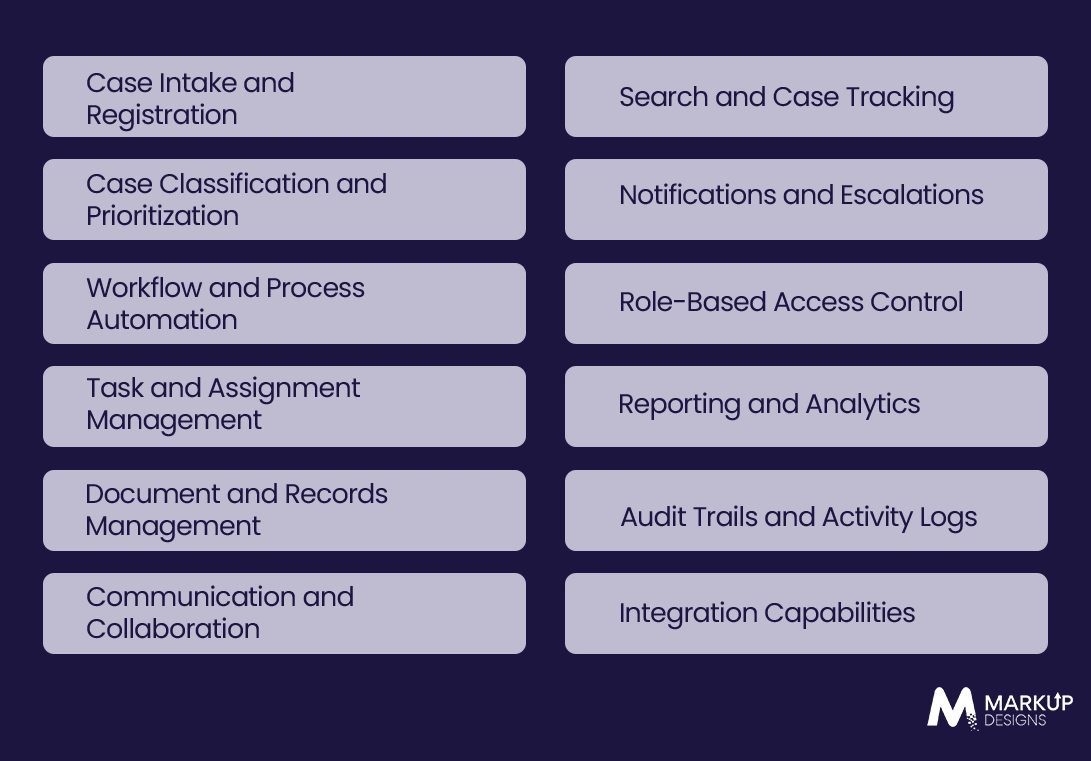
Enterprise case management solutions require features that can address complex workflows, large user groups, sensitive data, and integration with current business systems.
Case Intake and Registration
Capture cases from internal teams, clients, portals, forms, emails, or any other method, and create cases with all the facts from the beginning.
Case Classification and Prioritization
Assign categories to cases based on type, importance, risk, and customer, or based on company rules. Prioritization contributes to urgency in solving important cases early.
Workflow and Process Automation
Make it possible to automate the passing of cases, approvals, creation of tasks, changing of status and others in accordance with determined company rules.
Task and Assignment Management
Delegate individual cases or tasks to users based on the decision made about the tasks involved.
Document and Record Management
Ensure that all documents are kept securely about certain cases, as well as storing documents safely prompts organized access to records.
Communication and Collaboration
Allow users to communicate with other participants of process taking all necessary notes efficiently.
Search and Case Tracking
Provide a possibility to conduct advanced search concerning cases allowing people to find the right cases easily based on available characteristics.
Notifications and Escalations
Automated notifications are sent for new work assignments, nearing deadlines, status changes, and outstanding issues. Escalation rules can reroute inactive or precedence tickets to the right personnel.
Role-Based Access Control
Establish permissions to work on cases, materials, procedures, and operations in accordance with users’ roles and obligations.
Reporting and Analytics
Create reports on case volume, duration of resolution, workload, areas of bottlenecks, and performance.
Audit Trails and Activity Logs
Log necessary movements, alterations, approvals, and decisions during the process of handling a case. Log files increase accountability of the company and can support audits.
Integration Capabilities
Link case management system to Customer Relationship Management systems (CRM), Enterprise Resource Planning systems (ERP), Human Resource, communication, documentation, analytic and other corporate systems in order to gain consistency in information among the applications.
Advanced Features for Enterprise Case Management
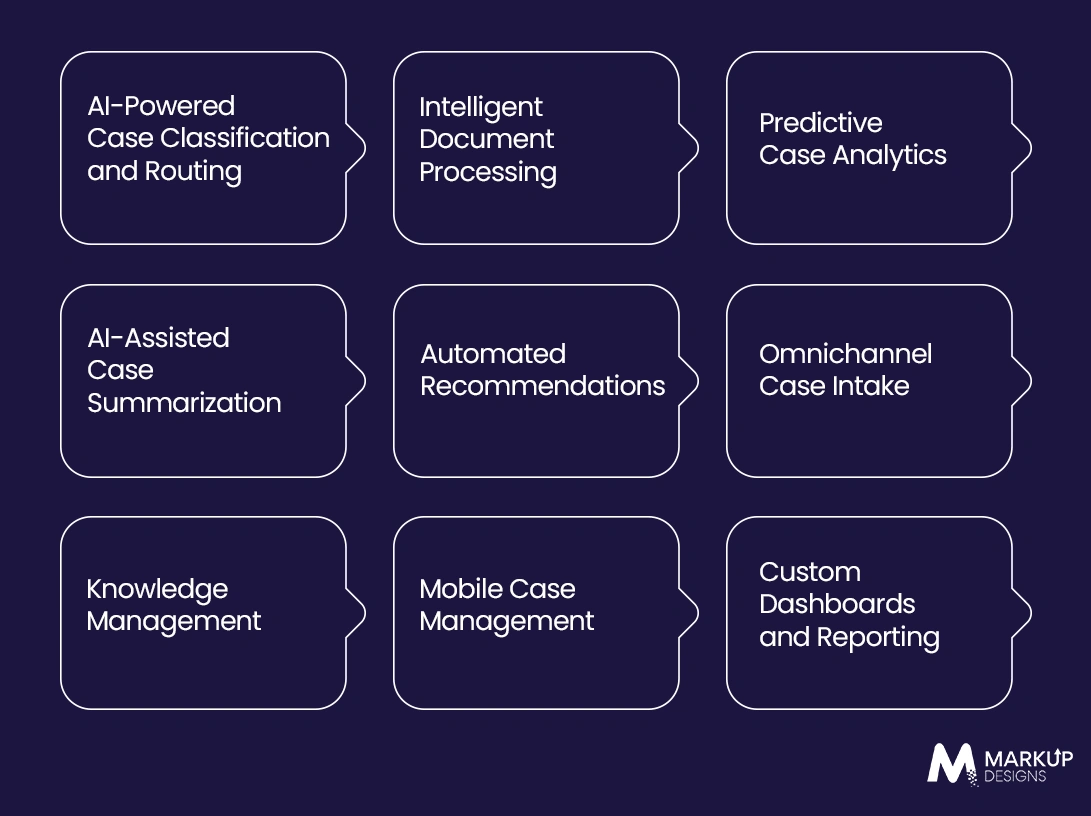
Advanced technologies allow to expand the functions of case management system and include Artificial Intelligence technology, analytic as well as multi-channel intake.
AI-Powered Case Classification and Routing
Implement AI in analyzing incoming cases by knowing their type and priority to route them to needed team on the basis of determined business goals.
Intelligent Document Processing
Acquire valuable information from various forms, PDF files, electronic messages and documents to minimize the requirement of manual data input and automatically link the data to the case accordingly.
Predictive Case Analytics
Investigate previous data of cases in order to determine patterns, anticipate possible delays and enable teams to choose cases needing extra attention beforehand.
AI-Assisted Case Summarization
Create summarization for long records, documents and correspondence so that users will managing to obtain information about the current state of affairs without having to read everything.
Automated Recommendations
Utilize previous data and business rules for creating solutions, referring to the necessity of certain actions according to the situation of the case.
Omnichannel Case Intake
Gather cases from different means of reception together with the use of a unified case management environment.
Knowledge Management
Concentrate all the information necessary for performing case-related activities so that employees have access to all needed knowledge.
Mobile Case Management
Allow the users to access the information about the current cases from their mobile devices.
Custom Dashboards and Reporting
Arrange the dashboards depending on the requirements of different businesses.
Read Also: How to Choose the Right CRM Software for Your Business
Industry Use Cases of Case Management Software
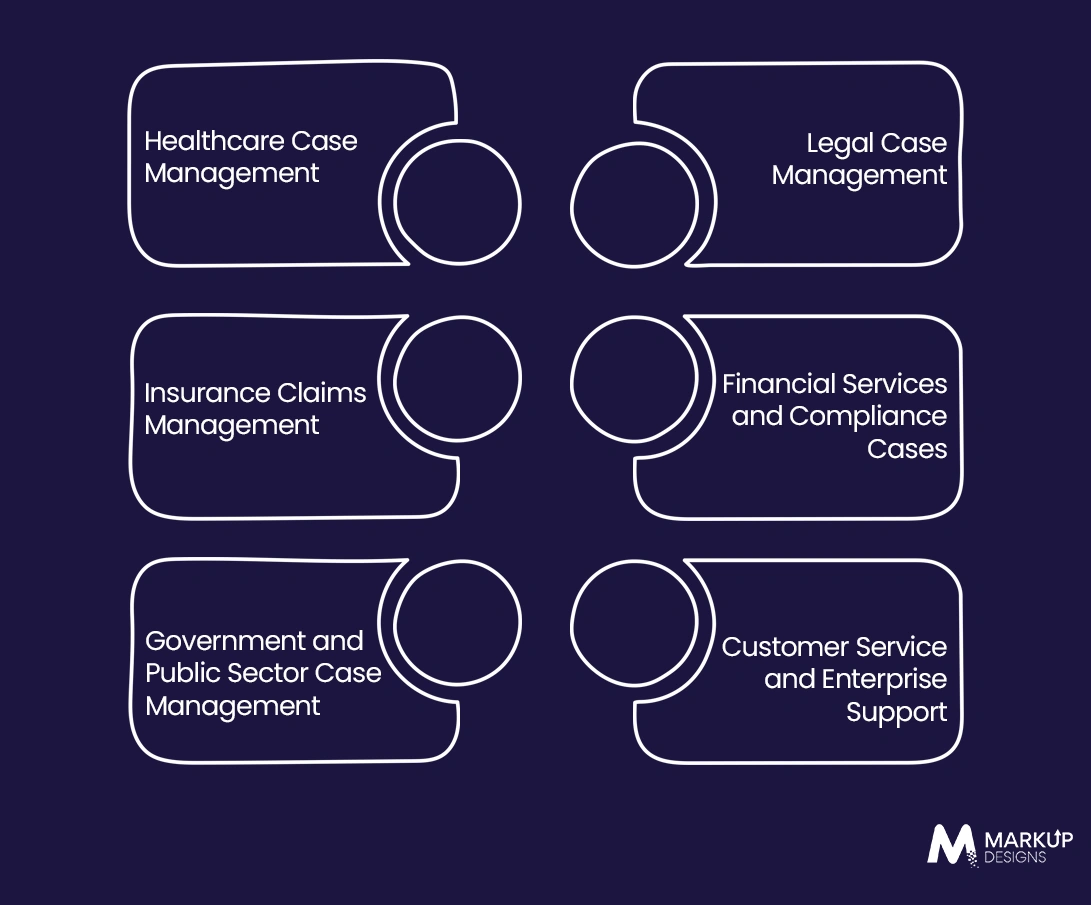
Case management software can be adapted to different industries where cases involve multiple actions, stakeholders, documents, decisions, and resolution stages.
Healthcare Case Management
Manage patient cases, care coordination, treatment workflows, documentation, referrals, and communications while maintaining controlled access to sensitive information.
Legal Case Management
Organize client matters, case documents, deadlines, communications, tasks, evidence, and legal workflows within a centralized platform.
Insurance Claims Management
Manage claims from initial submission through assessment, investigation, approval, settlement, and closure while keeping documents and communications connected to each claim.
Financial Services and Compliance Cases
Support fraud investigations, regulatory reviews, disputes, customer complaints, and compliance cases with structured workflows, audit trails, and controlled access.
Government and Public Sector Case Management
Manage citizen requests, applications, investigations, service cases, and regulatory processes while maintaining transparency, accountability, and complete case histories.
Customer Service and Enterprise Support
Handle complex customer issues that require multiple teams, approvals, escalations, or extended resolution timelines beyond what standard ticketing systems typically support.
How to Develop Case Management Software?
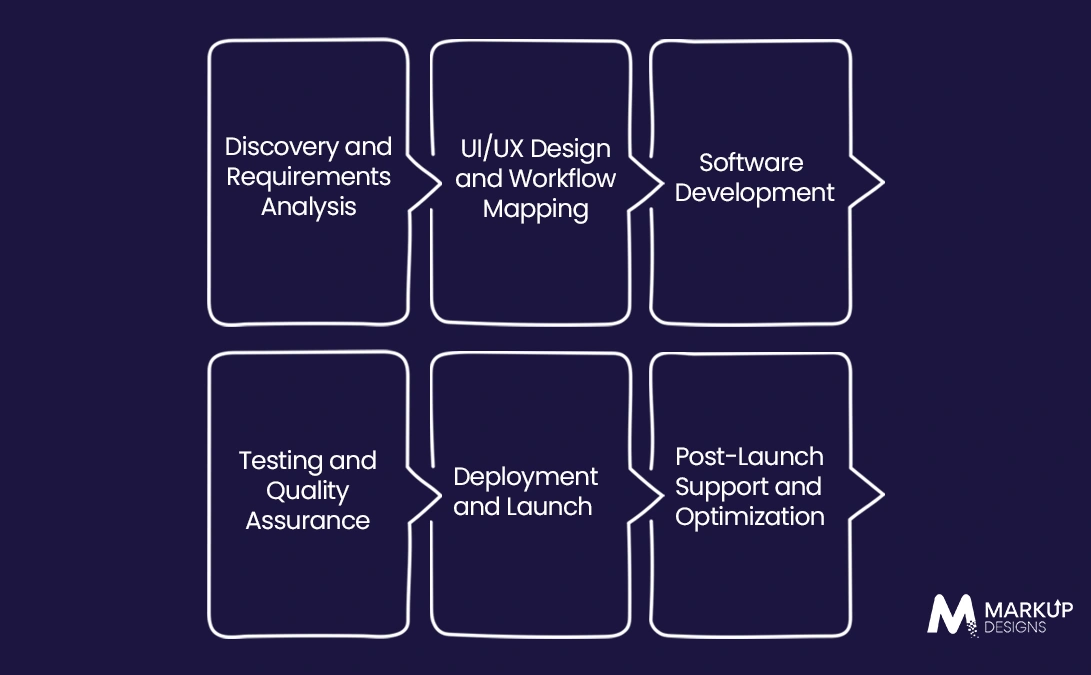
1. Discovery and Requirements Analysis
Define business processes, case types, user roles, compliance requirements, integrations, and success metrics.
2. UI/UX Design and Workflow Mapping
Design role-specific interfaces and map the complete case before development.
3. Software Development
Build the core case management platform, workflows, integrations, dashboards, and required enterprise functionality.
4. Testing and Quality Assurance
Validate functionality, security, integrations, performance, usability, and workflow accuracy.
5. Deployment and Launch
Deploy the platform, migrate required data, configure environments, train users, and prepare the solution for production.
6. Post-Launch Support and Optimization
Monitor adoption and performance while continuously improving workflows and features.
Technology Stack for Case Management Software Development
The technology stack should support complex workflows, secure data handling, enterprise integrations, and long-term scalability. The right choices depend on the solution’s features, deployment model, user volume, and business requirements.
Frontend Technologies
Choose modern frontend technologies to create responsive, role-specific interfaces for case intake, dashboards, workflows, document handling, and case tracking.
Backend Technologies
The backend should provide reliable business logic, workflow automation, user management, APIs, and secure processing of case-related operations.
Databases and Data Storage
Use scalable databases and secure storage solutions to manage structured case data, documents, activity records, and other enterprise information efficiently.
Cloud and Infrastructure
Cloud infrastructure can provide the scalability, availability, monitoring, and disaster recovery capabilities required for enterprise case management platforms.
AI and Automation Technologies
AI and automation technologies can support intelligent case classification, document processing, summarization, recommendations, and workflow automation.
APIs and Integration Technologies
API-based architecture enables secure data exchange between the case management platform and existing enterprise applications, services, and third-party systems.
Integrations Required for Enterprise Case Management
Enterprise case management software should connect with the systems teams already use to avoid isolated data and repetitive manual work.
CRM Integration
Connect customer and account information with case records to give teams relevant customer context while managing issues or requests.
ERP Integration
Integrate financial, operational, procurement, or resource data when cases require information or actions from enterprise resource planning systems.
Document Management Integration
Connect with existing document repositories to access, store, organize, and manage case-related files without creating unnecessary data silos.
Email and Communication Integration
Bring relevant emails, messages, notifications, and communication history into the case workflow to maintain a complete record of interactions.
Identity and Access Management
Integrate enterprise identity providers to support centralized authentication, user provisioning, single sign-on, and access control.
Business Intelligence and Analytics Integration
Connect case data with BI platforms to create advanced reports and analyze resolution times, workloads, trends, and operational performance.
Payment and Third-Party System Integration
Integrate payment gateways and specialized third-party platforms when case workflows involve transactions, claims, subscriptions, or other external services.
Security and Compliance Considerations
Security must be built into the architecture from the beginning, particularly when the platform handles sensitive customer, employee, financial, legal, or healthcare information.
Role-Based Access and Permissions
Restrict access to cases, documents, workflows, and system actions according to each user’s role and responsibilities.
Data Encryption
Encrypt sensitive data both during transmission and while stored to reduce the risk of unauthorized access or data exposure.
Secure Authentication
Implement strong authentication mechanisms, including multi-factor authentication and enterprise identity integrations where required.
Audit Logging
Maintain detailed records of user actions, case updates, approvals, access events, and other important system activities for accountability and auditing.
Data Privacy and Retention
Define appropriate data retention, deletion, archival, and privacy controls based on business requirements and applicable regulations.
Regulatory Compliance
Design the platform around the regulatory and industry-specific requirements relevant to the enterprise, including data protection and record-keeping obligations.
Backup and Disaster Recovery
Use automated backups, recovery procedures, and resilient infrastructure to minimize data loss and maintain business continuity during system failures.
How Much Does Case Management Software Development Cost?
The cost of developing case management software can range from $40,000 for a relatively focused solution to $250,000+ for a complex enterprise platform with advanced workflows, integrations, AI, and compliance requirements. The actual investment depends heavily on scope and architecture rather than the number of screens alone.
Factors Affecting Development Cost
- Workflow complexity: More complex case journeys require greater development and testing effort.
- Feature scope: Advanced dashboards, automation, mobile access, AI, and collaboration capabilities increase development time.
- User roles and permissions: Complex access structures require additional authorization logic and testing.
- Integrations: Each third-party or enterprise integration adds API development, testing, and maintenance requirements.
- AI and automation: Intelligent classification, document processing, and recommendations require additional technologies and expertise.
- Security and compliance: Higher security and regulatory requirements can increase architecture, development, and testing costs.
- Data migration: Moving and cleaning data from legacy systems can become a significant implementation effort.
- Platform and deployment model: Cloud, on-premises, hybrid, web, and mobile requirements influence infrastructure and development costs.
- Development team: Team location, expertise, and engagement model can significantly affect overall development rates.
How Long Does It Take to Build Case Management Software?
A focused MVP may take around 3–5 months, while a feature-rich enterprise case management platform can require 6–12+ months depending on workflows, integrations, security requirements, data migration, and testing complexity.
Best Practices for Implementing Case Management Software
Successful implementation depends on aligning the software with actual business processes rather than simply digitizing existing manual workflows.
Start With High-Value Workflows
Identify the workflows creating the greatest operational bottlenecks and prioritize them for the initial implementation.
Standardize Case Processes
Define consistent case types, stages, ownership rules, SLAs, and escalation paths before automating them within the platform.
Plan Data Migration Early
Assess legacy data quality, define migration rules, and determine what information needs to be cleaned, archived, or transferred before deployment.
Prioritize Security From the Start
Build access controls, encryption, authentication, auditability, and privacy requirements into the architecture rather than adding them after development.
Integrate With Existing Enterprise Systems
Connect the platform with critical business applications so teams can work with consistent information without repeatedly switching systems.
Train Users Before Full Rollout
Provide role-specific training and practical workflows before deployment to reduce resistance and help teams adopt the new platform effectively.
Track Adoption and Business Outcomes
Monitor metrics such as case resolution time, workflow completion, user adoption, backlog, and SLA performance to measure implementation success.
Common Challenges in Case Management Software Implementation
Enterprise implementations can face technical and operational challenges when existing systems, data, workflows, and user expectations are not properly aligned.
Managing Legacy Data
Legacy systems may contain duplicate, incomplete, outdated, or inconsistent records that complicate migration into the new platform.
Integrating Existing Enterprise Systems
Older systems or poorly documented APIs can make integration more complex and may require middleware or custom integration layers.
User Adoption and Change Management
Employees may resist new workflows if the system adds unnecessary complexity or changes established processes without adequate training and communication.
Maintaining Data Security
Centralizing sensitive case information increases the importance of strong permissions, monitoring, encryption, and ongoing security management.
Scaling With Business Growth
The architecture must support increasing case volumes, users, integrations, storage requirements, and workflow complexity without degrading performance.
Handling Complex Workflows
Enterprise cases rarely follow one fixed path, making flexible workflow design essential for supporting exceptions, approvals, escalations, and case-specific decisions.
How to Choose a Case Management Software Development Company?
Evaluate potential development partners based on their ability to understand complex business processes, build secure enterprise systems, and integrate the solution with your existing technology environment.
Enterprise Development Experience
Look for experience building scalable platforms that support complex workflows, large user bases, and enterprise-grade requirements.
Industry and Compliance Expertise
Choose a team that understands the operational and regulatory requirements relevant to your industry.
Integration Capabilities
Assess their experience with APIs, legacy systems, third-party platforms, and enterprise application integrations.
Security Practices
Review how the development partner approaches authentication, authorization, encryption, secure coding, testing, monitoring, and compliance.
Scalability and Architecture
Ensure the proposed architecture can accommodate growing users, data volumes, workflows, integrations, and future feature requirements.
Post-Launch Support
Confirm that the provider can support monitoring, maintenance, security updates, performance optimization, bug fixes, and future enhancements after launch.
Build a Case Management Platform Around Your Enterprise Workflows
From case intake and workflow automation to AI, integrations, security, and analytics, build a scalable case management solution designed around your business processes.

Conclusion
An enterprise case management solution combines case data, the workflow process, documents, and analytics in one platform. When the architecture, security parameters, ability to integrate with other systems, and a technology stack are done correctly, it helps businesses deal with complex case life cycles.
FAQ
1. What is a software for case management?
Software for case management allows you to oversee complicated case management processes, including starting, delegating, and finishing cases. The system has case data, files, and records of every transaction in one platform.
2. What attributes should the software for case management possess?
The software for case management should consist of various functions such as case intake, workflow automation, task management, document management, and collaboration. In addition, it is worth having notifications, access based on the role played, and ability to report events.
3. What is the cost of the production of the case management software?
The oval cost of creating the case management system is between $40,000 and $250,000. However, it depends on multiple factors; thus it is better to provide technical requirements for specific development tasks to creators in advance.
4. How long does it take to produce the case management software?
The time needed for development of the case management software can be either from 3 to 5 months for the first product or even 12 months for a more complicated software idea.
5. Does case management software allow for integration with other systems at enterprise level?
It does. It can work with CRM, ERP, document management, communications, identity management, payment, analytics and other systems. All that is needed is to connect to these systems and share data without having to keep them separate systems.
Author's Perspective
Case management solution development should not start with drawing up the list of features. It is much better to develop it by understanding how cases go through the organization, where decisions are made, where bottlenecks occur, how systems should be connected, and which security measures should be applied.
Discuss Your Project NowGaurav Goyal
Global Sales- VP
Related Posts

How Much Does Software Development Cost in Australia...

Custom Biometric Software Development: A Complete Guide for...

Custom Warehouse Management System Development: Features, Process, and...
Insights Are Valuable & Execution is Priceless
You’ve read about the digital future. Now, let’s build the infrastructure to take you there. Move your strategy from the page to the product.
Design Your Solution Now
Contact Us
Schedule The Appointment At Your Convenience Date And Time.
30 Min
Web Conference
Time Zone
Indian standard time (08:30pm)

Thanks For Getting In Touch!
You’ve Taken The First Step Toward Transforming Your Digital Presence. Our Experts Will Reach Out Shortly To Take It Forward.
Launch Your Dream Project
Provide a brief overview of your project, and our specialists will evaluate your requirements. We will connect with you to explore how the right digital solutions can help you launch faster.