

In Brief
- Unused resources like idle servers, storage, and forgotten test environments quietly increase costs and can contribute up to 30–35% of total cloud waste.
- Over-provisioning happens when teams choose larger instances than required, leading to paying for full capacity while only using a small portion.
- Sticking only to on-demand pricing instead of reserved or savings plans can significantly inflate costs, sometimes by over 70%.
- Without proper tagging and cost allocation, businesses lack visibility into spending, making it difficult to identify where money is being wasted.
- Data transfer and egress charges are often overlooked, but moving large amounts of data across regions or out of the cloud can add substantial hidden expenses.
- The absence of governance and regular audits allows inefficiencies to build up over time, resulting in continuously rising cloud bills.
It is common to notice that many organizations open their accounts or cloud invoices every month. Generally, the numbers are far higher than expected. It hardly matters whether you run on AWS, Azure, or Google Cloud; the problem remains the same. You think that it starts with a small bill and seems manageable, but it is not the case, as it seems to be. Till time, the member from the finance team notices that the waste has already been done. The most frustrating part is that it can’t be avoided at any cost.
Well, the cloud services are not expensive in nature, but it becomes problematic when it is not managed well. Businesses of all sizes, whether it is mid-sized firms or large enterprises, fall into the same traps again and leave servers running that nobody uses, choose the wrong pricing model, or simply do not track where the money is going.
In this guide, we will walk through the most common cloud mistakes that businesses make and how we can fix them strategically.
Why Enterprises Struggle With Cloud Cost Optimization
Spending Money on Resources That Are Not in Use
The main driver of waste in the cloud is that many companies have teams that deploy many virtual machines/databases/storage buckets within a project. Although nobody in the company is currently using them, the instances keep running and are also charged daily. Approximately 30-35% of your company’s total cloud operational expenditures are due to under-utilized resources. Consequently, approximately 33% of your overall billing amount is just sitting there and is not providing value to your company.
Your Team Is Automatically Over-Provisioning
When developers do not know about how much processing power their projects will require, they tend to use a larger-than-necessary instance to be on the safe side. No one would want to have the application crash due to a lack of resources, so it is typical for someone to select a larger-than-necessary instance and never review it again, even after their projects have established themselves.
As a result, you may have servers that are operating at only 10%-20% of their capacity, while you will still be paying for 100% of the resource each month.
Read More: What Is Cloud Computing? A Complete Guide That Every Business Should Know
Common Mistakes That Drive Cloud Costs Up
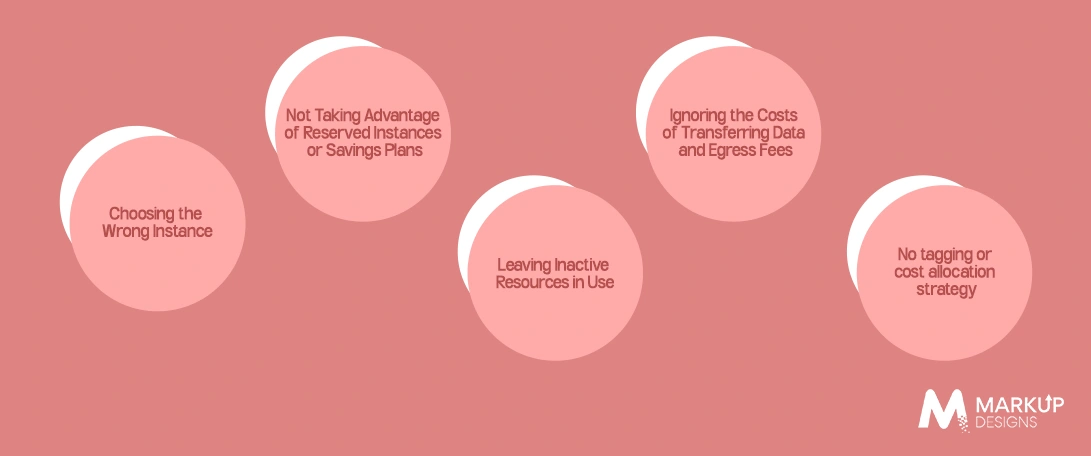
1. Choosing the Wrong Instance
Example
A group of colleagues needs access to a server. They select an instance based on its perceived capability, deploy their application, and walk away. 6 months later, they are still using this same instance, and it is still bigger than necessary for the job they are performing on it.
Why This is Bad
Pricing for the public cloud (AWS, Azure, Google Cloud) is based on the size and type of the instance. Moving to a smaller compute-optimized instance can give savings of 30%-50% from a general-purpose instance while maintaining the same level of performance.
What You Can Do
Use the cloud providers’ integrated recommendation tools (AWS Compute Optimizer, Azure Advisor, GCP Recommender) to analyze your actual usage of the instance and recommend alternative sizes. Perform this operation at least once a quarter.
Average Cost Impact
Historically, businesses of the right size see savings of $1,000 to $8,000 within a month, based on how big their infrastructure is.
Read Also: Cloud Infrastructure Basics Every Founder Must Understand
2. Not Taking Advantage of Reserved Instances or Savings Plans
What It Looks Like
Most organizations run their workloads on demand, meaning they pay full price for every hour of compute usage. While on-demand provides flexibility, the cost of running always-on workloads with on-demand pricing can be extremely high.
Why It Hurts
Running workloads with consistent usage, such as databases, core application servers, and API backends under an on-demand pricing model, can result in up to 72% higher costs per hour than using reserved pricing; this can quickly add up.
What You Can Do
- AWS: Use Reserved Instances (1 to 3 years) or AWS Compute Savings Plans
- Azure: Use Azure Reserved VM instances or Azure Savings Plans
- GCP: Use Committed Use Discounts (CUDs)
If your workloads have predictability in nature and are consistently running, committing to a reserved option for at least one year will usually result in savings. The break-even point is typically less than six months after taking advantage of reserved pricing.
3. Leaving Inactive Resources in Use
How it Appears
When an application is completed, the developer may create a test environment and then forget to remove it. Three months later, that environment is still running up a bill. The same applies to storage volumes, load balancers, snapshots, elastic IP addresses, and virtual machines. All of these resources are associated with a project when they are created, but are often never deleted once the project is complete.
Why it impacts
These resources are ‘invisible’ waste; they do not appear as anything broken, so there’s no indication that they are costing you money.
What you can do:
- Establish a monthly cloud resource audit as part of your process.
- Implement tagging conventions on all resources so that they are clearly marked to indicate ownership.
- Set up automation to alert you if any resource has not had any activity for 30 days or more.
- Use additional management tools such as AWS Trusted Advisor or Azure Cost Management to identify idle resources automatically.
4. Ignoring the Costs of Transferring Data and Egress Fees
Omitting the data transfer and egress fee from your comparison when evaluating cloud services is one of the most frequent errors when evaluating cloud service pricing.
When you transfer data between locations, even with another region or transferring from the cloud back to on-premises, it costs money to transfer. Companies that generate significant data have additional costs related to transferring that data.
The egress fee on AWS varies, ranging from about 0.08 to 0.090 per GB for egress for data transferred to different regions or geographical locations. If you regularly transfer several terabytes of data each month, you will incur significant charges.
The easiest way to reduce egress fees is to consider data architecture and costs. For example, maintaining your workload and the associated data in the same region, utilizing CDNs to supply or deliver your content closer to the user, and compressing data prior to the transfer are three effective methods of reducing these costs.
Read Also: ROI of Cloud Computing: Is It Really Worth the Investment?
5. No tagging or cost allocation strategy
Without a tagging system, your cloud bill ends up being more. You won’t know which team is spending the most, what project caused the spike this month, or where the waste is hidden.
By tagging every cloud resource with metadata (team name, project, environment (dev, staging, production), cost center), you get visibility for making smart business decisions. Without that visibility, you’re basically flying without a map.
Most cloud providers provide cost allocation reports based on tags, and getting this setup takes less than a few hours, but it will save you an incredible amount of money and time long term.
Cloud Cost Waste: What It’s Costing You
The table below shows typical monthly waste for each common cloud mistake, based on mid-size business infrastructure:
| Mistake / Area | Avg Monthly Waste (USD) | Potential Savings |
| Over-Provisioned Servers | $1,200 – $8,000 | 30–40% |
| Idle / Orphaned Resources | $500 – $4,000 | Up to 35% |
| Unused Storage (S3, Blob, GCS) | $500 – $4,000 | 30–72% |
| Data Transfer / Egress Costs | $2,000 – $15,000 | 20–50% |
| Lack of Auto-Scaling Policies | $300 – $3,000 | 15–40% |
| Multi-Cloud Without Governance | $800 – $6,000 | 25–45% |
| No Tagging / Cost Allocation | $1,000 – $7,000 | 20–35% |
| No Reserved Instances / Savings Plans | $3,000 – $20,000+ | 10–25% indirect savings |
Note: Figures represent estimates for mid-size businesses running $10,000–$80,000/month in cloud spend. Actual savings vary based on workload type and provider.
FAQ
1. Why is my AWS / Azure / GCP bill higher than expected?
The most common reasons are over-provisioned resources, idle workloads still running, no reserved pricing in place, and unmonitored data egress fees. A cloud cost audit can usually identify the top 3 to 5 sources of waste within a few hours.
2. What is cloud over-provisioning?
Over-provisioning means you are running servers or services that have more capacity than your application actually needs. For example, a server running at 15% CPU usage but billed at 100% is over-provisioned. Right-sizing it to a smaller instance type keeps performance the same at a lower cost.
3. How much can I realistically save by optimizing my cloud bill?
Most businesses can reduce their cloud bill by 20 to 40 percent without changing any application code. The biggest gains usually come from right-sizing instances, switching to reserved pricing for stable workloads, and cleaning up orphaned resources.
3. Do I need a DevOps team to manage cloud costs?
Not necessarily. While having DevOps expertise helps, many cost optimization steps like setting budget alerts, reviewing instance recommendations, and implementing tagging can be handled by a cloud-savvy business team. However, for medium to large cloud environments, having a partner or specialist is worth the investment.
4. What is the best way to track cloud spending across multiple teams?
The most practical approach is the combination of tagging every resource by team and project, setting up cost allocation reports in your cloud provider’s billing dashboard, and reviewing those reports monthly with team leads. Tools like CloudHealth, Spot.io, or native dashboards (AWS Cost Explorer, Azure Cost Management) make this much easier.
5. What is a Reserved Instance, and should I use one?
A Reserved Instance is a pricing commitment where you agree to use a specific type of server for 1 or 3 years in exchange for a significant discount — typically 30 to 72 percent off on-demand rates. If you have workloads that run 24/7, reserved pricing almost always makes financial sense.
The Advantages of Working With Markup Designs to Achieve a More Optimal Cloud Cost Solution
Cloud cost problems are based on not knowing your costs or how to manage the services stated. Markup Designs has provided financial assistance to all companies that want to fix their cloud service issues and eliminate waste from their cloud computing.
We help you get all of this done through an audit of how much you spent on cloud services, including all of the available options for making corrections.
- Obtain a comprehensive review of your cloud computing monthly bill, including all associated costs related to unused resources, plus detailed documentation of how and where those expenses have been incurred.
- Markup Designs will perform an extensive analysis of your history to provide an estimate of your potential future cloud workloads (actual v.s. expected) while offering guidance and best practices.
- Determine and implement the right level of commitment for reserved cloud resources and/or savings plans based upon anticipated future cloud purchases, and determine the optimal pricing schedule for those reserved cloud resources and/or savings plans.
Conclusion
Spending on cloud services is among the fastest-growing expenses for companies today. Unlike payroll or rent, cloud costs can be reduced in a significant way without cutting something that is critical.
The errors described in this blog, such as mistakes like over-provisioning, having too many idle resources, using the wrong pricing model, and having no governance process to control spending, are not rare instances; they happen frequently. Most organizations are currently wasting significant amounts of money on their cloud expenditures without being able to accurately track the source of their waste.
The good news is that organizations do not need to completely re-architect their cloud environments to resolve these issues. Organizations should first obtain a good understanding of where they are currently spending their cloud budget. Identify the three largest sources of waste. Address these first to build the habits and processes that will help keep cloud costs in check going forward.

Author's Perspective
From the author’s point of view, rising cloud bills are not a result of expensive technology but a reflection of how loosely cloud environments are managed. Most businesses adopt cloud with the intention of scalability and flexibility, but fail to implement the same level of financial discipline that they would apply to traditional infrastructure. This gap between usage and accountability is where the real problem begins.
What stands out is that these mistakes are not complex or technical—they are operational. Leaving unused resources running, overestimating capacity, or ignoring pricing models are all decisions made in the interest of speed and convenience. However, without regular review, these decisions quietly evolve into long-term financial inefficiencies.
Discuss Your Project NowJupinder Singh Arora
Founder and CEO
Related Posts

ROI of Cloud Computing: Is It Really Worth...

Cloud Infrastructure Basics Every Founder Must Understand
Insights Are Valuable & Execution is Priceless
You’ve read about the digital future. Now, let’s build the infrastructure to take you there. Move your strategy from the page to the product.
Design Your Solution Now
Contact Us
Schedule The Appointment At Your Convenience Date And Time.
30 Min
Web Conference
Time Zone
Indian standard time (08:30pm)

Thanks For Getting In Touch!
You’ve Taken The First Step Toward Transforming Your Digital Presence. Our Experts Will Reach Out Shortly To Take It Forward.
Launch Your Dream Project
Provide a brief overview of your project, and our specialists will evaluate your requirements. We will connect with you to explore how the right digital solutions can help you launch faster.