

In Brief
- The WMS, which is custom-developed for your company, allows you to control your inventory, inbound and outbound shipments, order fulfillment, and deliveries via a solution that was built specifically to suit your business processes. It enhances visibility of your stock, automates operations, and boosts your company’s growth.
- Major functions of WMS are inventory control, order and shipment management, barcode and RFID scanning, warehouse automation, analytics and reporting, integration with ERP, eCommerce, accounting, and shipping solutions.
- Steps of custom WMS development are: defining business needs, analyzing warehouse workflow, choosing features and technologies, designing architecture, developing core modules, integrating other systems, testing, training staff, and post-launch performance monitoring.
- The cost required for WMS software development lies within the range of $15,000-$30,000 for basic, $30,000-$70,000 for mid, and $70,000-$150,000 or more for enterprise-level software solutions. It is influenced by the list of functionality that the system will have, warehouse locations, integration, hardware, installation, and maintenance.
- Well-developed WMS software may ensure greater precision in inventory management, higher efficiency in order fulfillment processes, lower operational costs, increased productivity of work, and scalability. The business should be ready to integrate the software to guarantee data accuracy, security, staff training, and regular system maintenance.
Warehouse management goes beyond keeping the products and dispatching orders. The business has to monitor the stock, organize the inflow and outflow of goods, process orders in time, and ensure the smooth operation of daily processes. Problems are likely to arise when these operations are handled using spreadsheets or a set of independent systems.
A custom warehouse management system (WMS) assists companies in organizing the above operations with the help of software tailored specifically to their needs. It can help to increase the visibility of stock, simplify the workflow, minimize manual labor, and connect warehouse operations with other company systems.
Unlike off-the-shelf solutions, custom WMS software gives businesses the option to select the functionality corresponding to their workflow and business objectives. Nevertheless, developing a system requires proper planning, choosing the features, and understanding the cost of development.
This blog post will review the development of a custom warehouse management system, its features, development process, the estimated cost, challenges that may appear during development, and potential advantages for your company.
What is a Custom Warehouse Management System?
A custom warehouse management system (WMS) is a type of software that is intended to assist a business in organizing warehouse operations according to its particular needs. The software enables a team to track inventory, handle incoming products, manage storage, process orders, and ship orders using the same platform.
In contrast to ready-to-use WMS, the custom software is tailored to meet the business’s needs, goals, and challenges. In the case of a custom WMS, the user has an opportunity to select only the necessary features, integrate the solution with current software, and extend its functions in case of business growth.
For example, an eCommerce development company dealing with thousands of orders per day may require instant inventory updates, order processing, and shipping. A manufacturer may require batch tracking, raw materials management, and improved interaction between manufacturing and warehouse departments.
The main goal is to make warehouse operations more organized, accurate, and efficient while giving businesses better control over their inventory and order fulfilment processes.
Why Do Businesses Need a Custom Warehouse Management System?
As the business grows, managing warehouse operations may be becoming increasingly challenging. Growing product volumes, growing order volumes, numerous storage points, and evolving customers’ demands may cause problems with the existing processes. In such a situation, a custom warehouse management system allows businesses to cope with the emerging challenges using software designed for their particular needs.
Here are some of the main reasons why businesses choose to develop a custom WMS.
1. To Increase the Accuracy of Inventory Control
Manual accounting and lack of integration may result in inventory discrepancies. A custom WMS helps in tracking all changes in the inventory and maintaining an accurate record of the stock volumes without overstocks or understocks.
2. To Decrease Manual Efforts
Warehouse staff have to update spreadsheets, check stock, process orders, etc. These repetitive tasks waste time. Automation saves time for other important tasks.
3. For Quicker Order Fulfillment
By ensuring that products are found quickly, orders are picked up and packed in a faster way, an effective WMS facilitates quicker processing and order delivery.
4. For Business Operation Integration
Integration of the warehouse management system with the company’s ERP, eCommerce, and shipping system will ensure data uniformity across the departments and minimize data entry.
5. For Supporting Company Growth
As the number of orders grows or new warehouses are opened, a custom WMS can be expanded to include more functions, users, integrations, and workflows.
6. For Making Informed Decisions
Inventory reports and other data help managers spot inefficiencies, monitor productivity, and make informed business decisions regarding warehouse operations.
Key Features of a Custom Warehouse Management System
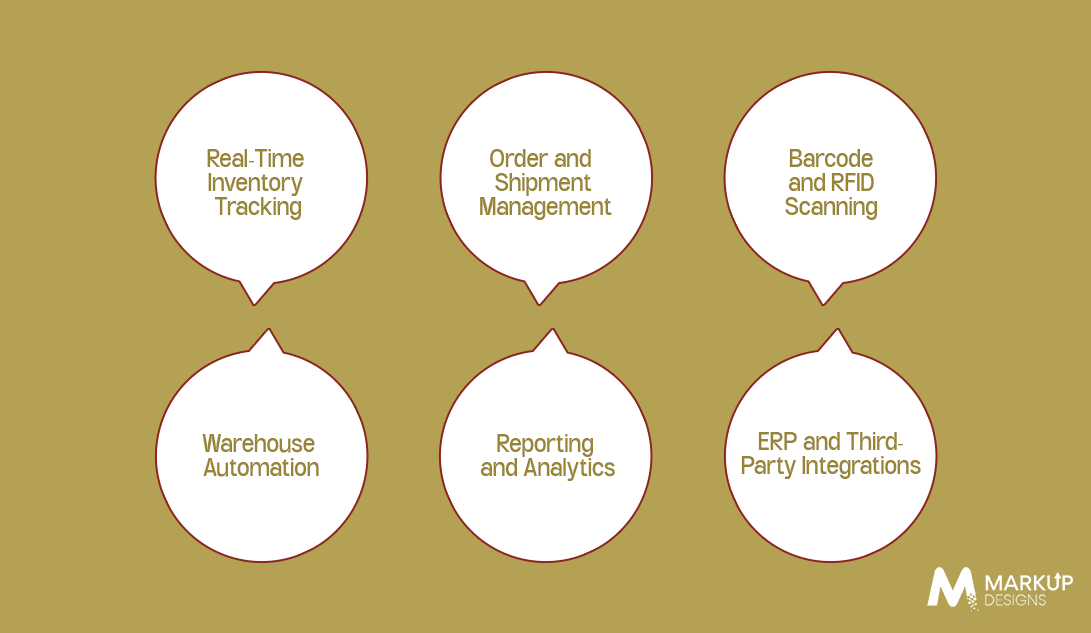
The functionality to be included in such a warehouse management system is one that helps to overcome the warehouse problems faced on a daily basis. The correct functionality would depend upon the warehouse size, volume of orders, the inventory needs, and the business processes.
The following are six features that are worth considering when customizing the warehouse management system.
Real-Time Inventory Tracking
Real-time inventory tracking provides a business with complete visibility of the available stock, the location of products in the warehouse, and the movement of the inventory.
Order and Shipment Management
This solution enables order management from picking to packing and dispatching. It helps monitor the state of orders, organize the order fulfillment process, and minimize delays related to the manual process of coordination.
Barcode and RFID Scanning
The barcode and radio frequency identification technologies enable warehouse personnel to identify items and register inventory transactions. They may minimize manual data input, enhance the accuracy of inventory transactions, and streamline receiving and picking operations.
Warehouse Automation
Automation may facilitate repetitive tasks such as allocation of picking lists, updating of inventory transactions, and preparation of shipment documents. In accordance with business needs, the solution can integrate with automated storage and robotic systems.
Reporting and Analytics
Reporting tools will be used by managers to gauge how much inventory they have, the time taken to deliver orders, the movement of the stock, and the efficiency of the operations in the warehouses. This helps in identifying operational problems, cost management, and planning of resources.
ERP and Third-Party Integrations
The custom warehouse management system will be able to integrate with ERP systems, e-commerce sites, bookkeeping applications, and shipping services, among others.
How to Develop a Custom Warehouse Management System
The development of a custom WMS entails a number of requirements and considerations. These include setting business objectives and analyzing current processes in the warehouse. Below is a description of the steps in creating a warehouse management system.
Step 1: Set Business Requirements
Identify problems like inventory mistakes, delayed orders, lack of control over inventory, etc. It is necessary to set goals, determine needed functions, user roles, and results.
Step 2: Analysis of Existing Operations in the Warehouse
Study processes of receiving, storing, picking, packing, and shipping products. It will help find inefficient points and see where software can be useful.
Step 3: Select Features and Technologies
Select features like barcode scanning, RFID, automated stock management, and reporting. Select technology that provides security, speed, and scalability.
Step 4: Design the Architecture of the System and User Interface/Experience
Develop the structure of the database, system integrations, controls for safety and security, and user interface. Make sure that the system is convenient for use by warehouse workers, both on desktop computers and mobile devices.
Step 5: Implement WMS Core Modules
Implement core modules responsible for inventory management, order management, receiving goods, picking, packing, and shipping of orders.
Step 6: Integrate Systems and Hardware
Integrate the WMS with ERP software, e-commerce websites, shipping services, and warehouse equipment.
Step 7: Test the System
Inventory updates, order processing, returns, integration, security, and performance tests should be conducted in order to pinpoint any problems prior to launch.
Step 8: Deployment and Training
Deploy the system and train the warehouse employees. A staged deployment can reduce disruption to everyday business processes.
Step 9: Monitoring and Improvement
Monitor system performance, inventory accuracy, and user feedback. Maintenance and updates allow the WMS to evolve in line with the company’s needs.
Following these steps helps businesses build a reliable WMS that improves operational efficiency and supports future growth.
How Much Does Custom Warehouse Management System Development Cost?
The cost of developing a customized warehouse management system is contingent on the required features, the complexity of the operations in the warehouse, the integrations, and the level of experience in the development team. It is expected that a basic system with basic features such as inventory control will be cheaper than a complete system.
Here is an indicative breakdown of WMS development costs:
| Type of WMS | Estimated Development Cost | Suitable For |
| Basic WMS | $15,000–$30,000 | Small businesses needing essential inventory and order management |
| Mid-Level WMS | $30,000–$70,000 | Growing businesses requiring integrations, reporting, and more advanced workflows |
| Enterprise-Grade WMS | $70,000–$150,000+ | Large operations needing multi-warehouse management, complex integrations, and automation |
Key Factors That Affect WMS Development Cost
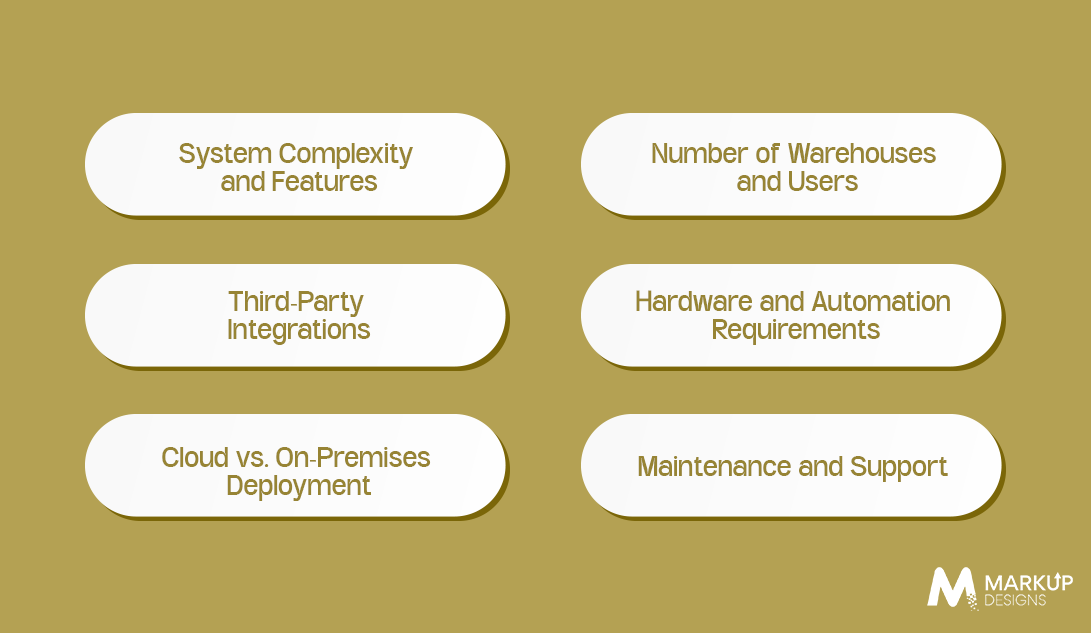
The expenses related to the development of an individual warehouse management system may be rather diverse depending on the business. In other words, the system tailored for a single warehouse and its simple inventory control will differ from the platform working with multiple warehouses, a complicated supply chain, and automated systems.
Here are six important factors affecting the final costs.
System Complexity and Features
With more complicated features, there will be more work to do during the development process. Simple inventory control is always easier to develop than complex demand forecasting, automated picking, analysis, and other advanced functions.
Number of Warehouses and Users
In some cases, the system that is designed for the use of a single warehouse can be less complicated than the system working with several warehouses.
Third-Party Integrations
Incorporating WMS into ERP systems, e-commerce websites, accounting applications, and shipping services entails additional development and testing processes. The costs will vary based on the availability of APIs, the complexity of the data integration process, and the current state of existing systems.
Hardware Automation Requirements
Hardware such as barcode scanners, RFID readers, IoT sensors, conveyors, and automated robotic equipment can enhance operational effectiveness. Nevertheless, incorporating them will necessitate a special development and hardware setup process on-premises, followed by testing.
Cloud vs. On-Premises Deployment
A cloud solution will entail lower expenses for maintaining on-site hardware, while an on-premises deployment may necessitate special hardware solutions and IT staff for its maintenance. The total cost will depend on various factors, including hosting, infrastructure, security, licensing, and maintenance.
Maintenance and Support
Continuous updates, security patches, troubleshooting, performance monitoring, and support services are vital for any WMS system. Businesses have to budget for these ongoing expenses.
Common Challenges in Custom WMS Development and How to Overcome Them
A custom warehouse management system development is able to contribute to warehouse efficiency; however, businesses can experience difficulties in their process. Knowing about those problems in advance will help to avoid obstacles and ensure successful system development.
- System Integration: The integration of the WMS into existing ERP, e-commerce, and shipping systems can cause certain difficulties. Plan the integration process and conduct data transfer tests.
- Inventory Data Accuracy: Inaccurate and outdated inventory information can impact its visibility. Perform necessary data validation and cleaning.
- Budgeting: Extra functionality can increase development expenses. Focus on key features at first and develop the rest of the functionality gradually.
- Employee Training: Employees can have difficulties with the new system’s operation process. Organize necessary training programs.
- Data Security: The safety of business information and inventory is important. Implement access control and perform system security tests regularly.
- Scalability: A large number of orders can affect system operation. Consider the scalability of the system in its design.
Addressing these challenges during planning helps businesses build a reliable WMS that meets operational needs, supports employees, and adapts to changing business requirements.
Benefits of Investing in a Custom Warehouse Management System
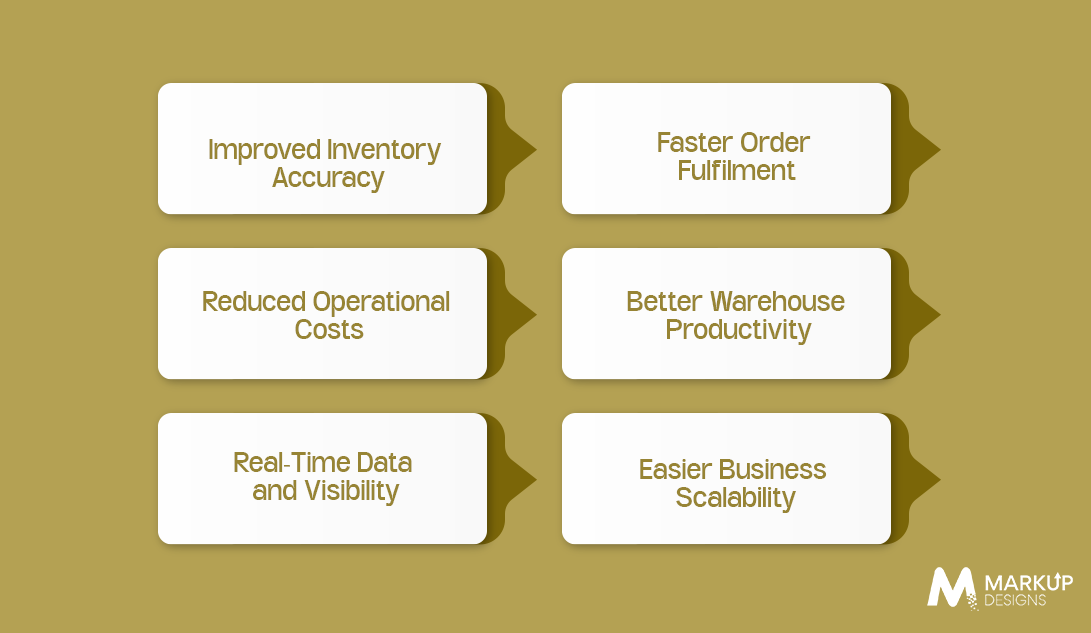
The custom WMS is not only about the management of warehouse inventory. The WMS is also used by companies to facilitate their workflow processes, better control resources, and improve the overall management of their warehouse operations. Once a WMS is tailored to the needs of the company, it can be beneficial beyond the borders of the warehouse.
Improved Inventory Accuracy
All of the movements of inventory within the warehouse can be registered by the custom WMS when products are received, moved to another location, picked, and shipped. Such tracking allows companies to have more precise inventory control and avoid stockouts and extra stock.
Faster Order Fulfilment
Better organized picking lists, clear information about the locations of the products, and efficient packaging workflows allow warehouse staff to perform their work faster.
Reduced Operational Costs
Automation of recurring tasks may decrease unnecessary actions such as manual input of information and mistakes made during work. Also, improved management of inventory allows for making smart purchase decisions and saving money on surplus items.
Better Warehouse Productivity
A custom-made WMS will ensure that the staff knows what to do, finds items faster, and coordinates operations such as receiving, picking, packing, and shipping. Managers can use information regarding performance and find bottlenecks in it to improve resource allocation.
Real-Time Data and Visibility
Managers are able to base their decisions on up-to-date and correct data when it is at hand. It can help to coordinate work processes of various parts of the warehouse staff, buying departments, salespeople, and other personnel involved.
Easier Business Scalability
With the growth of the business, it will become necessary to use warehouse management systems that support increased numbers of items, users, locations, and operations in general. A custom-made WMS can meet these needs.
The actual results depend on the quality of implementation, employee adoption, and how well the software matches existing workflows. Businesses should define measurable goals before development so they can evaluate improvements after launch.
Why Choose Markup Designs for Custom Warehouse Management System Development?
The selection of the development partner matters a lot when designing a custom warehouse management system. Markup Designs offers its services to the companies looking to explore the available software solutions which meet the needs, workflows and goals of the companies. From requirement analysis to essential features, the emphasis should always be laid on the actual warehouse problems.
A good solution can assist organizations in improving visibility of inventories, making order processing more effective, and integrating warehouse operations into the current enterprise applications. Markup Designs can assist you in developing the system by keeping in mind all the necessary issues such as usability, scalability, and integration requirements.
In case you need such features as inventory tracking, order management, reporting, multi-warehouse management and other ones, the identification of the correct scope is crucial in developing a practical solution.
Looking to Build a Custom Warehouse Management System?
The right warehouse software can help you improve inventory control, streamline order fulfilment, and manage daily operations more effectively. Markup Designs can help you explore a custom solution aligned with your business goals and technical requirements.

Conclusion
A custom WMS (warehouse management system) development enables a business to enhance its stock management process, order handling, and coordination of the overall warehouse activities. The inclusion of such features as real-time tracking, barcode scanning, reporting capabilities, and integrations into other systems allows achieving this objective.
However, a business needs to understand the purpose of developing such a system, choose proper features, allocate finances properly, and choose an experienced WMS developer. Training of employees, integration of systems, and maintenance of software are also important issues.
In case you find managing warehouse operations too complicated, a custom warehouse management system can help. The first step is to identify the problems and develop the appropriate system.
FAQs
1. How long does it take to develop a custom warehouse management system?
The development timeline depends on the system’s complexity, number of features, integration requirements, and testing needs. A basic solution may take a few months, while a more complex enterprise-grade WMS can take considerably longer. A detailed project assessment provides a more reliable estimate.
2. How much does custom warehouse management system development cost?
Custom WMS development may cost from tens of thousands of dollars for a basic solution to well over $150,000 for a complex enterprise platform. The final price depends on features, integrations, deployment requirements, hardware, and the development team’s rates. Businesses should request a project-specific estimate before setting a final budget.
3. What are the must-have features of a warehouse management system?
Essential features typically include real-time inventory tracking, receiving and putaway management, order processing, picking and packing, shipment tracking, and reporting. Barcode scanning and integrations with existing business systems may also be important, depending on warehouse requirements.
4. Can a custom WMS integrate with an existing ERP system?
Yes. A custom WMS can integrate with an existing ERP system through APIs, middleware, or other suitable integration methods. This allows relevant information, such as inventory levels, purchase orders, and order statuses, to move between systems. The integration approach depends on the ERP platform and its technical capabilities.
5. Can a warehouse management system support multiple warehouse locations?
Yes. A custom WMS can be designed to manage multiple warehouses, track stock by location, support transfers between facilities, and provide consolidated inventory visibility. The exact capabilities depend on the system’s architecture and business requirements.
Author's Perspective
A warehouse management system should solve real operational problems, not add unnecessary complexity. Businesses must identify inventory errors, order delays, and inefficient workflows before deciding what to build.
The best approach is to start with accurate inventory tracking, efficient order processing, clear workflows, and reliable reporting. Advanced features like predictive analytics, IoT, and automation can follow as needs grow.
Businesses should also consider training, integrations, maintenance, and future upgrades when planning their investment. The goal is to build a practical, reliable WMS that meets current requirements, supports business growth, and delivers long-term value.
Discuss Your Project NowJupinder Singh Arora
Founder and CEO
Related Posts

How to Develop Healthcare Software in Australia: Process,...

Enterprise Application Integration: A Complete Guide for Modern...

How Much Does Custom Accounting Software Development Cost...
Insights Are Valuable & Execution is Priceless
You’ve read about the digital future. Now, let’s build the infrastructure to take you there. Move your strategy from the page to the product.
Design Your Solution Now
Contact Us
Schedule The Appointment At Your Convenience Date And Time.
30 Min
Web Conference
Time Zone
Indian standard time (08:30pm)

Thanks For Getting In Touch!
You’ve Taken The First Step Toward Transforming Your Digital Presence. Our Experts Will Reach Out Shortly To Take It Forward.
Launch Your Dream Project
Provide a brief overview of your project, and our specialists will evaluate your requirements. We will connect with you to explore how the right digital solutions can help you launch faster.