
Managed IT Services Pricing: What It Really Costs in 2026
Managed IT services pricing is never one-size-fits-all and it shouldn’t be. The broad ranges you come across rarely account for what actually drives cost in practice. The right investment depends on how large your business is, how complex your IT environment is, what level of support keeps your operations running without disruption, and what long-term outcomes you expect from your technology partner.
This guide breaks it all down clearly, such as pricing models, real cost ranges in USD, what drives costs up or down, and how to decide whether managed IT is even the right move for your business in 2026.
What Are Managed IT Services, and Why Does Pricing Vary So Much?
The Basic Idea Behind Managed IT Services
Managed IT services means you outsource some or all of your technology management to an outside provider called a Managed Service Provider or MSP. Instead of calling someone only when things break (that’s the old “break-fix” model), you pay a monthly fee for ongoing support, monitoring, and maintenance.
Think of it like a retainer for your IT needs. Your MSP watches over your systems, handles day-to-day issues, keeps your software updated, and steps in fast when something goes wrong.
Common Services Included in Managed IT Packages
- 24/7 Network Monitoring
- Help Desk And User Support
- Cybersecurity (Antivirus, Firewall, Threat Detection)
- Data Backup And Disaster Recovery
- Cloud Management (Microsoft 365, Google Workspace, Azure, AWS)
- Patch Management And Software Updates
- Hardware Support And Vendor Management
- Compliance Assistance (Hipaa, Pci-Dss, Soc 2)
Why Pricing Varies So Much
No two businesses have the same IT setup. A 10-person law firm with sensitive client data needs something very different from a 50-person retail business. Some of the key factors that play a major role in determining the overall costing are the complexity of your systems, your industry’s compliance requirements, and the resolution timeframes. The market has settled into fairly predictable price bands, which we’ll cover in detail below.
Managed IT Services Pricing Models: Which One Fits Your Business?
Per-User Pricing
This is the most common model. You pay a set monthly rate per employee who needs IT support. It’s simple to understand and scales naturally as your team grows or shrinks.
| Service Level | Monthly Cost Per User (USD) | What’s Included |
| Basic | $100 – $150 | Monitoring, help desk, and patch management |
| Standard | $150 – $200 | Above + backup, basic cybersecurity, cloud support |
| Premium | $200 – $350 | Above + 24/7 support, advanced security, compliance, vCIO |
Per-Device Pricing
Instead of charging per employee, some MSPs charge per device they manage. This works well if your business has more equipment than users, like a warehouse or manufacturing facility.
| Device Type | Monthly Cost Per Device (USD) |
| Desktop / Laptop | $50 – $150 |
| Server | $150 – $500 |
| Firewall / Router | $30 – $75 |
| Network Switch | $25 – $60 |
| Mobile Device (MDM) | $15 – $40 |
Tiered / Package Pricing
Many MSPs offer bundles at different levels, such as Basic, Business, and Enterprise. You pick the tier closest to your needs. It’s easy to compare, but you might end up paying for services you don’t use.
| Tier | Monthly Cost (USD) | Typical Includes |
| Essential | $50 – $150/user | Monitoring, basic helpdesk, and patch management |
| Business | $150 – $250/user | Full helpdesk, security, backup, cloud mgmt |
| Enterprise | $250 – $400+/user | All above + compliance, vCIO, 24/7 support |
What Drives Managed IT Services Costs Up or Down?
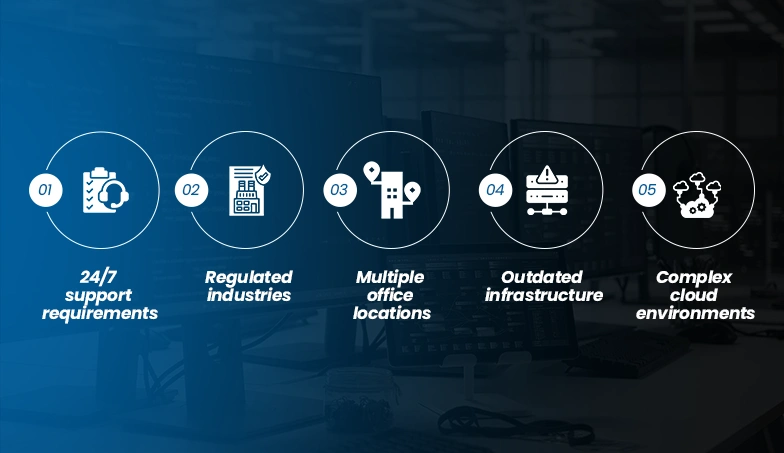
Factors That Can Impact Your Monthly Bill
- 24/7 support requirements: Business-hours coverage is cheaper. Around-the-clock support can add 30–50% to your base cost.
- Regulated industries: Healthcare (HIPAA), finance (PCI-DSS), and legal firms typically pay $50–$150 more per user per month for compliance-related services.
- Multiple office locations: Each additional site adds network complexity, coordination overhead, and sometimes on-site visit fees.
- Outdated infrastructure: Old servers, legacy software, and poorly documented networks take more time to manage. Expect higher hourly rates or add-on fees.
- Complex cloud environments: Hybrid setups (on-premise + cloud) need more specialized management than pure cloud or pure on-premise.
Get More Value Without Stretching Your Budget
- Modern, well-documented infrastructure: MSPs can manage clean environments faster, often offering lower rates as a result.
- Long-term contracts: Committing to a 2–3 year agreement often unlocks 10–20% discounts vs. month-to-month.
- Bundling services: Using one MSP for everything (IT + security + backup + cloud) usually costs less than separate vendors.
- Co-managed IT: If you have an internal IT person, a co-managed arrangement lets the MSP fill gaps, cutting overall spend.
- Cloud-first infrastructure: Cloud-based systems need less physical maintenance, reducing support hours and costs.
Managed IT Services vs. In-House IT Team: A Cost Comparison
The Real Cost of an In-House IT Team
Most business owners underestimate what an internal IT team actually costs once you add up salaries, benefits, tools, and turnover.
| Cost Component | Annual Cost (USD) |
| IT Technician Salary | $65,000 – $95,000 |
| IT Manager Salary | $85,000 – $160,000 |
| Benefits & Payroll Taxes | $37,500 – $63,750 |
| IT Tools & Software Licenses | $10,000 – $25,000 |
| Training & Certifications | $3,000 – $8,000 |
| Recruitment / Turnover Cost | $10,000 – $20,000 |
Managed IT Cost for the Same Business (50 Employees)
| Package Level | Monthly (USD) | Annual (USD) |
| Standard Package | $6,000 – $8,000 | $72,000 – $96,000 |
| Full Managed + Security | $9,000 – $13,000 | $108,000 – $156,000 |
| Premium with Compliance | $13,000 – $18,000 | $156,000 – $216,000 |
For most small and mid-size businesses, managed IT delivers similar or better coverage at 25–45% lower cost, as compared to a full in-house team. And you get a full bench of specialists instead of one or two generalists.
Why Partner with Markup Designs for Your Managed IT Needs?
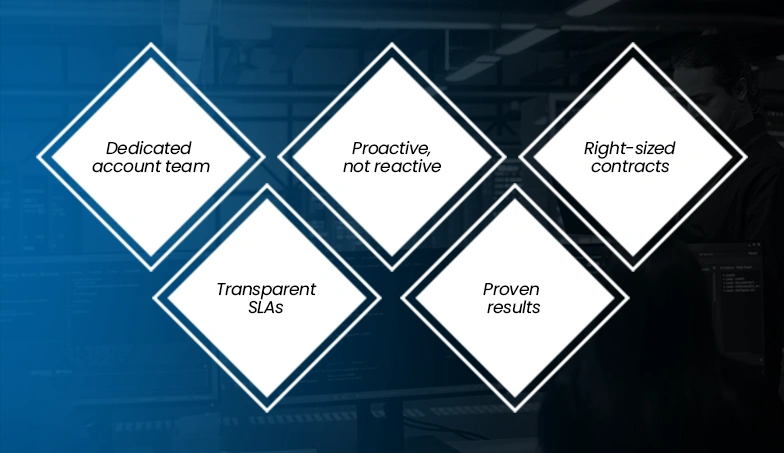
Too many businesses sign managed IT contracts that seem affordable at first, only to find themselves dealing with vague SLAs, unexpected charges, and support teams that are nowhere to be found when it matters most. We have seen it happen more times than it should, and it is exactly the kind of experience we build at Markup Designs.
Here’s what we do differently:
- Dedicated account team: You will have a dedicated team that understands your business.
- Proactive, not reactive: We monitor your systems around the clock and fix problems before they hit your team.
- Right-sized contracts: We build packages around what your business actually needs, not what’s easiest for us to sell.
- Transparent SLAs: Response times, uptime guarantees, and escalation paths are spelled out clearly — and enforced.
- Proven results: Our clients average 40% fewer IT-related disruptions in year one, and consistently save compared to their previous setup.
How to Choose the Right Managed IT Services Provider?
Questions to Ask Before You Sign
- What is and isn’t included in the monthly fee? Get a written list. “Project work” is often excluded and billed separately.
- What are your response time commitments? Ask for SLA specifics, and not just “we respond fast.”
- How do you handle after-hours emergencies? Is it the same team or an answering service?
- Can I see a sample contract and SLA document? Any MSP worth working with will share these before you commit.
- What happens if we want to leave? Understand data ownership and offboarding terms upfront.
FAQs
How much do managed IT services cost on average in 2026?
Most businesses pay between $100 and $300 per user per month. A 25-person company on a standard plan typically spends $3,500–$6,000 per month. Premium plans with 24/7 support and compliance management can run $250–$400 per user.
Which pricing model is better: per-user or per-device?
Per-user pricing is simpler and works well for most office environments. Per-device pricing is better if you have a lot of shared equipment, servers, or specialized hardware. Ask your MSP to calculate both models for your specific setup.
What is not included in a managed IT services contract?
Common exclusions include hardware purchases, new software licenses, large project work, after-hours support (if you’re on a business-hours plan), and on-site visits beyond a set number per month. Always read the scope section of your contract carefully.
Is managed IT worth it for a small business?
For most small businesses with 10 or more employees, yes. The cost of a managed plan is almost always lower than hiring even one dedicated IT person when you factor in salary, benefits, and tools. Plus, you get a full team of specialists instead of one generalist.
Can I negotiate managed IT pricing?
Yes. Multi-year contracts, bundling more services, and paying annually instead of monthly are all common ways to get relevant discounts. Don’t be afraid to ask.
What is a vCIO, and does my business need one?
A virtual CIO (vCIO) is a strategic IT advisor who helps you plan technology investments aligned with your business goals. Mid-size and growing companies benefit most from this. It’s typically included in premium-tier plans or available as an add-on at $500–$2,000/month.
What is co-managed IT?
Co-managed IT is a hybrid model where your internal IT staff handles day-to-day work and the MSP fills gaps like after-hours support, specialized security, or project work. It’s a cost-effective option if you already have some IT capacity in-house.
The Conclusion
Managed IT services pricing in 2026 ranges from around $100 per user per month for basic monitoring to $400+ for enterprise-grade, fully managed servicest with compliance and security. For most small and mid-size businesses, a standard managed package stands between $150–$250 per user per month and delivers more consistent IT coverage than a small in-house team at a lower total cost.
The key is knowing what you actually need, asking the right questions, and working with a partner who is transparent about what’s included and what isn’t.
Author's Perspective
While working with businesses on IT decisions has made one thing clear, which is that managed IT pricing is still one of the most misunderstood topics out there.
The monthly fee is rarely the real problem. What catches businesses off guard are the gaps, such as things not covered in the contract. The server migration that’s “out of scope.” The after-hours emergency is billed at $250 an hour. The compliance audit nobody mentioned upfront.
Before comparing prices, compare scope. A $150/user plan that covers everything beats a $100/user plan that charges extra for every second thing.
The businesses with the fewest IT headaches aren’t the ones that found the cheapest MSP. They’re the ones who asked the right questions, read the contract carefully, and chose a provider they could actually talk to.
One tip that matters more than anything else is to ask for a sample contract before asking for pricing. How a provider responds to that request tells you everything about how they’ll treat you as a client.
Discuss Your Project NowDeepak Tripathi
Product Manager
Related Posts

Why Businesses in Dubai are Investing in Managed...

How Remote Managed IT Services Help Businesses Scale...

Top Managed IT Service Providers Compared: Ultimate Business...
Insights Are Valuable & Execution is Priceless
You’ve read about the digital future. Now, let’s build the infrastructure to take you there. Move your strategy from the page to the product.
Design Your Solution Now
Contact Us
Schedule The Appointment At Your Convenience Date And Time.
30 Min
Web Conference
Time Zone
Indian standard time (08:30pm)

Thanks For Getting In Touch!
You’ve Taken The First Step Toward Transforming Your Digital Presence. Our Experts Will Reach Out Shortly To Take It Forward.
Launch Your Dream Project
Provide a brief overview of your project, and our specialists will evaluate your requirements. We will connect with you to explore how the right digital solutions can help you launch faster.