
In Brief
- Boosted Operational Effectiveness: Through various IT integration tools, organizations manage tasks that are repeated, minimize manual data input and create more efficient workflows across their departments.
- Enhanced Availability of Data: As connected businesses employ technology in their operations, they create a data environment that ensures that employees have seamless and constant access to the right and up-to-date information
- Quickened Decision-Making Process: Businesses are able to utilize the information available efficiently and timely as they can follow their operations in real time and eliminate identifiers causing problems in decision-making.
- Enhanced Flexibility of Business: With the help of the integration of the systems, companies can easily comply with customers’ needs, market requirements, and management requirements.
- Expandable Business Operations: With the help of the right integration framework, companies can easily align their resources and technology with the changing environment in the market.
Thus, one of the key aspects of any modern organization is a sophisticated utilization of different applications, processes, tools, and technologies that can help manage its every aspect, for instance, its finances, relationships with its customers, stocks and workflow within the company. However, using separate systems does not eliminate the problems associated with the
However, when these systems work separately from each other, they frequently lead to data silos, redundant labor, and a slowdown in crucial business processes. This inefficiency makes it more challenging for teams to work together, have access to reliable information, and respond to changing business conditions.
IT integration solutions can help eliminate the problem by ensuring the ability of different systems to work together and exchange data. By unifying applications, databases, and business processes in a single network, organizations can lower operational complexity, improve productivity, and make faster data decisions. In addition, good IT integration allows flexibility in developing the technology infrastructure in correspondence with business growth.
What Are IT Integration Solutions?
IT integration solution includes different software applications, databases, and IT services connected for the purpose of effective work. An ultimate goal of an IT integration solution is to solve problems that arise due to unconnected workflows, minimize manual involvement, and provide information consistency across departments.
Depending on the needs of the business, IT integration could involve connecting enterprise applications, synchronizing databases, connecting cloud services, or providing legacy system integration. The goal is to create a connected IT environment that improves operational efficiency, simplifies data management, and supports business growth.
How Do IT Integration Solutions Help Businesses Improve Efficiency and Agility?
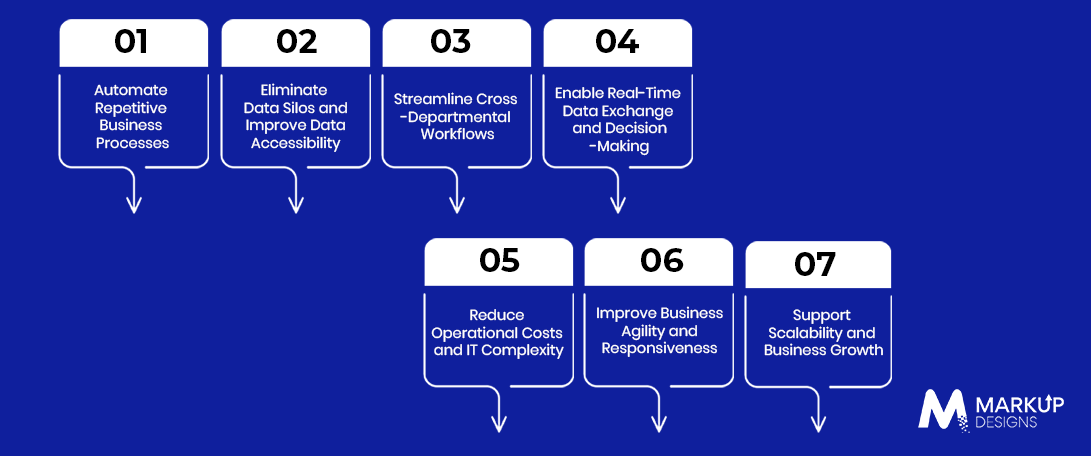
Solutions for IT integration assist businesses in synchronizing and coordinating activities, enhancing the flow of information, and adapting quickly to new demands. Bringing systems into connection allows organizations to cut down on operational delays, as well as take advantage of all their IT tools.
Automate Repetitive Business Processes
IT Integration makes it possible to automate some mundane tasks, such as transferring customer data, updating inventory records, processing orders, and generating reports. This prevents the necessity of entering data manually, decreases the number of mistakes made as well as gives the opportunity to employees to focus on more important jobs.
Eliminate Data Silos and Improve Data Accessibility
It is easier to work with integrated systems. Independent systems cause data to be spread in numerous applications. However, integration brings everything together, enabling authorized people to work with one data source and not switch between different platforms or save duplicate records.
Streamline Cross-Departmental Workflows
Modern integrated systems allow all departments, such as sales, accounting, production, and customer support, to interchange data and collaborate with each other. For example, when a sales team confirms an order, the inventory and finance systems can receive the relevant updates automatically, reducing delays and improving coordination.
Enable Real-Time Data Exchange and Decision-Making
IT integration makes it possible for systems to communicate and share data as business events occur, depending on the architecture of the integration presented. Teams can utilize the most recent figures in sales, inventory, and customer information in order to spot issues before they arise and to act in a timely manner.
Reduce Operational Costs and IT Complexity
Interlinking systems creates a situation where repetitive and manual work, duplicated data handling, and disconnected tools requiring separate maintenance are eliminated. Businesses benefit from reduced operational costs and improved usage of IT resources, although integration requires initial investments and continuity in maintenance.
Improve Business Agility and Responsiveness
Integrated systems give businesses the ability to react to changes in customer demands, market situations, and internal priorities. Having access to interconnected workflows and data enables organizations to modify their processes and present new services without implementing a full reconstruction of their systems from scratch.
Support Scalability and Business Growth
A properly chosen integration model makes it possible for companies to connect new applications, develop business, and introduce new more recent technologies. Modular integrations and reusable APIs can make expansion easier while reducing the need for extensive changes to existing systems.
What Are the Key Types of IT Integration Solutions for Businesses?
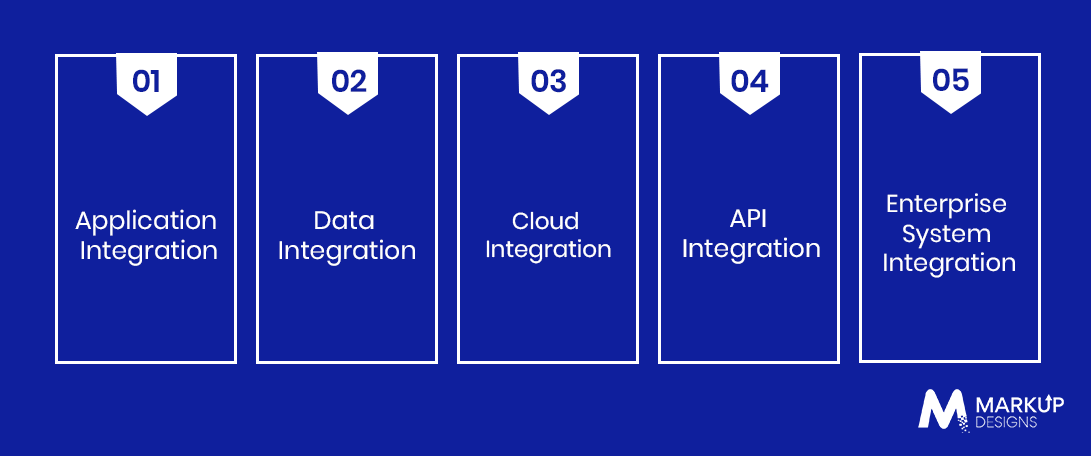
Depending on their technology disposition, data needs, and operational objectives, companies can employ a variety of integration methods. In fact, many businesses opt for a combination of methods to transfer data from application to application, keep data updated, and implement the entire procedures from beginning to end.
Application Integration
Application integration refers to the process of linking various software applications so that they can trade information and consolidate their activities. One example is when customer relationship management (CRM) software is combined with corporate resource management (ERP) systems and customer orders together with payment methods and account-specific data can be connected.
Data Integration
Data integration is the process of merging information obtained from different sources so that they could remain the same and accessible for users. In most cases, this implies that data is extracted, changed according to requirements, and subsequently placed in the main database or synchronized across different systems. This aim allows for the use of that data for the purposes of reporting, analytics, making reasonable decisions, etc.
Cloud Integration
Cloud integration connects applications and services that operate in the cloud, as well as the frameworks of cloud storage, with one another and with systems that store information on-premises. Therefore, it facilitates seamless data flow among hybrid environments, allows synchronizing business apps, and enables cloud services implementation in combination with existing systems.
API Integration
API integration uses application programming interfaces (APIs) to establish communication between software systems and enable them to share information based on a certain set of rules. Thus, it allows connecting business platforms, services provided by other companies, and various digital platforms without the necessity of developing each feature from the ground up.
Enterprise System Integration
Enterprise system integration provides you with the means to connect key business platforms like ERP, CRM, supply chain management, and HR systems.
It helps organizations coordinate processes across departments, reduce information gaps, and maintain a more unified view of business operations.
What Are the Common Challenges in Implementing IT Integration Solutions?
Although integration can improve business operations, implementation requires careful planning. Differences in technology, data structures, security requirements, and existing workflows can create challenges if they are not addressed early.
Integrating Legacy Systems With Modern Applications
Older systems may lack modern APIs, use outdated data formats, or rely on technologies that are difficult to connect with newer applications. Businesses may need middleware, custom connectors, or phased modernization to establish reliable communication without disrupting essential operations.
Maintaining Data Consistency and Accuracy
Different systems may store information in incompatible formats or maintain conflicting versions of the same records. Data mapping, validation rules, synchronization controls, and clear ownership policies help maintain accuracy and prevent inconsistencies across connected applications.
Addressing Security and Compliance Requirements
Every new connection can introduce potential security risks if access and data transfers are not properly controlled. Businesses should implement authentication, encryption, role-based access controls, monitoring, and appropriate data governance measures to protect sensitive information and meet applicable compliance requirements.
Managing Integration Costs and Complexity
Integration costs can increase due to custom software development, licensing, infrastructure requirements, and ongoing maintenance. Businesses can manage this complexity by assessing existing systems, prioritizing high-impact integrations, choosing suitable tools, and planning for long-term support before implementation begins.
Minimizing Business Disruptions During Implementation
Integration changes can affect workflows, data availability, and connected applications if deployment is poorly managed. Phased rollouts, testing in controlled environments, data backups, rollback plans, and employee training help reduce disruption and support a smoother transition.
Read Also: Managed IT Services Cost in 2026: Pricing Breakdown for Businesses
What Are the Best Practices for Implementing IT Integration Solutions?
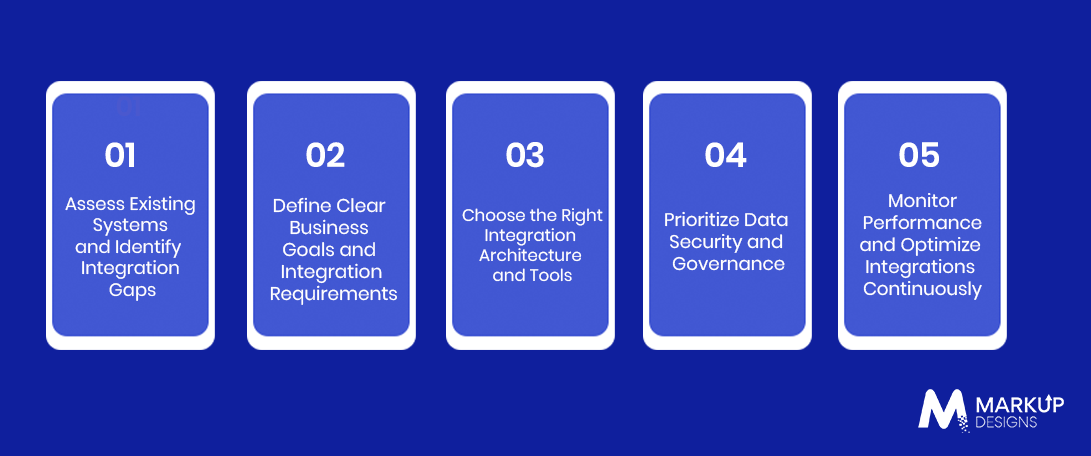
Effective IT integration involves more than merely linking applications. Organizations must have a determined implementation plan that harmonizes technological solutions with operational goals, ensures data safety, and allows future adaptations.
Assess Existing Systems and Identify Integration Gaps
The first step is to review the applications, databases, infrastructures, and workflows that are used within an organization. One must identify separate systems, redundant processes, compatibility issues, and obstacles in terms of data flow in order to assess the integrations that will produce the biggest value for the business.
Define Clear Business Goals and Integration Requirements
Determine the objectives that can be measured, such as minimizing manual data entry, shortening the time needed to process orders, as well as increasing data access. Clearly express functional demands, understand data flows, performance needs, and responsibilities of stakeholders before starting the choice of integration solution.
Choose the Right Integration Architecture and Tools
Select the integration technology depending on the complexity of the system, volume of data, scalability requirements, and the existing infrastructure. Depending on the needs of an organization, viable options may be API, middleware (iPaaS), or the enterprise service bus (ESB). The chosen technology must ensure good connectivity yet doesn’t complicate the business unnecessarily.
Prioritize Data Security and Governance
Establish clear policies for data access, ownership, quality, and retention across connected systems. Use encryption, strong authentication, role-based permissions, and audit logs to protect sensitive information. Businesses should also account for applicable regulatory requirements when transferring or processing data.
Monitor Performance and Optimize Integrations Continuously
Track integration performance after deployment to identify failures, delays, and synchronization issues. Set up automated alerts, maintain error logs, and review performance against established targets. Regular testing, updates, and capacity planning help keep integrations reliable as business requirements evolve.
How Can Businesses Measure the Success of IT Integration Solutions?
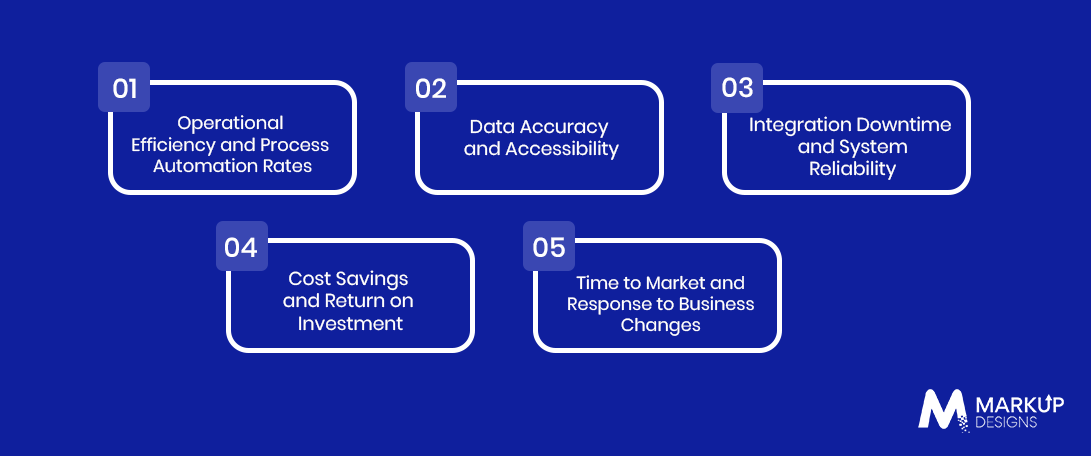
Businesses need to assess IT integration through quantifiable operational and financial results instead of just counting the connected systems. If companies have baseline metrics in place prior to implementation, it will allow them to find out whether integration is beneficial or not.
Operational Efficiency and Process Automation Rates
Measuring how long it takes to perform essential workflows, how many tasks are automated, and how less manual work is performed is necessary. If less time is needed to accomplish the tasks and there are fewer repetitive processes, it means that integration helps to increase productivity.
Data Accuracy and Accessibility
It is important to monitor data entry errors, duplication, time of synchronization, and the time employees spend in search of information. If data consistency has improved and employees manage to find information more quickly, this means that systems are more connected.
Integration Downtime and System Reliability
It is good to keep in mind integration problems, the uptime of the service, how fast the response, and how long it takes to recover. If there are fewer mistakes and problems, this is again a good indicator of how reliable the integration is.
Cost Savings and Return on Investment
Compare implementation and maintenance costs against measurable benefits, including reduced manual effort, lower operational expenses, and fewer errors. Return on investment (ROI) helps businesses determine whether integration delivers sufficient financial value over time.
Time to Market and Response to Business Changes
Measure how quickly the organization can launch new services, connect additional applications, or modify existing workflows. Shorter implementation cycles and faster responses to changing requirements indicate that the integration architecture supports business agility.
How Can Markup Designs Help You Implement IT Integration Solutions?
Markup Designs is a design company that helps businesses create and improve information technology systems. This company provides a team of experts who evaluate and analyze the system, and eventually find a solution to develop applications that execute data exchange and workflows much more efficiently.
Markup Designs provides services for API development, legacy system changes, cloud solutions, and enterprise software application development. Due to our constant connections with our clients, we gain a good understanding of their organizational priorities and try to adjust our efforts to help build the integration strategy aligned with the organization’s goals.
Connect Your Business Systems for Greater Efficiency
Eliminate disconnected workflows and make your IT infrastructure work harder for your business. Partner with Markup Designs to explore integration solutions tailored to your operational needs.

Conclusion
In conclusion, IT integration strategies help businesses become more effective and more flexible, making it possible to minimize the friction between the integration of applications, automate work processes, and ensure smooth information flow.
However, some considerations must be taken into account while employing a particular integration. Organizations should chain their view of integration from a project to a responsibility through such actions as enhancing security and managing compatibility issues and establishing performance monitoring systems.
FAQ
1. What distinguishes IT integration from system integration?
IT integration refers to making connections between the various software applications, databases, and the IT services while system integration encompasses various hardware and software components incorporated into a single system. These two terms are often interchanged as integration techniques but both share the goal of attaining improved interoperability and efficiency.
2. In what way can IT integration solutions help businesses become more effective?
IT integration solutions help automate mundane tasks, prevent unnecessary data influxes into the systems, and enable teams to view information in the same format throughout the different programs. These operations involve less manual work, speed up the internal operation of the company, and free employees for more important tasks.
3. How long will it take to conduct the IT integration of the companies?
Conducting the integration may take several weeks for applications or APIs and take months for enterprise-wide complex integrations. The time for integration depends on the systems included in the process, the complexity of the data in use, and security standards that have to be met.
4. What does it cost to implement IT integration solutions?
The amount varies according to the integration methods, system quantity, development activities, licenses, platform, and follow-up services. Straightforward integrations may require less funding compared to elaborate enterprise integration. The actual costs should be determined in detail.
5. Can IT integration solutions work with legacy systems?
Yes, IT integration solutions allow connecting legacy systems with modern applications via APIs, middleware, custom connectors, and data synchronizations. The choice of method depends on the legacy system architecture, available ports, and compatibility limitations.
6. How do IT integration solutions support business scalability?
IT integration solutions allow enterprises to integrate applications, involve other services, and broaden business processes without making dramatic changes to the company’s IT. Scalable infrastructures and reusable APIs allow organizations to work with great volumes of data and changes in their operations.
Author's Perspective
The idea of IT integration does not only mean connecting applications; it means architecting solutions fit for business operations. Companies need to select integrations correlated with their business operations.
A well-planned integration strategy, supported by robust security controls and continuous performance monitoring, can help businesses build a more efficient, adaptable, and scalable IT environment.
Discuss Your Project NowGaurav Goyal
Global Sales- VP
Insights Are Valuable & Execution is Priceless
You’ve read about the digital future. Now, let’s build the infrastructure to take you there. Move your strategy from the page to the product.
Design Your Solution Now
Contact Us
Schedule The Appointment At Your Convenience Date And Time.
30 Min
Web Conference
Time Zone
Indian standard time (08:30pm)

Thanks For Getting In Touch!
You’ve Taken The First Step Toward Transforming Your Digital Presence. Our Experts Will Reach Out Shortly To Take It Forward.
Launch Your Dream Project
Provide a brief overview of your project, and our specialists will evaluate your requirements. We will connect with you to explore how the right digital solutions can help you launch faster.