
What Is Cloud Computing? A Complete Guide That Every Business Should Know in 2026
Earlier, the term ‘cloud computing’ was something that was not in the limelight for businesses. Now, it has been the backbone of the core operations for businesses to grow and collaborate. As per the recent market research, the global cloud computing market was valued at $752.44 billion in 2024 and is projected to reach $2,390.18 billion by 2030.
Yet many business owners, especially in the small and mid-market segment, don’t have a clear idea about cloud computing and how it benefits them in modern operations. Those running the businesses in 2026 are still working on the ‘on-premise’ servers, outdated software licenses, or physical storage drives. In this guide, we will be learning each concept in detail, such as what cloud computing is, how it works, and why choosing the right partner matters more than ever.
Learn About the Basics of Cloud Computing in-Depth
The term ‘cloud computing’ means accessing the computing resources, such as servers, storage, databases, software, and networking, over the Internet, instead of managing all of them in-house. You can think of it like you generate electricity at home. Then, you plug it into the grid and play for what you are using. Basically, cloud computing is the same concept, just like it is applied to business technology. You plug it into the provider’s infrastructure and pay only for what you are consuming. Hence, instead of managing all the physical components, you are renting the resources from the cloud providers.
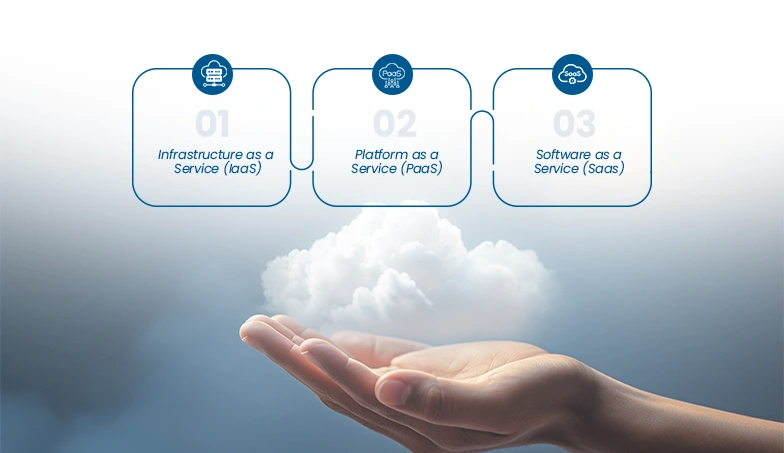
The three core models that you should know are:
1.Infrastructure as a Service (IaaS)
In this, you are renting the raw computing infrastructure, such as servers, storage, and networking. Basically, you control all the applications and operating systems at the top. It is best for businesses that are in full control without owning the hardware. It is best for businesses that want full control without having control of any hardware. For instance, Amazon Web Services (AWS), Microsoft Azure, and Google Cloud.
2.Platform as a Service (PaaS)
You will get only the ready-made platform that is built and deployed for the applications, without worrying about the infrastructure. This is best for the development team that is designing the customized software. For example, Google App Engine and Microsoft Azure App Service.
3.Software as a Service (Saas)
This is basically accessing the fully built software over the internet, which is usually on a subscription basis. There will be no installation and no maintenance for the same. It is best for every business function. For example, Salesforce, QuickBooks Online, Microsoft 365, Zoom.
Know the 4 Types of Cloud Deployment Models
1.Public Cloud
These services run on shared infrastructure owned by major providers such as Amazon, Google, and Microsoft. You securely share the infrastructure with other customers and pay only for what you use, making it a cost-effective and scalable choice. It’s no surprise that most small and mid-market businesses start here.”
2.Private Cloud
This is the infrastructure that is dedicated to your businesses. Here, you get more control, more customization, and stricter security, at a higher cost. This is best for healthcare organizations, financial institutions, and government agencies that are dealing with sensitive regulated data.
3.Hybrid Cloud
It is a mix of public and private clouds, where sensitive data is stored in a private cloud, while non-critical workloads run in the public cloud. This helps in the cost optimization and meeting compliance with regulations. For instance, a financial services firm might keep customer records on a private cloud while running marketing analytics on AWS.
4.Multi-Cloud
Multi-cloud adoption is the right option for those looking to avoid vendor lock-in and optimize costs, performance, and features. It involves the use of cloud computing services such as IaaS, PaaS, or SaaS—from two or more cloud vendors (e.g., AWS, Google Cloud, Azure) to run applications.
The Benefits of Moving Your Business to Cloud Computing
Now, the conversation shifts to a strategic angle. Here, you need to know what the cloud services mean for your businesses:
1.Reducing the Overall Costing
There will be no upfront costing on the hardware and no ongoing maintenance costs. You can switch easily from capital expenses (CapEx) to operating expenses (OpEx), which are predictable monthly costs that scale with your usage.
2.Team Can Work From Anywhere
Your team can check the tools, files, and system from any device, anywhere in the world. In a business environment, this isn’t a simple advantage; it has become the core requirement.
3.Scaling Resources Up or Down
Are you launching your business in the new market? Is the slow quarter impacting you? Then, you need to stop paying for what you don’t need. Businesses can easily scale back at any time when things slow down.
4.Keeping the Software Up to Date
When you are using the cloud services, you are handling the updates automatically. You are always running the latest software or version without scheduling downtime or paying for upgrade licenses.
5.Continuous Business Operations
Since we know that data is backed up across multiple locations. It means a flood, fire, or hardware failure is not going to wipe out the business. The recovery time goes from days to minutes.
Cloud vs. Traditional On-Premise: The Honest Comparison
| Feature | Cloud Computing | Traditional On-Premise |
| Upfront Cost | Low to none | High (servers, hardware) |
| Maintenance | Handled by the provider | Handled by your IT team |
| Scalability | Instant | Slow and expensive |
| Security | Provider-managed, enterprise-grade | Dependent on your internal team |
| Accessibility | Anywhere, any device | Typically office-bound |
| Software Updates | Automatic | Manual and often delayed |
| Disaster Recovery | Built-in, fast | Requires separate investment |
| Customization | Moderate to high | Very high |
| Best For | Most businesses in 2026 | Highly regulated industries with specific requirements |
The truth: for the vast majority of businesses, on-premise infrastructure is no longer the smarter choice.
How Much Does Cloud Computing Actually Cost?
This is one of the most common questions that every business usually asks. The cloud pricing depends on the service model, the provider, your usage, and your team size. Here’s a realistic breakdown:
| Service Type | Provider | Estimated Monthly Cost |
| Cloud Storage (1 TB) | AWS S3 | $23 – $25 |
| Cloud Storage (1 TB) | Google Cloud Storage | $20 – $23 |
| Virtual Server (2 vCPU, 8 GB RAM) | Microsoft Azure | $70 – $120 |
| Virtual Server (2 vCPU, 8 GB RAM) | AWS EC2 | $65 – $110 |
| SaaS: CRM (per user) SaaS: Productivity Suite (per user) | Salesforce Essentials | $25 – $75 |
| SaaS: Accounting | Microsoft 365 Business | $6 – $22 |
| Managed Cloud Services (SMB) | QuickBooks Online | $30 – $200 |
| Full Cloud Migration (one-time, SMB) | Third-Party Provider | $500 – $5,000+ |
A Closer Look at Cloud Storage Models
Since not every cloud storage is created equally. Here is how the main storage tiers actually work:
1.Hot Storage (Standard)
The data that you access frequently, such as daily operations, customer database, and active project files, is included in the hot storage. For example, AWS S3 Standard, Azure Blob Hot Tier, Cool / Infrequent Access Storage.
2.Cloud or Archive Storage
These are mainly cost-effective archival and the strong tier that supports various retrieval speeds, depending on the business needs. It is best for long-term audit data, regulatory logs, and records that are rarely accessed, but must be retained.
The Limitations That You Need To Know About Cloud Computing
Since we know that no two technologies are the same and have both pros and cons. That is why it is important to know about the cloud computing’s limitations, which are as follows:
1.Dependency on the Internet: A reliable internet network is a must-have for cloud computing to operate. If your internet goes down, access to cloud services will not be available. Therefore, it is important to have a reliable connection before migrating to these systems.
2.Ongoing Adding Costs: The pay-as-you-go model is great to have. Until you are watching the usage. It means cloud bills can spiral up without proper cost governance.
3.Vendor Lock In: Moving solutions that are fully integrated into a Software as a Service solution can be a difficult process requiring lots of time, budget, and planning.
4.Data Sovereignty– Depending on your industry and the geographical area, where you store or where you may have compliance issues in storing data in another country. There are significant compliance and regulatory implications for the data being used in the United States by companies in the healthcare, finance, and legal industries.
5Learning Curve– The cloud platform offers many new features and functions, but to effectively use it, you need training. When companies rush through the migration process, it usually leads to problems from a lack of proper onboarding or training during the transition.
Understanding Cloud Security for Business Owners
For business owners with cloud services, the most concerning issue they have regarding their cloud environment is security, and rightly so.
Although there are numerous choices of cloud providers, many businesses can only achieve a limited level of security. In fact, service providers like IBM Cloud, Google Cloud Platform (GCP), Amazon Web Services (AWS), and Microsoft Azure spend far more on securing their infrastructure than even the largest enterprise would ever think possible.
While each provider secures their underlying infrastructure, creating a secure environment for your data also depends on you, as the customer, to implement and use the provider’s services correctly.
Read Also: Cloud Infrastructure Basics Every Founder Must Understand
Cloud Security Checklist
- Two-factor authentication (MFA) for every account
- Role-based access controls (RBAC) so employees only view data necessary for them to do their jobs
- Data encryption at rest and in transit
- Regular security audits on the cloud environment
- Compliance with regulation (GDPR, HIPAA, SOC2, or whatever applies to your industry)
Top Cloud Computing Trends to Watch for 2026
The Cloud continues to grow and expand. The following trends will continue to influence the evolution.
- Serverless Computing: The introduction of serverless architecture offers an alternative way in which applications are developed with AWS Lambda, Azure Functions, and Google Cloud Functions. In this model, businesses can run their application code without the need to manage multiple servers. Billing is only based upon the actual compute time consumed to execute the code.
- Edge Computing: Edge computing processes data where it’s collected, like in a factory, store, or medical device, instead of sending it to a central location. This makes it ideal for applications that need instant results.
- Hybrid and Multi-Cloud: With the growth and capabilities of different cloud providers, organizations can choose the right cloud provider (or providers) that meet their needs to reduce the risk, gain flexibility, and reach a broader pool of cloud services.
- Sovereign Cloud: A sovereign cloud will provide the storage and processing of data based on whether that data is subject to the laws of a specific country. Sovereign clouds are important for organizations with a sensitivity to storing and processing sensitive data, particularly in the healthcare, financial services, and/or government sectors.
Why Should You Partner with Markup Designs for Cloud Services?
Moving to cloud computing is not only about the technology decision, but it is also the business strategy, and getting it in the wrong direction can be expensive. One of the common problems that businesses face is that they know how to move to the cloud, but they are hesitant about where to start, which services to choose, or how to do it without impacting the day-to-day operations.
That is where we can help you strategically. With deep expertise in cloud strategy, migrations, and ongoing management, Markup Designs not only points towards the cloud platform and say goodbye. You will get a dedicated team that works alongside you:
- Know where you are now, what’s functioning well, and everything that will need to change before moving anything over to the cloud.
- We can create a custom-designed cloud infrastructure for your organisation rather than the same plan. This requires an understanding of your data, your personnel, and the company’s growth goals.
FAQs
What is the simplest way to explain cloud computing?
Cloud computing means accessing software, storage, and computing power over the internet instead of from a computer or server you own. You pay for what you use, like a subscription, rather than buying and maintaining hardware.
Is cloud computing safe for business data?
Yes — when set up correctly. Major cloud providers invest heavily in enterprise-grade security. Your responsibility is to follow best practices: strong passwords, multi-factor authentication, access controls, and regular audits.
How much does cloud computing cost for a small business?
Most small businesses spend between $200 and $2,000 per month depending on the tools and volume of data they use. The cost is almost always lower than maintaining equivalent on-premise infrastructure.
What is the difference between IaaS, PaaS, and SaaS?
IaaS gives you raw infrastructure (servers, storage). PaaS gives you a platform to build applications on. SaaS gives you ready-to-use software over the internet. Most businesses use SaaS products daily without realizing it — Zoom, Google Workspace, and QuickBooks are all SaaS.
Which cloud provider is best for a small business?
It depends on your needs. Microsoft Azure integrates well with existing Microsoft tools. AWS offers the widest range of services. Google Cloud is strong for data and analytics. For most small businesses, starting with Google Workspace or Microsoft 365 is the most practical first step.
Can I migrate to the cloud without downtime?
Yes, with the right planning. A phased migration approach — moving one system or department at a time — minimizes disruption. Working with an experienced cloud partner significantly reduces the risk of operational downtime.
What industries benefit most from cloud computing?
Every industry benefits, but sectors like retail, healthcare, financial services, logistics, and professional services have seen the most dramatic improvements in efficiency and cost savings from cloud adoption.
Conclusion
Most businesses around the globe have completed transactions, sealed deals, served customers, and backed up necessary information with cloud technologies before you even finish reading this article.
You may even wonder whether your business moving to the cloud is something you need to do, or when that would be, or how strategic you are about who your partners will be.
You can start small; try resolving one of your issues by moving a single tool or procedure to the cloud first, then assess how well it works. Companies that take a systematic approach to migrating to the cloud usually receive the greatest benefits from their efforts.
Author's Perspective
Having spent the last several years working with B2B brands across different industries — from early-stage startups to multi-location enterprises — one pattern I keep seeing is this: the cloud conversation gets delayed because it feels big and complicated.
The reality I’ve seen on the ground is very different. The businesses that overthink the transition end up spending more time and money staying where they are than it would have cost to just move. The ones that move with a clear plan and a solid partner almost always look back and wish they’d done it sooner.
Cloud computing in 2026 isn’t a luxury upgrade — it’s table stakes. The market data confirms it. The businesses outperforming their competitors confirm it. And frankly, the operational headaches I’ve seen in businesses still running on aging on-premise setups confirm it too.
Discuss Your Project NowDeepak Tripathi
Product Manager
Related Posts

Why Businesses Fail to Optimize Cloud Costs: Common...

ROI of Cloud Computing: Is It Really Worth...

Cloud Infrastructure Basics Every Founder Must Understand
Insights Are Valuable & Execution is Priceless
You’ve read about the digital future. Now, let’s build the infrastructure to take you there. Move your strategy from the page to the product.
Design Your Solution Now
Contact Us
Schedule The Appointment At Your Convenience Date And Time.
30 Min
Web Conference
Time Zone
Indian standard time (08:30pm)

Thanks For Getting In Touch!
You’ve Taken The First Step Toward Transforming Your Digital Presence. Our Experts Will Reach Out Shortly To Take It Forward.
Launch Your Dream Project
Provide a brief overview of your project, and our specialists will evaluate your requirements. We will connect with you to explore how the right digital solutions can help you launch faster.